
16GB vs 32GB RAM for Programming, Docker and Virtual Machines

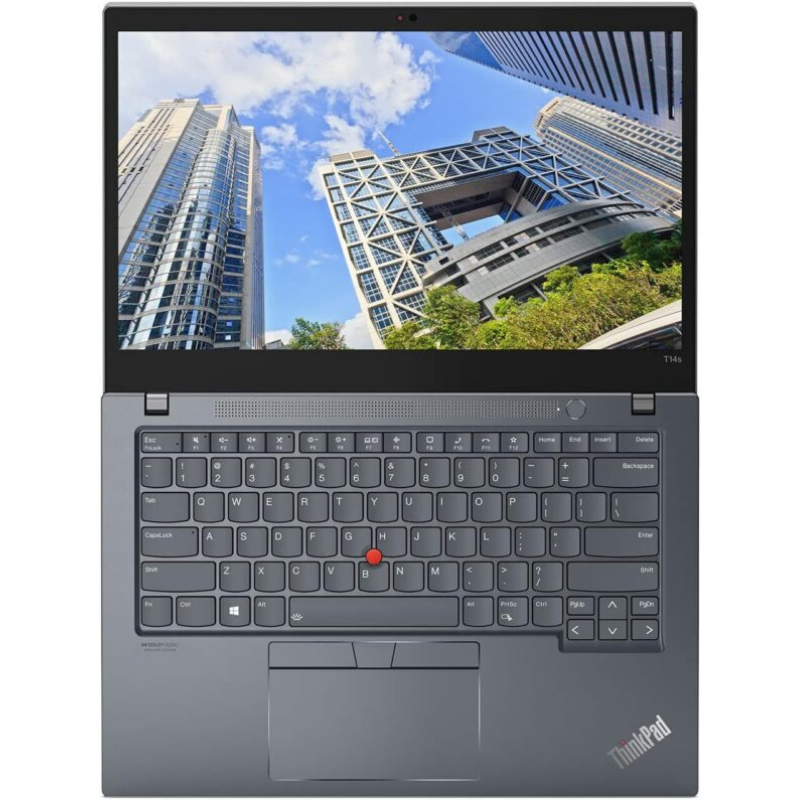
Quick answer: 16GB RAM is a practical starting point for many moderate programming workflows. Consider 32GB when an IDE, browser sessions, local database, containers, emulator or virtual machine need to remain active together. Measure your actual workload where possible; there is no universal RAM requirement for every programmer.
Balance the rest of your development laptop: Read Core i7 generation choices, SSD capacity for projects and virtual machines, the T14s and XPS 32GB comparison to compare the configuration and buying trade-offs.
This guide develops the memory decision within our programming laptop buying guide. Use Developer Pro to compare the selected 16GB/512GB and 32GB/512GB laptop configurations in Kenya.
Count the tools that run at the same time
A code editor and a remote development server create a different local workload from an IDE, database, browser tests and several containers. Start with a normal working session rather than a software list in isolation. Include background tools such as communication apps, security software and file synchronisation when assessing available memory.
| Working pattern | Practical starting point | What to check |
|---|---|---|
| Moderate editing, browser testing and remote services | Compare 16GB options | Normal session memory use and display comfort |
| IDE, local database and several containers | Compare 16GB with 32GB | Container allocation, concurrency and build workload |
| Guest OS, emulator or several local environments | Consider 32GB | Guest allocations, host headroom and SSD capacity |
| GPU computing or large ML models | Assess the whole platform | GPU compatibility, VRAM, system RAM and software |
What 16GB can offer
A 16GB configuration can be a sensible starting point when the local workload is moderate and your tools fit comfortably within available memory. It can leave budget for a better display, suitable peripherals or a machine in better condition. Avoid choosing on RAM alone: the CPU, cooling and SSD still matter for builds and general responsiveness.
| Exact laptop listing | CPU generation | RAM / SSD | Listed price |
|---|---|---|---|
| Dell Latitude 5420 — Business laptop | 11th | 16GB / 512GB SSD | KSh 42,500 |
| HP EliteBook 840 G8 — Business laptop | 11th | 16GB / 512GB SSD | KSh 49,500 |
| Lenovo ThinkBook 14 G2 — Business laptop | 11th-generation Intel ITL platform; verify the CPU code | 16GB / 512GB SSD | KSh 50,000 |
| Lenovo ThinkPad T14s — Business laptop | 10th | 16GB / 512GB SSD | KSh 53,000 |
Price snapshot checked 21 October 2026. Open each product for the current selling price and availability. Model-family images illustrate the laptop; the product listing identifies the configuration.
When 32GB deserves a closer look
Compare 32GB when you regularly close tools to make room for another task, when a guest operating system consumes a substantial allocation, or when several local services need to remain available together. More installed memory provides capacity for this concurrency. It does not double CPU speed, guarantee faster compilation or replace the graphics hardware required by a specialised application.
| Exact laptop listing | CPU generation | RAM / SSD | Listed price |
|---|---|---|---|
| Lenovo ThinkPad T14s — Touch | 10th | 32GB / 512GB SSD | KSh 53,500 |
| Dell XPS 13 9310 — Non-Touch | 11th | 32GB / 512GB SSD | KSh 59,000 |
| HP EliteBook 840 G9 — Business laptop | 12th | 32GB / 512GB SSD | KSh 70,000 |
Price snapshot checked 21 October 2026. Open each product for the current selling price and availability. Model-family images illustrate the laptop; the product listing identifies the configuration.
Docker and virtual machines require more than a RAM number
Docker’s Windows installation documentation sets out the supported operating-system, backend and virtualisation requirements. Check your intended backend and the exact machine’s BIOS access. For a VM, account for the host and guest together; assigning nearly all available memory to a guest leaves little working room for the host and your other tools.
Linux, WSL and different hypervisors have their own compatibility considerations. Confirm your toolchain, the employer’s software policies and required operating system. The practical 16GB/32GB recommendations here are not a replacement for publisher requirements.
Remember SSD capacity and upgrade limitations
The shortlisted offers use 512GB SSDs. Container layers, SDKs, build caches and VM disks can occupy substantial space, so inspect actual free capacity and plan backups. Verify the exact model’s RAM arrangement before assuming expansion is available. Similar laptop names can cover soldered memory, socketed memory or different factory configurations.
A simple decision exercise before purchase
- Open your normal project and the tools used together.
- Observe memory use and the symptoms of any slowdown.
- Identify whether the constraint is memory, CPU, storage or a remote service.
- Compare the exact laptop configurations and unit condition.
- Try a representative task, and confirm any required upgrade in writing.
For an accessible 32GB shortlist, see Core i7 32GB laptops under KSh 75,000. For university coursework, use the computer science laptop guide.
Frequently asked questions
Is 16GB enough for every programmer?
No. The answer depends on the tools, local services, datasets and guest environments that run together.
Is 32GB a universal Docker minimum?
No. Check the current Docker requirements and your own workloads. This guide discusses practical capacity for multitasking.
Will 32GB make every build twice as fast?
No. CPU, project structure, storage, caching and cooling can be more important when RAM is sufficient.
Can a single VM justify 32GB?
It can, depending on the guest allocation and the applications that must remain active on the host.
Do containers consume only disk space?
No. Running services also use CPU and memory. Images and layers additionally consume storage.
Do programmers need dedicated graphics?
Many general coding workflows do not, while GPU computing, 3D and game-development workloads can have specific GPU requirements.
Can I upgrade every 16GB laptop to 32GB?
No. Confirm the exact platform and installed memory arrangement before purchasing.
Is 512GB enough for virtual machines?
Assess the actual virtual-disk sizes, tools, projects and free space. Plan for growth and backups.
Should I ignore battery and screen quality?
No. The keyboard, display, battery and ports affect the everyday working experience.
Where can I compare suitable configurations?
Open Developer Pro for linked 16GB and 32GB options.
Our shortlists compare the stated configuration, workload, screen format and listed Kenyan price. They are buying recommendations, not results from unit-specific performance testing. Read the laptop review methodology and confirm the individual machine’s condition, battery, installed software and accessories.
Choose your work laptop with Infinite Tech
Visit Infinite Tech at Rehema House, Nairobi, or call 0720450148. Share your software, budget, preferred screen size and travel needs when requesting a recommendation. Check the warranty terms, delivery information and the exact unit before ordering.
6 thoughts on “16GB vs 32GB RAM for Programming, Docker and Virtual Machines”
Comments are closed.