
HP EliteBook 845 G7 Ryzen vs 840 G7 Intel: Which Offers Better Value?

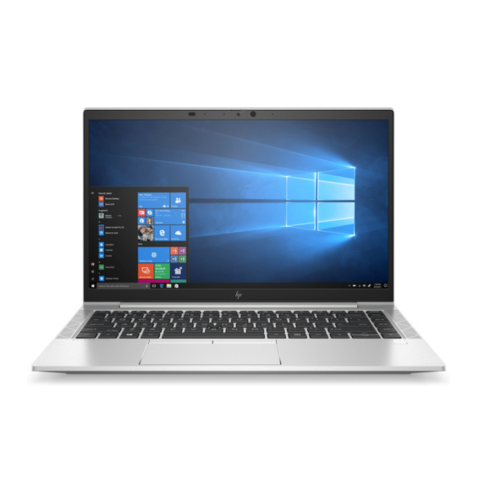
An EliteBook 845 G7 Ryzen offer and an EliteBook 840 G7 Intel offer should be compared as complete configurations. The shared G7 generation label does not make the processor options, graphics, display or memory identical. For Kenyan buyers, the useful question is which actual unit meets the workload at the better complete price.
Catalogue and references checked: 20 October 2026. Prices below are Infinite Tech catalogue asking prices for the stated configuration. Confirm the actual unit, availability, accessories and written warranty before payment.
The EliteBook buying guide puts both models within the wider HP range. Compare the 840 G7 and G8 separately if your decision is also about buying a newer generation.
The business laptop guide helps translate your applications into hardware requirements. Use the EliteBook 830, 840 and 850 size comparison when keyboard layout and screen space also affect your work.
EliteBook 845 G7 Ryzen vs 840 G7 Intel
| Choice | What to compare | Buying implication |
|---|---|---|
| 845 G7 example | Ryzen 5, 16GB RAM, 512GB SSD | Verify the full AMD CPU and graphics configuration |
| 840 G7 lower-cost example | Core i5 10th Gen, 8GB RAM, 256GB SSD, non-touch | Different memory and storage from the Ryzen offer |
| 840 G7 higher-memory example | Core i7, 16GB RAM, 512GB SSD, touchscreen | Compare CPU and touch differences as well as capacity |
Compare matching capacities before comparing AMD and Intel
The Ryzen 5 example below lists 16GB memory and a 512GB SSD, while one Intel offer has 8GB and 256GB. A price comparison between them must account for those capacities. The Core i7 Intel offer matches the Ryzen example’s listed RAM and SSD, but its CPU class and touchscreen remain different.
Ask for the full processor identifier, panel specification and condition of each unit. A broad Ryzen-versus-Intel conclusion cannot be drawn from these mixed offers alone. The table provides real shopping paths, not a controlled performance experiment. Treat any change in touch, memory or storage as a change in the product rather than an interchangeable colour choice.
Use the workload to decide which processor details matter
Ordinary office work, development tools, spreadsheets and technical programs stress different parts of a laptop. Check the application requirements, then try a representative task on the proposed unit if possible. The exact CPU, memory configuration, cooling condition and power settings can all affect the experience.
Avoid claims that every Ryzen 5 beats every Core i7, or that one processor brand is always better for all buyers. The badge is not enough detail. If a feature such as a specific software acceleration path, virtualisation requirement or business management tool matters, verify it for the full CPU and actual configuration instead of assuming support from the family label.
Identify graphics and display requirements separately
Integrated graphics, dedicated graphics and shared memory reporting are different concepts. Ask for the actual adapter name and any dedicated memory before recommending either laptop for a graphics-heavy task. A display’s touchscreen status also does not establish its brightness, colour quality or suitability for design work.
For a buyer focused on documents, calls and accounting, a comfortable screen and responsive storage may be more useful than paying for optional touch. For technical or creative work, check the exact application and project requirements. This guide does not claim measured graphics performance for the stock units. It recommends making the specification visible before drawing a brand-level conclusion.
Inspect the unit and calculate the usable total
Review present battery health, test charging and inspect the screen, keyboard, hinges and call functions. Confirm normal personal setup and the intended operating-system support. Refurbished machines can differ in condition even when the headline configuration matches.
Include a suitable charger, any necessary upgrades, delivery and monitor adapters in the total. Read the written warranty and record the exact CPU, RAM, SSD and touch configuration. If a cheaper offer meets the real workload with adequate support and condition, its value can be strong. If another supplies a verified feature you need, identify that feature rather than paying more from brand preference alone.
Real Infinite Tech catalogue examples
These links lead to individual listings, not a promise that every model in the wider family is available. Compare the complete configuration rather than the processor badge alone.
| Exact listing | Listed price | Next check |
|---|---|---|
| Hp Elitebook 845 G7 Ryzen 5 16GB RAM 512GB SSD | KSh 36,000 | Confirm unit condition, exact components and what is included |
| HP EliteBook 840 G7 Core i5 10th Gen 8GB RAM 256GB SSD Non-Touch | KSh 34,000 | Confirm unit condition, exact components and what is included |
| HP EliteBook 840 G7 Core i7 16GB RAM 512GB SSD Touchscreen | KSh 47,500 | Confirm unit condition, exact components and what is included |
A practical buying decision
Compare the Ryzen and Intel offers on equal capacity where possible, then let the exact CPU, display, condition and application fit decide. The linked prices make useful alternatives visible, but they do not establish a universal AMD-versus-Intel winner.
Frequently asked questions
Are 845 G7 and 840 G7 identical apart from the processor brand?
No. Compare the full platform, display and configuration.
Can I compare an 8GB Intel offer with a 16GB Ryzen offer?
Yes, but keep the memory and SSD differences visible and include any upgrade cost.
Does Ryzen 5 or Core i7 alone decide speed?
No. Use the exact CPU and a realistic workload comparison.
Are either automatically suitable for demanding CAD?
No. Check the actual graphics, memory and the requirements of the software and project.
Related Infinite Tech buying pages
- Laptop Knowledge Centre
- Compare all laptops
- EliteBook buying guide
- Best Laptops for Accounting Students in Kenya 2026
More HP buying guides
- HP Laptop Prices in Kenya: New vs Refurbished Buying Guide
- HP EliteBook 840 G7 vs G8: Is the Upgrade Worth It?
- HP EliteBook 830 vs 840 vs 850: Choosing the Right Size
Manufacturer references and research method
This is a research-based buying guide, not a hands-on test or a benchmark report. Manufacturer references describe supported options; the linked catalogue identifies the configuration being offered. Model-specific details should be matched to the full product code or service tag.
- HP EliteBook 840 G8 specifications
- HP EliteBook 840 G7 model specifications
- HP EliteBook 845 G7 model specifications
Confirm your laptop with Infinite Tech
Contact Infinite Tech at Rehema House, Nairobi, on 0720450148. Ask for the full model code, a written specification and the applicable warranty. Read warranty information, delivery information and contact Infinite Tech before placing an order.
2 thoughts on “HP EliteBook 845 G7 Ryzen vs 840 G7 Intel: Which Offers Better Value?”
Comments are closed.