

How to Verify a Refurbished Laptop’s Processor Generation Before Buying in Kenya

Infinite Tech Kenya · Updated October 2026. How to Verify a Refurbished Laptop’s Processor Generation Before Buying in Kenya This guide uses distinct published laptop specifications and current listed prices to help Kenyan shoppers compare real purchase choices. It is not represented as a hands-on laboratory review.
Summary: which laptop makes more sense?
Before paying any used-laptop seller in Nairobi, obtain a clear screen photo showing processor model and system model, then check that it matches the exact product listing. If the claimed Intel generation conflicts with the manufacturer model family, pause the order until it is explained.
Compare the currently listed configurations
| Laptop/model listing | Infinite Tech price | Buying check |
|---|---|---|
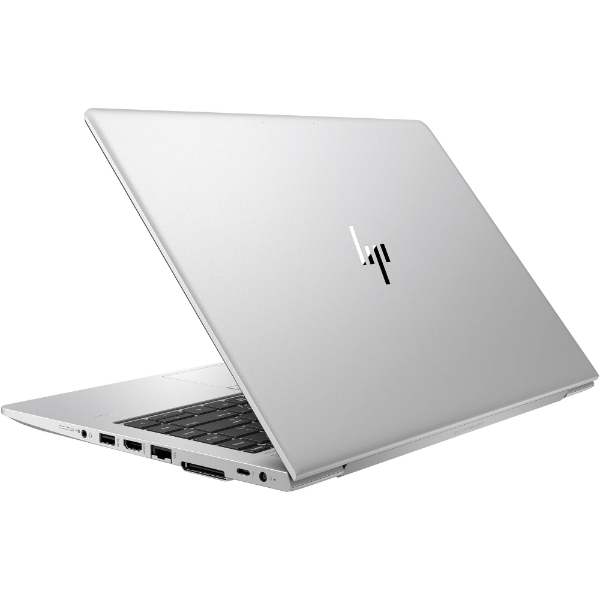
| HP EliteBook 840 G4 i7 7th 8/256 Touch | KSh 29,000 | Confirm availability and refurbished grade |
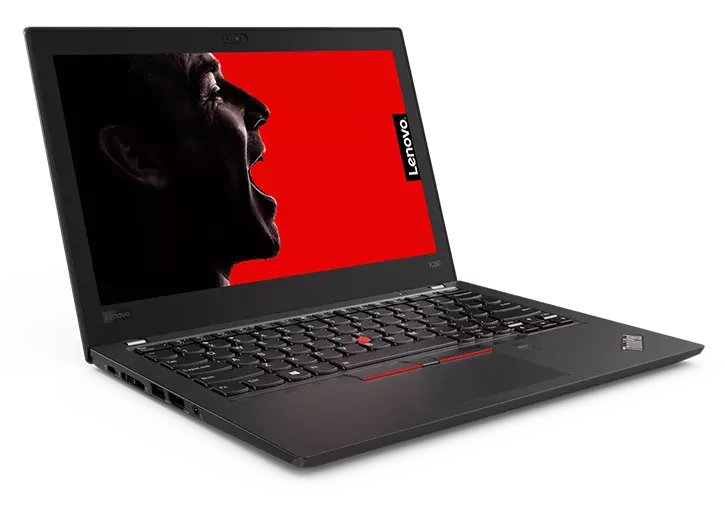
| Lenovo ThinkPad X280 i5 8th 8/256 | KSh 23,000 | Confirm availability and refurbished grade |
These are shop catalogue snapshots checked in October 2026, not fixed supplier costs or price guarantees. Configurations and condition differ; confirm the individual unit before purchase.
Key differences that affect your purchase
Processor and exact SKU
Open Windows Settings → System → About and copy the complete processor model, such as i5-8350U. The first digits after the hyphen identify the Intel Core generation in many older naming families; however, decoding rules vary for modern Intel processors, so use Intel’s official specifications for the exact SKU.
RAM, storage and software
Use msinfo32 to confirm System Manufacturer and System Model, then check the BIOS/UEFI System Information. Refurbished laptops sometimes have replaced motherboards, inconsistent seller titles or incomplete product names.
Display, ports and practical use
Known supplier-description mistakes show why this matters: HP 840 G4 advertised as eighth generation, HP 820 G3 advertised as eighth generation and Lenovo X240 advertised as fifth generation should all trigger careful processor checks. Correcting a listing is better than repeating an attractive but impossible spec.
Used-device condition and support
Also verify RAM and SSD using Task Manager/Storage settings, display resolution from Display Settings, battery report using powercfg /batteryreport, and warranty/serial with the manufacturer when practical.
Which one should a Kenyan buyer actually choose?
Before paying any used-laptop seller in Nairobi, obtain a clear screen photo showing processor model and system model, then check that it matches the exact product listing. If the claimed Intel generation conflicts with the manufacturer model family, pause the order until it is explained. For an office employee, think in terms of Excel, email, conferencing, portability and durability. For a student, consider whether learning software runs on officially supported Windows, how much local storage is needed and whether a touchscreen or pen really adds value.
Heavy workloads—CAD, gaming, video rendering or advanced machine-learning tasks—need requirements checked separately. A normal business convertible is not automatically a dedicated-GPU workstation, even when the CPU badge says Core i7.
Five practical tests before checkout
- Confirm processor: capture the exact CPU SKU in Settings → System → About, and validate it against the manufacturer’s model-family specification.
- Confirm memory and storage: verify installed RAM and total usable SSD space, and ask whether the RAM is soldered or socketed.
- Inspect the screen: test brightness, dead pixels, hinges, webcam, keyboard, touch response and any stylus where relevant.
- Run a battery report: use
powercfg /batteryreportto compare full-charge versus design capacity. Review the report in context rather than promising hours of runtime. - Check platform security and warranty: verify Windows 11 eligibility through Microsoft PC Health Check plus TPM/firmware and obtain written refurbished warranty/return details.
Frequently asked questions
How do I open System Information quickly?
Press Win+R, type msinfo32 and press Enter.
Does an HP EliteBook 840 G4 normally have eighth-generation Intel?
The EliteBook 840 G4 family is ordinarily associated with seventh-generation Intel, so verify any incompatible claim.
What if the processor model begins i7-6600U?
That Intel processor is a sixth-generation Core i7 model.
Can BIOS and Windows About show different model information?
They may expose different labels; record exact CPU and chassis serial and verify through the manufacturer’s support site.
Are these actual checked-in stock quantities?
No. Published WooCommerce price and configuration are shown; verify the supplier’s physical stock and warranty with Infinite Tech before ordering.
What must I inspect on a refurbished laptop?
Check CPU identification, display pixels and touch input where stated, SSD health, RAM capacity, Wi-Fi, hinges, keyboard and battery report.
Can I still rely on Windows 10 updates?
Normal Windows 10 support ended on 14 October 2025. Windows 11 compatibility or appropriate Microsoft Extended Security Updates should be considered.
Is a higher model number always a better purchase?
No. Refurbished laptop value also depends on exact processor, RAM, screen, battery condition, accessories and shop warranty.
Where can I buy these laptops in Nairobi?
Infinite Tech is at Rehema House, Standard Street, behind Sarova Stanley Hotel, Nairobi CBD, 1st Floor Shop No. 2. Call or WhatsApp 0720450148 for confirmation.
Other guides worth reading
For background, read our closely related comparison, refurbished laptop grades guide, and used laptop inspection checklist. The product links in the table show the currently published models; check them for availability and updated prices.
Sources and transparency
Check model-family specifications at the manufacturer support and specifications portal. Microsoft’s Windows 10 end-of-support information explains why OS compatibility matters when buying older refurbished laptops.
This article relies on published product configurations and manufacturer-family documentation; no original benchmark figures or battery-duration promises have been fabricated. Exact CPU, display option, battery wear and accessories remain unit-specific.
Contact Infinite Tech: Rehema House, Standard Street (off Kimathi Street), behind Sarova Stanley Hotel, 1st Floor Shop 2, Nairobi CBD. Call/WhatsApp 0720450148 for purchasing advice, unit checks and delivery arrangements.


One thought on “How to Verify a Refurbished Laptop’s Processor Generation Before Buying in Kenya”
Comments are closed.