

How to Spot Incorrect Samsung Photos and Specifications in Online Listings

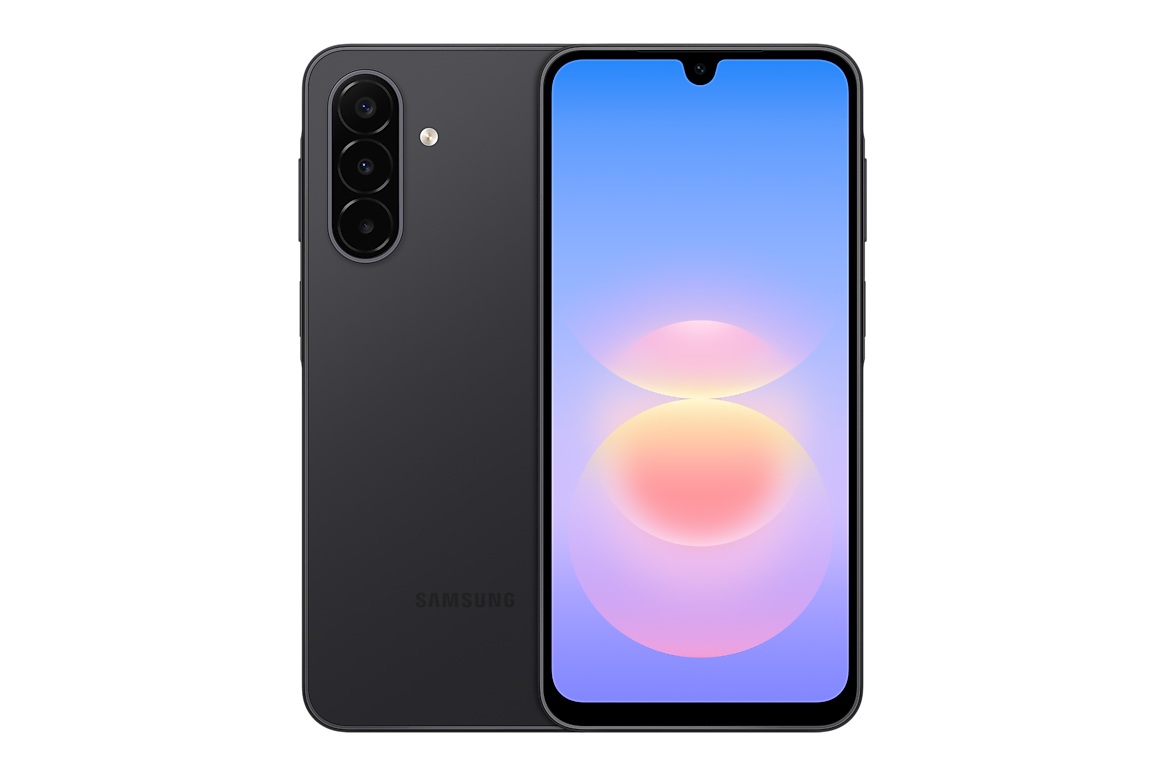
Infinite Tech Kenya consumer research, updated 31 October 2026. Technical and warranty facts are sourced from the manufacturer; this article does not claim hands-on certification of every imported phone.
Incorrect product photos can make a genuine phone listing misleading even when the price is attractive. Samsung Galaxy A devices may look similar across generations; a single photo from the wrong model can confuse buyers about camera layout, display, colour, storage or connectivity.
Manufacturer-based evidence
Refer to Samsung’s official support documentation for the specific policy or identification process. When a result depends on a region or exact device, validate the complete SM- model identifier rather than treating every Samsung Galaxy A as identical.
Begin with exact identity
A title saying only ‘Samsung A17 128GB’ is incomplete when 4G and 5G versions have different model codes. Record the full SM- identifier, physical RAM, storage and colour. Check Samsung’s manufacturer photos of that exact model rather than assuming a generic A-series image is accurate.
Separate visual and non-visual facts
A product photograph cannot prove installed RAM, network bands, OIS, IP rating or warranty. Use the manufacturer specification sheet for those fields, and make sure the advertised package photograph does not imply accessories that are not actually included.
Check consistency across the page
Compare the product title, short description, specifications table, image alt text, WooCommerce attributes and any FAQs. A page that calls a phone ‘5G’ in its title but ‘4G’ in the detailed specs should be corrected before taking orders. Likewise an A18 page must not inherit A17’s OIS claim.
How Infinite Tech should correct errors
Replace wrong photographs with properly licensed manufacturer images of the correct model/colour where available. Update alt text to reflect what is actually pictured; record the manufacturer source and review date. Keep WooCommerce current price authoritative and remove conflicting hard-coded older amounts from descriptions.
Practical buyer’s verification checklist
- Identify the full model and RAM/storage variant, not merely the generation name.
- Confirm the original Samsung reference and distinguish verified facts from seller claims.
- Inspect written warranty, return and proof-of-purchase requirements.
- Use the matching Infinite Tech buyer resource and the A-series store catalogue to compare current offers.
- Contact the actual retailer to confirm current price, stock and applicable service policy.
Frequently asked questions
Can a product image prove a phone has 8GB RAM?
No. Verify the exact manufacturer variant and device.
Should two Galaxy A models share the same image?
Only if a generic illustration is clearly labelled; actual model listings should use correct device images.
What if the photo and title conflict?
Ask for correction and confirmation of the exact unit before buying.
Related Samsung buyer guides
For a more complete purchase decision, consult our 15-point Galaxy A shopping checklist, regional variants explanation and Kenya versus international warranty comparison. Dated retail prices are not standing offers; WooCommerce product pages control current checkout totals.
Shop: Infinite Tech, Rehema House, Standard Street, first floor Shop 2, Nairobi CBD. Call 0720450148. Manufacturer reference: Samsung primary documentation.
