
Samsung Galaxy Tab Keyboard Compatibility Guide: S11, S10 FE, Lite and A Series in Kenya

Buying a Samsung Galaxy Tab keyboard in Kenya requires checking more than screen size. The correct cover must match your tablet’s exact model number, physical connectors and accessory family. A keyboard designed for the Galaxy Tab S11 Ultra should never be assumed to fit the smaller Tab S11. This guide explains how to avoid buying an incompatible cover.
First: identify your Galaxy Tab model
Open Settings → About tablet and record the model name and model number. Then check the accessory’s official Samsung supported-device list. Similar model names such as S10 FE and S10 FE+ can use different covers, and some cases are designed for only one generation.
Samsung Galaxy Tab keyboard compatibility table
| Tablet family | Keyboard listing to investigate | What to verify |
|---|---|---|
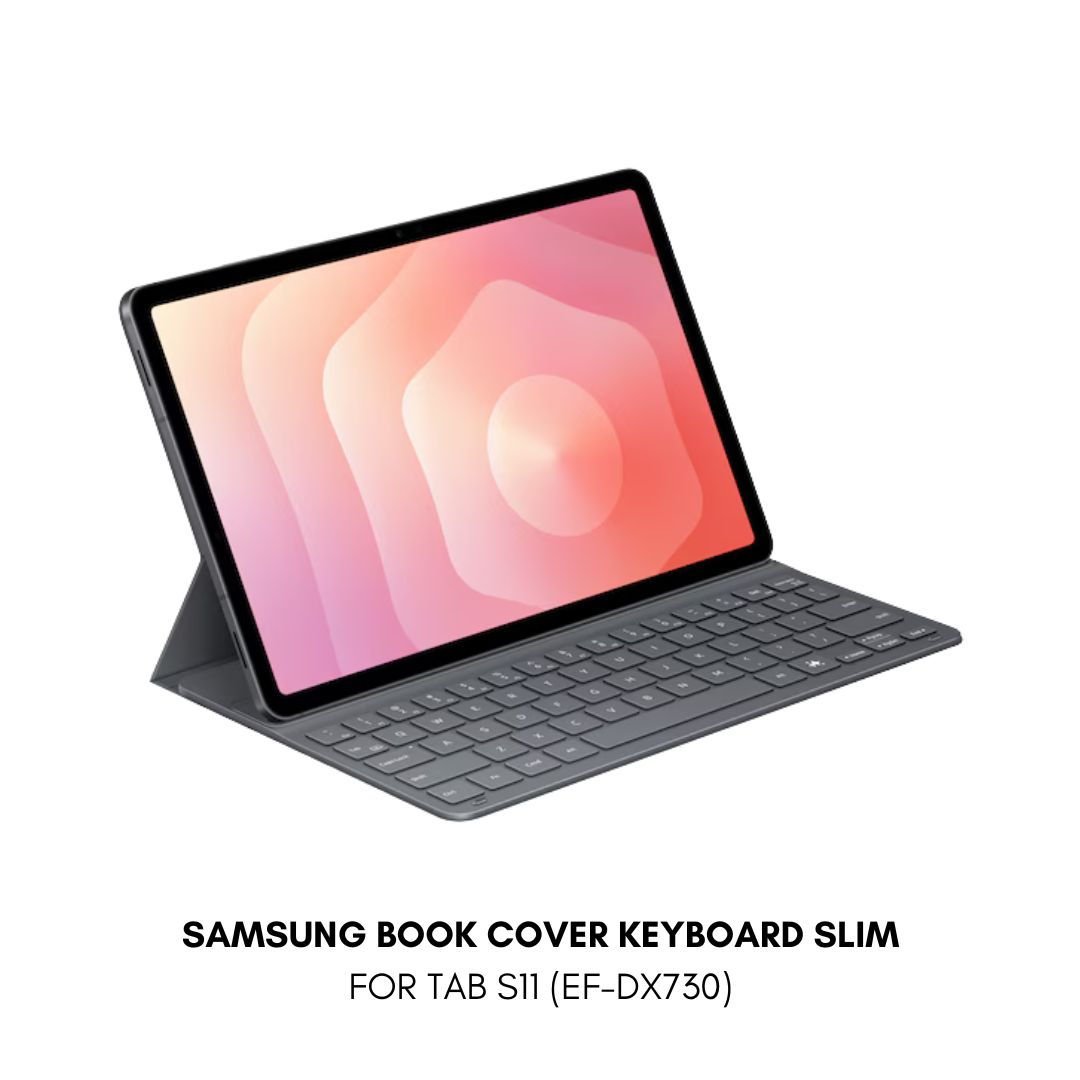
| Galaxy Tab S11 | Book Cover Keyboard Slim EF-DX730 | Samsung’s exact model compatibility list |
| Galaxy Tab S11 Ultra | Book Cover Keyboard Slim EF-DX930 | Ultra-specific size and connectors |
| Galaxy Tab S10 FE | Book Cover Keyboard EF-DX725 family | Correct FE model and accessory version |
| Galaxy Tab S10 FE+ | Book Cover Keyboard EF-DX625 family | Plus-sized variant and layout |
| Galaxy Tab S10 Lite | Book Cover Keyboard Slim | Official Lite-specific supported SKU |
| Galaxy Tab A11 and A11+ | Model-specific keyboard case or Bluetooth keyboard | Whether an official connector keyboard is supported |
These are model-family shopping references, not a guarantee of compatibility for every regional SKU. Confirm the manufacturer part number before payment.
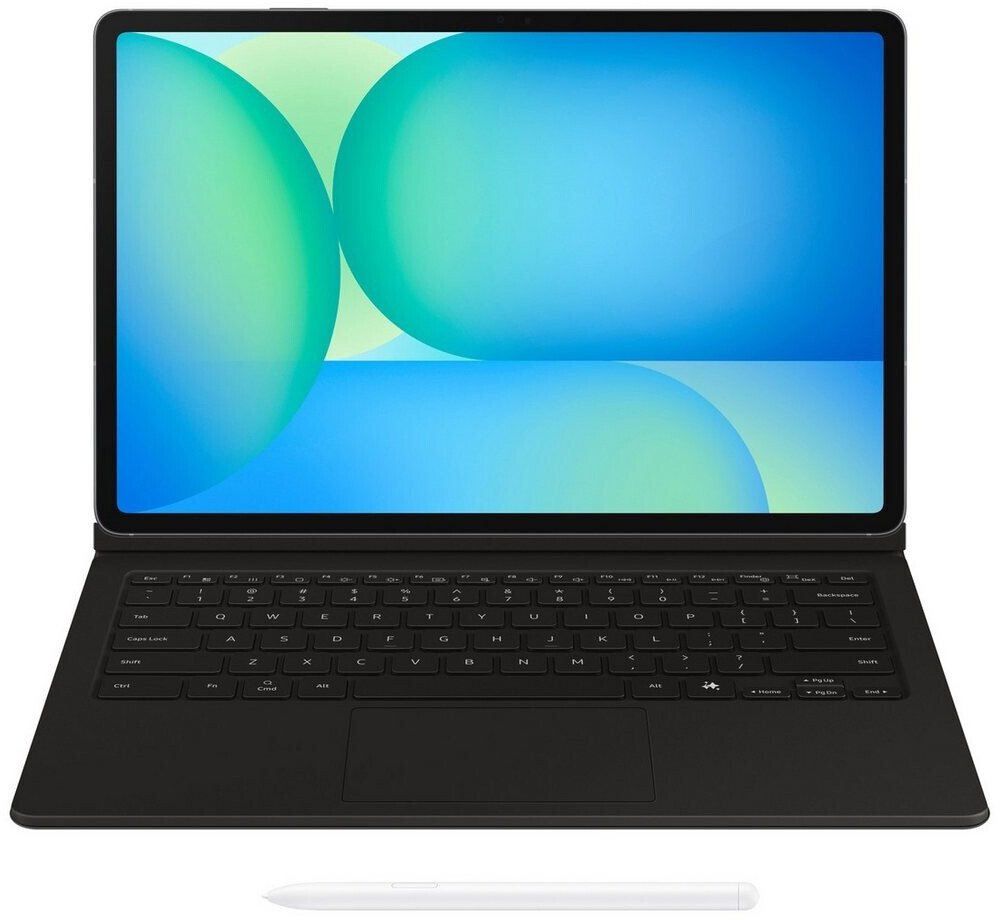
Book Cover Keyboard vs Book Cover Keyboard Slim
A Book Cover Keyboard with a touchpad can be more convenient for spreadsheets, browser navigation and long documents. Slim designs prioritize portability and typing. Check each product listing for touchpad, stand, keyboard layout and whether the keyboard detaches. Some third-party options use Bluetooth and require pairing or charging, unlike certain connector-based covers.
Will a keyboard enable Samsung DeX?
Not necessarily. DeX availability is determined by the tablet model and software. Attaching a keyboard does not add DeX to an unsupported device. Check Samsung’s official device-specific documentation before choosing a tablet for desktop-style workflows.
Best keyboard choice by use case
University students
Prioritize low weight, a stable stand and a comfortable layout for essays and lecture notes. If you frequently use a pointer, a touchpad may justify a bulkier accessory.
Business and office work
Check app compatibility, keyboard shortcuts and whether the tablet supports your preferred multitasking mode. A keyboard alone does not guarantee the same software experience as a Windows laptop.
Travel and field work
Look at overall weight, durability and whether the cover protects the display in transit. Confirm the accessory is designed for your tablet rather than simply matching its diagonal size.
Frequently asked questions
Can the Tab S11 Ultra keyboard fit the regular S11?
Do not assume it can. Check the exact Samsung compatibility list; the devices have different physical dimensions.
Are Samsung keyboard covers universal?
No. Official connector-based covers are commonly model-specific. Bluetooth keyboards can be more flexible but still need compatible software and a suitable stand.
Is the touchpad version worth buying?
It depends on whether you mainly type or also navigate spreadsheets, browser tabs and desktop-like interfaces.
How do I check compatibility before ordering?
Send the tablet model number and the accessory SKU to the seller and ask for a confirmed match.
Buy Samsung tablets and accessories from Infinite Tech
Read our best tablets with keyboards guide and Galaxy Tab A11 review. Explore Infinite Tech for current products and prices. Visit Rehema House, Standard Street, Nairobi CBD, first floor, Shop 2, or WhatsApp 0720 450 148 with your model number to confirm stock and fit.