

Lenovo ThinkPad X280 vs Yoga 11e: Student Laptop Comparison Kenya

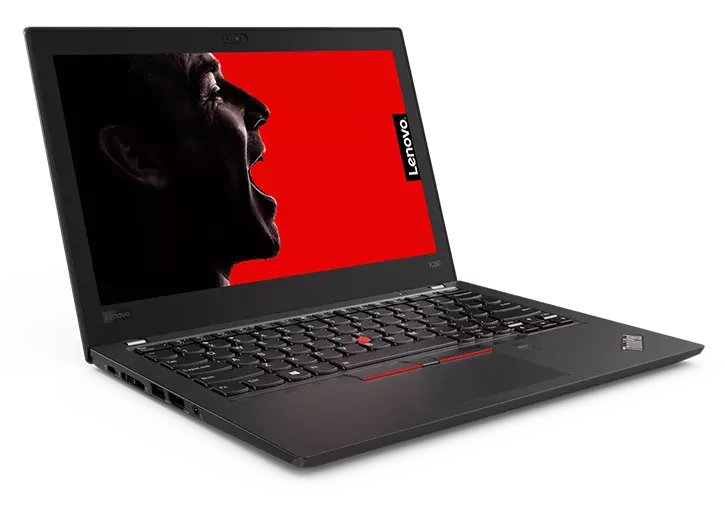
Lenovo X280 vs Yoga 11e Kenya: This Infinite Tech Kenya guide compares real model families and buying conditions to help Nairobi shoppers select appropriate business laptops. Configurations differ by processor generation, screen, graphics, RAM and individual unit condition; consult the actual device before interpreting a manufacturer’s family-level spec as a guaranteed stock configuration.
Key model and hardware differences
What these laptops were designed for
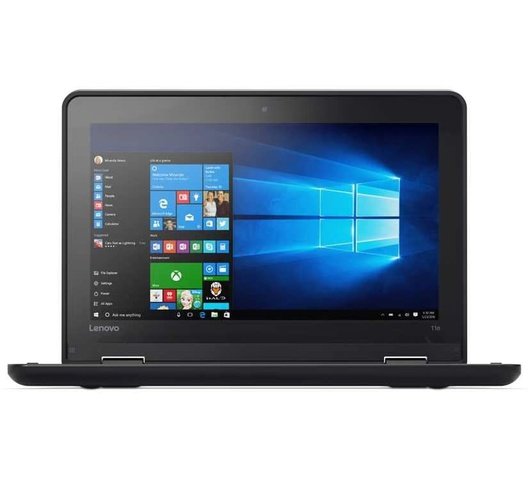
ThinkPad X280 is a compact 12.5-inch business ultraportable, and Yoga 11e is an 11.6-inch educational convertible family. The X280 commonly offers more capable business-class processors; Yoga 11e configurations vary widely from Celeron and Pentium to other platforms.
School versus university workloads
For heavy research tabs, coding classes and larger spreadsheets, CPU and RAM can matter substantially. A student using reading apps, online classes and basic Office may value a cheaper Yoga convertible with verified battery and touch support.
Touchscreen and portability
Some X280 units are touch but not an x360 Yoga. Yoga 11e touch-plus-360 hinge can support tablet-style work; check that touch functions everywhere and do not assume a stylus comes included.
Cost of ownership
Ask about SSD health, chargers, worn hinges, battery condition and exact Windows compatibility. A cheaper entry-level CPU may lead to limited longevity if the course requires demanding software.
Which one should you buy in Kenya?
| Situation | Practical selection rule |
|---|---|
| Office and online learning | Prioritise 8GB or more usable RAM, a working SSD, webcam and a healthy battery, subject to software needs. |
| University and coding | Check the precise CPU suffix, upgradeability and the specific applications your course requires. |
| Design and engineering | Identify GPU model and driver, RAM capacity and exact application version; do not rely on ‘2GB/4GB graphics’ alone. |
| Frequent travel | Consider size, charger, battery report, keyboard and durability, not only generation or processor tier. |
Inspection and specification checklist
- Confirm make and hardware model code from BIOS or manufacturer support.
- Read the full CPU model and validate generation and supported OS.
- Check RAM, SSD and whether future upgrades are possible.
- Inspect screen, touch operation when listed, hinge and camera.
- Distinguish shared integrated graphics from a dedicated graphics card.
- Check SSD health, battery report, charging and all required ports.
- Get written warranty, return terms and a clear description of cosmetic condition.
Relevant Infinite Tech products and comparisons
For an up-to-date price and physical-unit confirmation, call 0720450148 or visit Rehema House, Standard Street, off Kimathi Street, first floor Shop 2, Nairobi CBD. Product-page prices can change; do not depend on a static article quotation.
Frequently asked questions
Can I assume two laptops with the same Core i7 or Ryzen 7 label perform equally?
No. Exact CPU suffix, core count, cooling, RAM and SSD differ. Check official model specifications and the individual machine.
Does every model include a touchscreen, stylus or a dedicated GPU?
No. These are configuration-dependent options. Request proof of each feature and confirm included accessories.
Are older laptops guaranteed to support Windows 11?
No. Compare CPU model against current Microsoft support lists, and verify TPM, Secure Boot, firmware and other eligibility requirements.
Is there a warranty for ex-UK laptops?
Warranty depends on the individual sale and seller terms. Confirm coverage in writing before making a payment.
Manufacturer and compatibility reference
Official manufacturer or operating-system specifications. Editorial note, 31 October 2026: this guide is based on technical documentation and general purchasing checks, not unperformed unit tests.
