
Hisense Soundbar Bluetooth Keeps Disconnecting in Kenya: Safe Checks

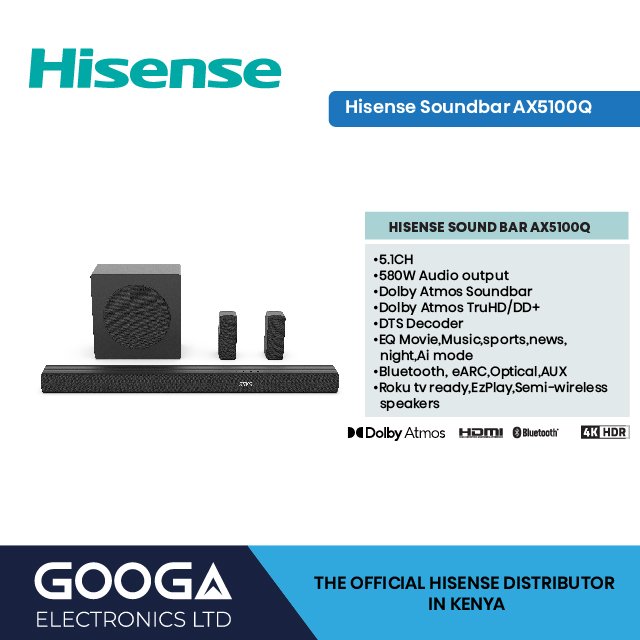
If a Hisense soundbar connects to a phone or television but Bluetooth audio keeps dropping, the problem may be the source device, pairing state, wireless interference, distance, power or a software issue. Start by testing one source at a time and keep the soundbar’s model manual nearby. Bluetooth menus and reset procedures vary across soundbar generations.
1. Identify which device is losing the connection
Test the soundbar with one phone or tablet first, then test the television separately. If the connection drops only with one phone, check that device’s Bluetooth settings and software. If several sources disconnect at the same time, the soundbar, its placement or local wireless conditions may be involved. Note whether the sound stops briefly, the pairing disappears or the soundbar switches to another input.
2. Reduce distance and wireless interference
Place the source device within the normal operating range described in the soundbar manual, with a clear path where possible. Move it away from thick walls, metal cabinets and crowded wireless equipment. Do not hide the soundbar inside a closed cabinet if the installation blocks its controls or ventilation. Test from the same room before assuming the soundbar is faulty.
3. Clear stale pairing and reconnect carefully
On the source device, remove the old soundbar entry from its Bluetooth list if the manual permits, then put the soundbar into pairing mode using its documented control. Pair one source at a time and avoid repeatedly selecting multiple saved soundbars with similar names. If the soundbar is already connected to another device, disconnect that source before pairing the next one. Do not use a factory reset sequence copied from a different Hisense model.
4. Check source-device settings
Confirm that the phone, tablet or television is sending media audio to the soundbar rather than another speaker or headset. Check volume and mute controls on both devices. Close unused audio apps and test a locally stored audio file or a different streaming service to separate a Bluetooth problem from a network-buffering problem. Keep the source device’s software current using its own official update process.
5. Compare with a wired connection
If your soundbar and television both support a compatible wired connection, test HDMI ARC/eARC or optical audio according to their manuals. A stable wired connection can help confirm that the speakers and amplifier work even if Bluetooth remains unreliable. Our optical versus HDMI ARC guide explains the connection choices, while the soundbar placement guide covers room setup.
6. When to arrange service
Arrange qualified support if Bluetooth drops with several known-good source devices at close range, the soundbar repeatedly restarts, the display shows persistent errors or other inputs also fail. Do not open the soundbar, modify its antenna or attempt internal repairs. Record the model, source devices, connection type and frequency of dropouts.
For a product reference, see the Hisense AX5100Q 5.1-channel soundbar. Confirm the exact model, current availability and local warranty before ordering. Hisense’s official support FAQs and product manuals provide model-specific guidance; local support terms may differ.
Frequently asked questions
Why does my Hisense soundbar connect and then disconnect?
A stale pairing, source-device setting, interference, distance or a fault may cause dropouts. Test one device at a time and reconnect using the exact manual.
Can two phones connect to the soundbar at once?
Do not assume simultaneous connections are supported. Check the exact model manual and disconnect other sources during testing.
Will a wired HDMI or optical cable help?
If both devices support the same connection, a wired test can separate a Bluetooth issue from a speaker or amplifier problem.
Should I factory-reset the soundbar?
Only if the model manual recommends it after basic checks. A reset can clear saved pairing and settings.
Can Wi-Fi interference affect Bluetooth?
Crowded wireless environments can affect short-range radio connections. Test close to the soundbar with other devices moved away.
When is service necessary?
Seek service if several source devices disconnect at close range or the soundbar also fails on wired inputs or repeatedly restarts.
Related Hisense guides
Explore the Hisense Knowledge Centre for soundbar setup, TV audio connections and home-cinema advice.
