
Hisense Microwave Turntable Not Rotating in Kenya: Safe Checks

If the glass plate in a Hisense microwave does not rotate, food may heat unevenly and the appliance may appear faulty. The cause can be a tray that is not seated correctly, a displaced roller ring, food that is too large or heavy, a selected turntable-off mode on models that offer one, or an internal fault. Begin with simple external checks and use the manual for the exact model. Never open the microwave cabinet: internal components can retain dangerous electrical charge even after the appliance is unplugged.
1. Stop the cycle and let the appliance cool
Press Stop or Cancel and allow the interior and food to cool before inspecting the plate. If there is sparking, a burning smell, smoke, unusual grinding or a damaged door, disconnect power if safe and stop using the microwave. Do not continue running it to see whether the sound or movement improves.
2. Reseat the glass tray and support ring
With the microwave switched off and unplugged, remove the glass tray carefully. Check that the roller ring is seated in its circular track and that the tray is positioned on the centre drive coupling as shown in the manual. Look for food debris or dried spills beneath the tray and wipe the accessible floor with a soft damp cloth. Dry the area before replacing the ring and tray. Do not force the tray or operate the microwave with a cracked plate, missing support ring or improvised substitute.
3. Check the load and container placement
A very wide dish, an off-centre container or a load that catches the cavity wall can stop the tray from turning freely. Use a microwave-safe dish that fits within the cavity and leave clearance around it. If the load is unusually heavy, divide it into smaller portions if the cooking instructions allow. Do not place metal items or unsuitable containers in the microwave. Our microwave-safe container guide explains material and grill-mode considerations.
4. Review the model’s turntable setting
Some microwave designs or cooking modes may allow the turntable to be switched off, while others do not. Check the control panel and manual for a turntable or rotating-plate setting. Do not assume that a button sequence from another model will work. If your model has no such option, do not try to create one by changing hidden settings.
5. Clean accessible parts only
Wipe food splashes from the cavity floor and the accessible roller ring using the method specified in the manual. Keep moisture away from vents and electrical openings. Do not remove the internal cover, turntable motor, waveguide cover or door components. Do not use abrasive tools or pour water into the drive opening.
6. When to arrange service
If the tray still does not rotate after correct reseating, the drive coupling may not be engaging or an internal component may have failed. Stop testing and contact a qualified microwave technician. Never remove the outer cabinet or attempt to replace the motor yourself. For heating-related symptoms, also read our Hisense microwave not-heating guide.
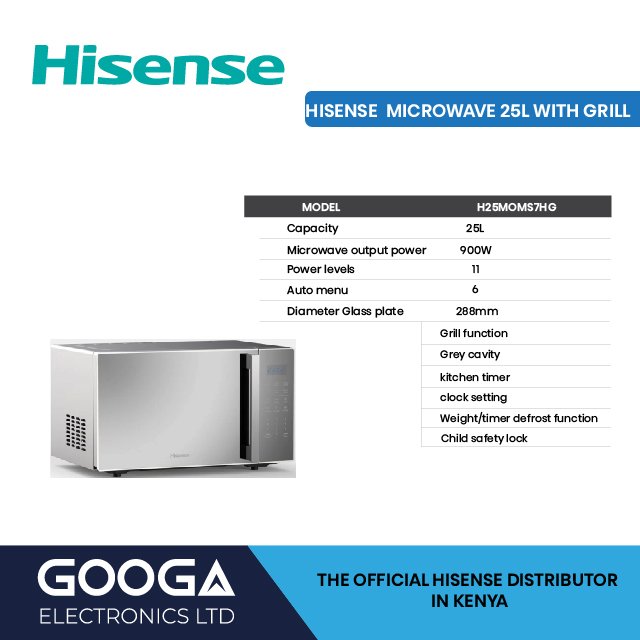
For a product reference, see the Hisense H25MOMS7HG 25L digital microwave with grill. Confirm the exact model, current availability and local warranty before ordering.
Frequently asked questions
Can I use a Hisense microwave if the turntable is not moving?
Do not assume it is safe or that heating will be even. Stop the cycle and check the tray, support ring and model-specific settings first.
Can a dirty roller ring stop the plate?
Food debris can obstruct movement. Clean only the removable parts and accessible cavity floor as the manual instructs.
Should the glass tray sit directly on the motor shaft?
Follow the model diagram. Many designs use a support ring and centre coupling, but the arrangement must be confirmed for your microwave.
Can I run the microwave without the glass plate?
Only if the exact manual explicitly permits the operating mode. Do not improvise or run it with damaged or missing components.
Why does the plate turn sometimes but not with a large dish?
The dish may be too wide, off-centre or catching the cavity. Use a suitable microwave-safe container with clearance around it.
Can I replace the turntable motor myself?
No. Microwave internal components can present a serious electrical hazard. Arrange qualified service for drive or wiring faults.
Related Hisense guides
Continue with the Hisense Knowledge Centre for microwave buying, container compatibility and safe appliance ownership.
