
Google Pixel for Product Photography in Kenya: Buying & Setup Guide

Google Pixel for Product Photography in Kenya: Buying & Setup Guide. A Google Pixel can be a practical camera for a Kenyan online seller, but choosing the phone is only part of producing useful product photographs. Light, background, framing, accurate colour and a repeatable workflow all affect whether an image helps a customer buy. This guide explains what to compare and how to organise a small product-photography setup.
Choose the camera around your products
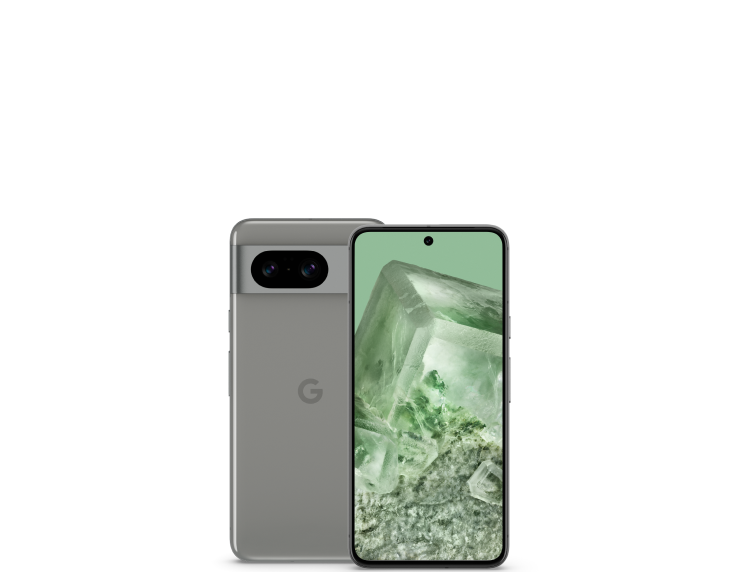
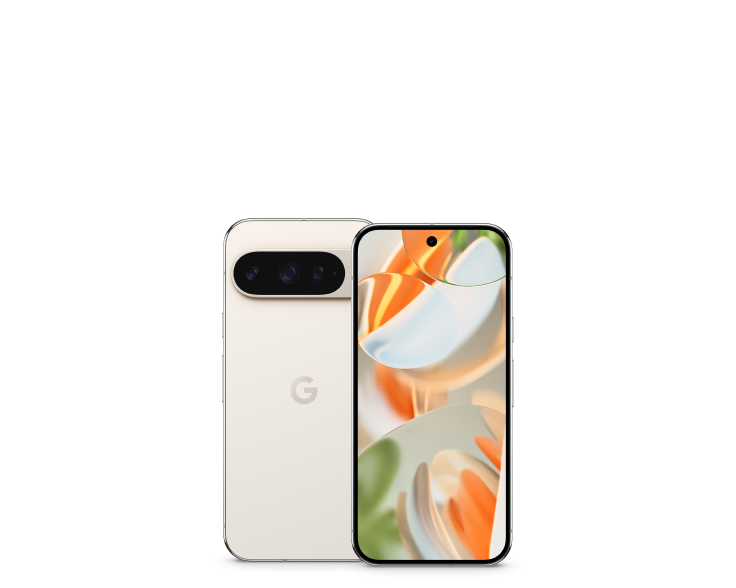
For clothes, food, electronics or beauty products, start with the distances and angles you regularly photograph. A capable main camera can cover many tabletop jobs. A Pro model adds camera flexibility, but a telephoto lens is not automatically necessary for every small item. Check close-focus behaviour, the field of view and whether the model supports the camera mode you need. Pixel 8, Pixel 8 Pro and Pixel 9 Pro are useful configurations to compare in the live offer table. They represent different screen sizes, storage levels and camera packages; their inclusion is a buying shortlist rather than the result of an independent camera test.
Build a repeatable lighting and background setup
Use a stable surface and soft, consistent light. Keep mixed light sources under control so a white product does not change colour between photographs. A plain background makes edges easier to see, while a simple support or tripod helps maintain framing. Photograph the front, back, important controls and the details a customer asks about. Keep a reference frame before changing the setup. These steps make it easier to produce a coherent catalogue even when different staff members take photographs on different days.

Keep promotional editing separate from product evidence
A sales photograph should represent the item accurately. Avoid edits that remove damage from a used item or change the colour of the finish being sold. Keep original files and use a separate copy for cropping or promotional text. Manufacturer renders can explain a model; photographs of the supplied unit establish its visible condition. For products where a buyer needs to judge texture, colour or wear, include close-ups in suitable light and explain any difference between the illustrative image and the actual item.
Storage and delivery matter to a seller’s workflow
Short video clips, repeated takes and edited exports can accumulate quickly. Compare 128GB and 256GB using your own current storage use, not a universal estimate of how many photographs every phone holds. Keep a backup outside the phone and a consistent naming system for product files. When publishing on your website, use clear descriptive filenames, relevant alt text and an appropriate image size. Preserve a high-quality original for future edits. For a model comparison, link customers to the exact product page rather than a generic social post with an old price.
How to evaluate a Pixel before using it for work
Test the cameras you intend to use, focus on both near and distant subjects and inspect the files on a larger display. Check video sound, stabilisation and the charging port. Assess battery behaviour during a typical work session rather than relying only on the published capacity. Confirm software support and access to the apps you need. This guide provides a workflow to test; it does not claim that Infinite Tech has already completed a controlled photography trial for every listed unit.
Compare exact Pixel configurations and current prices
| Exact product | Selling price | Listed stock |
|---|---|---|
| Google Pixel 8 128GB | KSh 46,500.00 | In stock |
| Google Pixel 8 Pro 256GB | KSh 57,500.00 | In stock |
| Google Pixel 9 Pro 256GB | KSh 73,500.00 | In stock |
Ask Infinite Tech about the exact configuration, unit condition, warranty, accessories and delivery before ordering. Visit Rehema House, Standard Street, Nairobi, first floor, Shop 2, or call 0720450148. Opening hours are Monday–Saturday, 8:30 AM–7:30 PM. Ask about this comparison on WhatsApp.
Frequently asked questions
Where can I check the current phone prices?
Use the live offer table and linked product pages. Selling prices and listed stock come from WooCommerce.
Does this guide describe a shop test?
It is practical buying and ownership guidance supported by manufacturer references. It does not present an independent hardware test.
Are the product images actual-unit photographs?
The images illustrate the model. Ask Infinite Tech for current unit photographs when condition or colour is important.
Can I add a microSD card to a Pixel?
Pixel phones do not provide microSD expansion. Choose adequate internal storage before buying.
What should I confirm about an imported phone?
Check the regional model, network unlock status, SIM/eSIM arrangement and the operator features you need.
What warranty will I receive?
Confirm the written warranty for the exact offer, including duration, exclusions and where support is provided.
Where can I compare other Pixel models?
Read the Pixel buying guide and compare the current price index.
What should I check before moving important data?
Keep a separate backup, confirm account access and retain the old device until you have verified the result.
Can I request help choosing the right configuration?
Contact Infinite Tech on 0720450148 with your budget, current phone and intended use.
Where is Infinite Tech in Nairobi?
Rehema House, Standard Street, first floor, Shop 2. Confirm the unit and delivery arrangements before travelling or paying.
Continue your Pixel research
Choose the right Google Pixel · Compare current Pixel prices · Shop Google Pixel phones
Sources and comparison method
This is a specification-based buying comparison, reviewed on 26 October 2026. Hardware references come from the manufacturer; selling price and listed stock come directly from WooCommerce. Manufacturer images illustrate the models. No independent battery, camera or network test is claimed here.