
Epson L3310 for Small Offices in Kenya: Print, Scan and Copy Workflows

Updated 17 November 2026 · Office printer workflow guide from Infinite Tech.
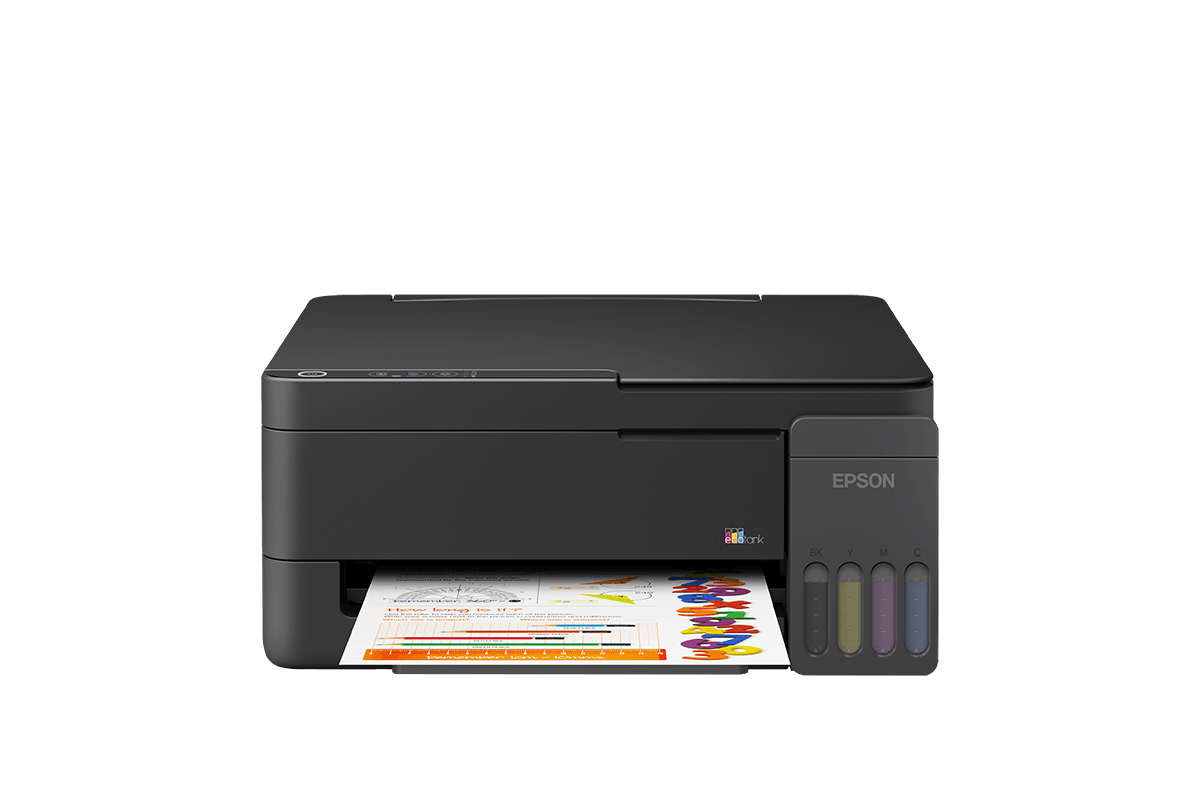
Small offices often need three tasks done reliably: print a document, reproduce a signed original and save incoming paperwork as a digital file. The Epson L3310 EcoTank provides those three functions in a relatively compact A4 unit. It is a reasonable fit for a single desk or a few users with modest volume—but it should not be described as an enterprise network printer.

Office workflow 1: quotes, invoices and receipts
A salesperson prepares a quote on a computer, checks totals and the recipient name, then prints the final document through USB. One printed copy can be handed to the client while the electronic original stays in the accounting system. For office records, consider consistent filenames, document numbering and a searchable digital folder so printed copies do not become the only source of truth.
If your office prints logos and illustrated materials, the colour ink-tank system can support such pages. Check print preview and paper type for the quality you need. If nearly every job is black-and-white text at heavy volume, compare the running costs and rated workloads of mono office printers before selecting the L3310.
Office workflow 2: signed contracts and scanning
After someone signs a one-page delivery note or contract, place it on the L3310’s flatbed scanner and save a PDF via the connected computer. Give the file a useful name such as 2026-11-17-client-invoice-1043-signed.pdf and store it securely. The device has a flatbed, not an automatic document feeder; for frequent long contracts or stacks of customer forms, scanning one page at a time can slow staff down.
Office workflow 3: making copies without another device
The copy function is useful for identity-document checks when lawful and necessary, signed paperwork and staff forms. Protect personal data: avoid leaving copies on the output tray or sharing a scanning folder with everyone. Epson specifies a limit of up to 20 copies in a standalone copy operation; the practical limitation for multi-page originals is the need to move each page on the glass.
What about speed and shared access?
The manufacturer rates printing at up to 11 ISO pages per minute in black and 6 in colour. That can be convenient for short office jobs, but a high-volume team may experience queues. Epson lists 800 pages/month as the recommended printing volume. Divide your monthly need by working days and add peak days: a business printing 40 pages on 22 days reaches roughly 880 pages, above that recommendation.
The L3310 connects to a computer over USB, not built-in Wi-Fi or Ethernet. Do not assume staff can print straight from their smartphones or that the machine is available to everybody on the office network. A separate host-computer sharing arrangement might be possible depending on IT settings, but adds an operational dependency. If wireless access is a requirement, compare a wireless-capable Epson EcoTank model.
Paper and document quality
Keep A4 paper dry and correctly aligned, and check whether the job calls for colour or grayscale. For handouts requiring both sides, use manual duplex and test page orientation on a short sample before sending a full batch. Do not label manual duplex as automatic. Avoid promising glossy-paper photo results using ordinary office copy paper.
How the L3310 can influence office efficiency
For a modest paper workload, combining printing, copying and scanning removes the need to purchase or maintain three separate basic machines. Staff can move from a digital document to paper and back again at one workstation. The benefit is conditional: where staff need network printing, automatic two-sided output, a document feeder or heavy monthly printing, the same machine could create bottlenecks. Choosing based on measured volume and workflow matters more than the headline price alone.
Quick buying checklist
- How many people will send jobs, and from which computers?
- How many black and colour pages are printed per month?
- Will you scan individual forms or large batches?
- Do documents require automatic two-sided printing?
- Can you manage the printer from a USB-connected computer?
- What is the genuine ink-bottle cost and availability in Kenya?
FAQs
Is the L3310 suitable for a small office?
Yes, for smaller teams with modest USB-based A4 printing and occasional scanning or copying. It is less suited to large shared departments.
Does it scan to email by itself?
No. Scan through a connected computer and send the resulting file using the computer’s email application.
Is two-sided printing automatic?
No; it is manual.
Also read the L3310 features explained and the small-business cost guide before deciding. The school-use guide covers a different, education-focused workload.
Where to buy: Epson EcoTank L3310 at Infinite Tech — KSh 21,995. Visit Rehema House, Standard Street (off Kimathi Street), 1st Floor, Shop 2, Nairobi CBD, or call 0720 450 148. Confirm on-hand stock and supplied accessories before travel or payment.
Technical reference: Epson Africa EcoTank L3310 (C11CL61403) specifications. Workload, yields and print speeds are manufacturer ratings, not guarantees for every job.

One thought on “Epson L3310 for Small Offices in Kenya: Print, Scan and Copy Workflows”
Comments are closed.