
DJI Osmo Pocket Cameras vs Smartphones: Which Is Better for Video?

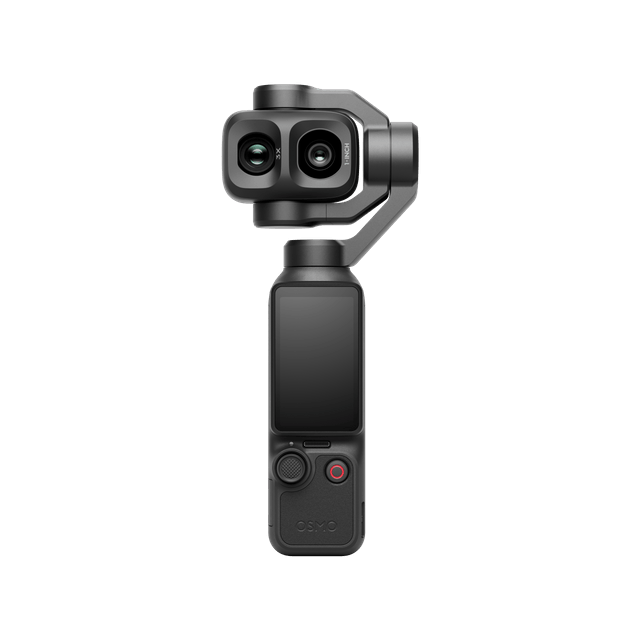
Compare dedicated gimbal cameras and phones by motion, audio, editing and the equipment you already own.
Start with the kind of video you record
| Task | Phone strengths | Pocket camera considerations |
|---|---|---|
| Quick social post | Immediate editing and upload | May need file transfer |
| Walking vlog | Convenience; stabilisation varies | Mechanical gimbal and dedicated controls |
| Interview | Existing apps and accessories | Dedicated audio workflow; verify support |
| Long filming day | One device for multiple tasks | Separate camera battery and storage planning |
Evaluate your real footage
Record comparable clips with your current phone in representative conditions: a walking shot, a backlit scene and a short spoken introduction. Review motion, audio, detail and editing time. A dedicated camera is most valuable when it solves a recurring problem rather than merely adding another device. Phones with several lenses may offer more flexibility for still photos; the Pocket family prioritises compact stabilised video.
Compare available Pocket models
Explore Pocket 3 Creator Combo, Pocket 4 Creator Combo and Pocket 4P Standard Combo. Check the exact lens configuration, recording settings, microphone support and package contents in DJI documentation. Keep a budget for storage and editing rather than spending everything on the camera. Review Pocket model comparison.
FAQs
Does a gimbal automatically make footage cinematic?
No. Framing, lighting and motion choices remain important.
Should I upgrade my phone or buy a camera?
Compare whether the limitation affects general phone use or only your video workflow.
Can I publish directly from a Pocket camera?
Plan for a supported transfer and editing workflow.
Reference: DJI model documentation.
Infinite Tech, Rehema House, Standard Street, Nairobi CBD. Call 0720450148 to confirm stock and package details. Research-based guidance, not independent testing.
