Galaxy A07s Display: What 90Hz and HD+ Mean

Updated 24 November 2026 by Infinite Tech.
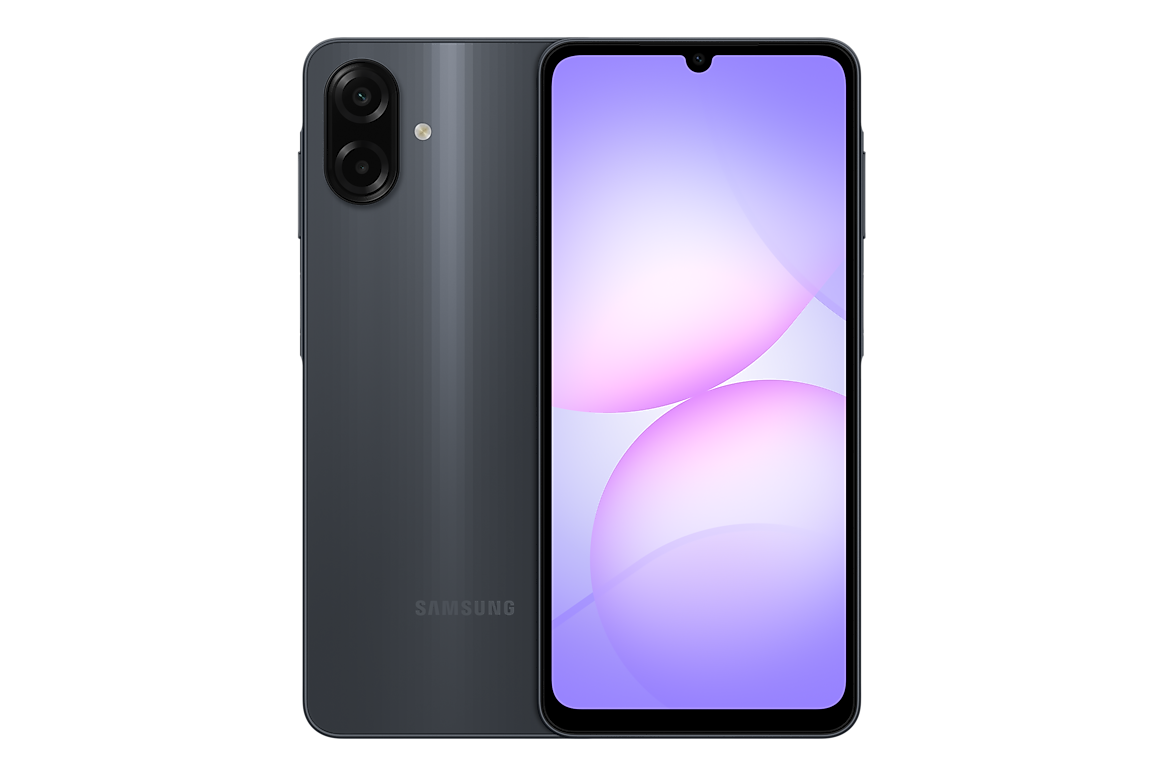
The Galaxy A07s combines a 6.7-inch HD+ PLS LCD with a refresh rate of up to 90Hz. Screen size, resolution and refresh rate describe different things. Understanding the difference helps you judge scrolling, reading and video without mistaking a smooth display for a higher-resolution one.
Three screen specifications explained
| Specification | What it describes | What to expect when checking it |
|---|---|---|
| 6.7 inches | Diagonal size of the full display rectangle | Room for text, maps and video; actual visible area is smaller around corners and the cutout |
| 720 × 1600, HD+ | Pixel resolution | The detail available for text and images |
| Up to 90Hz | How often the display can refresh | Smoother-looking movement in supported situations |
A 90Hz panel can refresh up to 90 times per second. It does not make a 30fps video contain 90 different captured frames, and it does not convert the HD+ panel into a Full HD screen. App behaviour, settings and content still influence what you see.
Reading messages, PDFs and web pages
A larger screen can make a page easier to view, but comfort also depends on text size and layout. Open a typical document and try your usual font setting. If you regularly read a dense spreadsheet or a full textbook page, check whether you need frequent zooming.
Increase text size to a comfortable level and confirm that important buttons and labels still fit. The best setting is the one you can read comfortably while navigating your actual apps. A specification list cannot replace that short in-store check.
Watching video
A video service may offer several playback resolutions depending on the app, connection and account. Selecting a higher-resolution stream does not change the phone’s physical pixel grid. When using mobile data, compare the picture at different quality settings and choose a level that suits the screen and your data allowance.
The screen’s refresh rate also does not establish a game’s frame rate. A demanding game may render below the display maximum, and some apps set their own limits. Judge the game you intend to play rather than interpreting 90Hz as a universal performance guarantee.
Check the handset before collection
- View the screen at your normal reading distance with ordinary text.
- Open a familiar web page and scroll through it.
- Look at an image with light and dark areas using a practical brightness setting.
- Check touch response near the edges and around the keyboard.
- Fit a screen protector intended for the exact handset, with suitable cutouts.
Balance smoothness and power use
If the software offers refresh-rate choices, compare them under your own routine. Higher-refresh operation can use more power, while the actual difference depends on content and settings. Do not assume a dark theme brings the same power-saving benefit to every display technology: this model uses LCD.
Display questions
Is the A07s screen AMOLED?
Samsung lists PLS LCD for this model.
Does HD+ mean the camera cannot record Full HD?
No. Display resolution and recording resolution are separate specifications. The camera can save a video at a resolution different from the screen’s pixel count.
Source: Samsung Africa A07s display specifications. Manufacturer information checked on 24 November 2026.
Check the Galaxy A07s 4GB RAM / 64GB listing for today’s offer. Infinite Tech is at Rehema House, Standard Street, first floor Shop 2, Nairobi CBD. Call 0720450148 for model, stock and collection questions.
Related A07s guides