
HAVIT KB269GCM vs KB254GCM vs KB261WB vs KB242GCM Wireless Combos Kenya

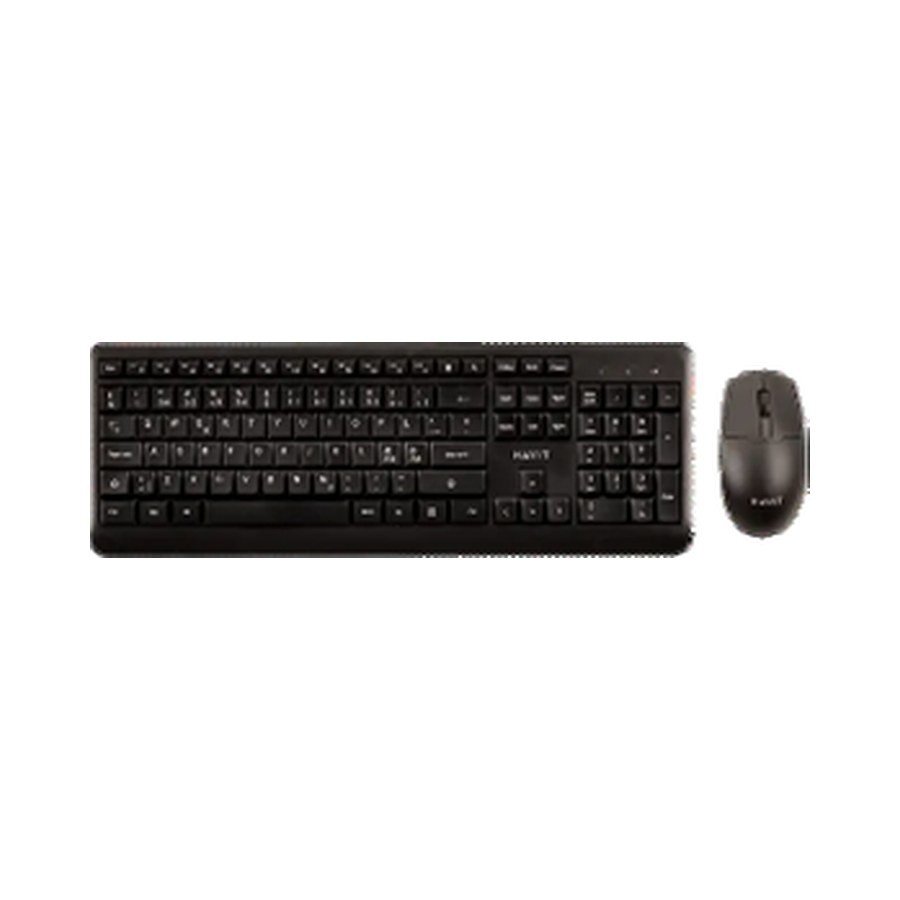
A wireless keyboard-and-mouse bundle is convenient for a Nairobi home office, student desk or reception computer, but the six HAVIT sets in the November 2026 catalogue are not identical. The first choice is whether you need a traditional 2.4GHz USB-receiver set or a multi-mode set with Bluetooth. The second is layout: a compact 99-key model handles differently from a wider 117- or 118-key keyboard. This guide compares the supplier descriptions and current WooCommerce prices without inventing battery runtime or click-noise measurements.
Six HAVIT keyboard-and-mouse combos: models and prices
- HAVIT KB269GCM — KSh 1,995: 2.4 GHz only; 113-key keyboard; 3-button 1,200DPI mouse; AA batteries quoted for each device.
- HAVIT KB254GCM — KSh 2,495: 2.4 GHz only; compact 99-key keyboard; four-button mouse with selectable 800/1200/1600DPI; keyboard uses 2 × AAA, mouse 1 × AA.
- HAVIT KB261WB — KSh 2,895: 2.4 GHz and supplier-stated Bluetooth 5.1; 105 keyboard keys, seven mouse buttons, 1200/1600/2400DPI; 1 × AA source listing.
- HAVIT KB242GCM — KSh 2,995: 2.4 GHz only; full-size 117-key keyboard and four-button mouse with 800/1200/1600DPI; keyboard uses 2 × AAA.
- HAVIT KB271WB — KSh 3,495: 2.4 GHz + Bluetooth 5.1 configurations; 118-key keyboard; 7-button mouse; supplier lists white-and-colour variants.
- HAVIT KB251WB — KSh 3,695: 2.4 GHz + Bluetooth 5.2 configurations; 111-key keyboard and 7-button mouse; keyboard dimensions 436 × 220 × 26mm.
2.4GHz USB receiver versus Bluetooth
The KB269GCM, KB254GCM and KB242GCM source rows describe 2.4GHz wireless operation. A small matching USB radio receiver normally handles this kind of keyboard/mouse system. If the laptop has only USB-C sockets, confirm whether a USB-A receiver and suitable adapter are required. The KB261WB, KB271WB and KB251WB supplier entries also describe Bluetooth alongside 2.4GHz, which may be useful for switching among compatible computers or tablets. Do not assume seamless multi-device switching or a specific number of paired devices from the words “dual mode” alone. The exact operating mode and pairing instructions must be checked.
Compact desk layouts: KB254GCM
The KB254GCM has a supplier-listed 99-key keyboard measuring 368 × 134 × 23mm. Compared with the other bundles, that narrower keyboard could leave more desk space for papers, a notebook or a mouse. Its mouse offers 800/1200/1600DPI according to the sheet. The keyboard uses two AAA cells, and the mouse one AA cell. This makes checking battery availability and correct polarity more important than looking for a charger cable. The 99-key designation does not tell you that every region’s printed keys or language layout will be the same—confirm a real unit photo before purchase.
Traditional larger office setups
The KB269GCM lists a 113-key keyboard measuring 450 × 152 × 23mm. The KB242GCM lists a wider 117-key keyboard measuring 429 × 190 × 27mm. Key count alone does not confirm whether a dedicated numeric keypad, multimedia row or particular language key is present; compare the exact photo and packaging. Both are straightforward 2.4GHz bundles in the supplier sheet, without a declared Bluetooth mode. Their key-life claims are supplier durability estimates, not guarantees against spills, dust or mechanical damage.
Dual-mode multi-device work: KB261WB, KB271WB and KB251WB
The KB261WB lists 105 keyboard keys, seven mouse keys and 2.4GHz/Bluetooth 5.1 connectivity. The KB271WB lists 118 keyboard keys and a 7-key mouse, with Bluetooth 5.1 modes in the distributor row. The KB251WB moves to a supplier-described Bluetooth 5.2 configuration, 111 keyboard keys and a larger 436 × 220 × 26mm keyboard size. Bluetooth version alone is not proof of lower latency, higher typing accuracy or longer battery life. If you switch from a Windows laptop to a tablet, confirm how the set changes modes and whether shortcuts are interpreted correctly by each OS.
DPI and button-count claims
A mouse’s DPI setting affects how quickly the pointer moves for a given physical movement, but the largest DPI number is not proof of precision. A 7-button mouse may have extra navigation controls, yet button programming depends on operating system support and available software. For ordinary spreadsheets and browsing, hand comfort, reliable scrolling and suitable desk space often matter more than the headline number. Supplier “wireless distance 10m” figures assume unobstructed conditions, not operation through metal furniture or crowded wireless environments.
Setup checklist
- Insert the correct AA or AAA batteries where the manufacturer requires them; observe polarity.
- Locate the bundled USB receiver if using 2.4GHz and keep it with the specific set.
- For Bluetooth-capable models, switch to the right mode and pair using their supplied instructions.
- Check the exact keyboard layout before ordering for specialist typing or accounting.
- Test keyboard and mouse separately if only one appears to work. Avoid downloading untrusted drivers to force a connection.
Best fit by use case
Choose KB254GCM when a compact 99-key desk layout is desirable. Look at KB269GCM or KB242GCM for straightforward full-size 2.4GHz configurations. Compare KB261WB, KB271WB and KB251WB when Bluetooth and more switching flexibility matter, subject to exact host compatibility. The correct choice depends on your desktop space and actual input needs—not on a presumed “best” model number.
Frequently asked questions
Does every HAVIT wireless keyboard support Bluetooth?
No. The supplier lists several as 2.4GHz-only bundles.
Are the supplied AA/AAA batteries rechargeable?
The supplier rows describe cell requirements, but do not establish rechargeable cells or batteries included in every retail carton.
Will a combo work with an iPad?
Only when the particular set’s connection method, keyboard profile and host OS are compatible. Verify before ordering.
Visit Infinite Tech in Nairobi
Explore the six model links above, the HAVIT mice and keyboards buying guide, or the HAVIT Kenya hub. Infinite Tech is at Rehema House, Standard Street, First Floor Shop 2, Nairobi CBD. Call 0720 450 148 to check layout, receiver and stock. The WooCommerce product pages are the current price authority.
Source: HAVIT November 2026 distributor catalogue, page 8; live WooCommerce product records 97167–97172. No independent radio or battery tests performed.
