
Epson L3310 for Schools in Kenya: Worksheets, Exams and Administration

Updated 17 November 2026 · Practical guide for Kenyan teachers and school administrators.
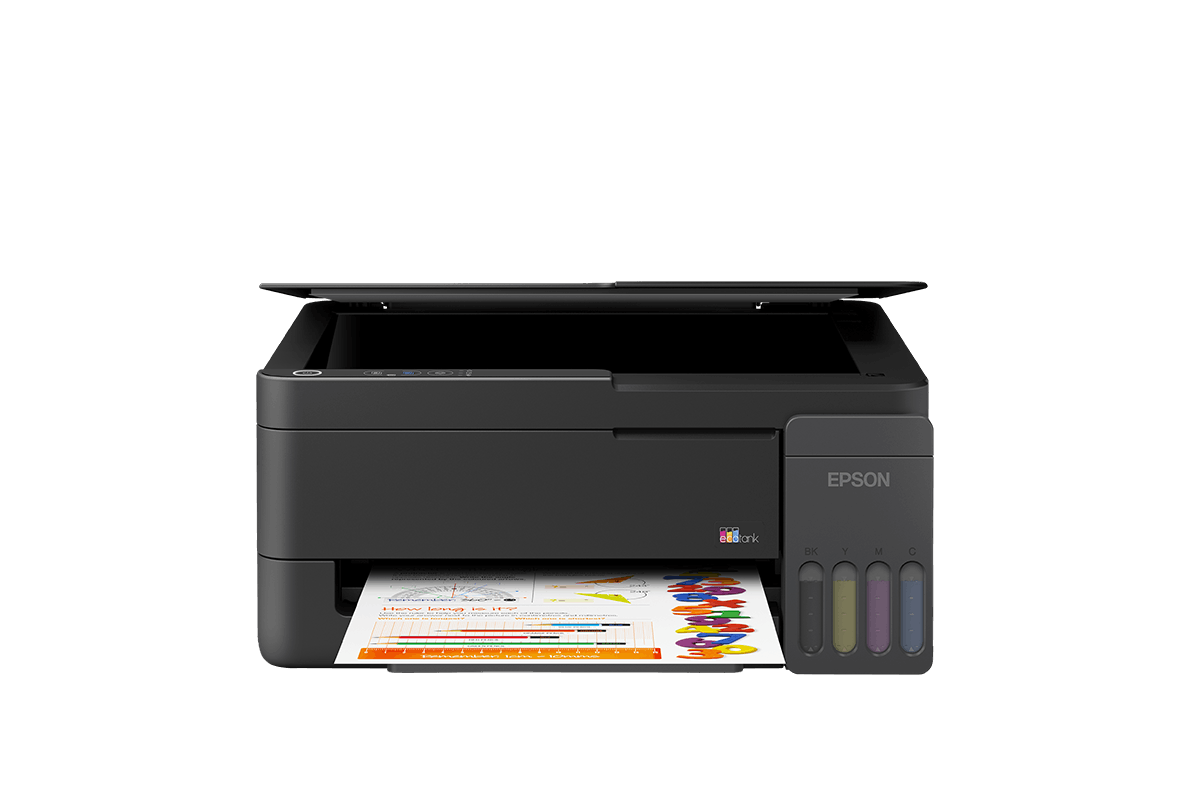
A school printer is useful only when it fits the job. The Epson EcoTank L3310 can print colour worksheets, produce black-and-white letters, copy a single-page original, and scan forms into a computer. Those features are helpful in a staffroom or small school office. But a school serving hundreds of pupils should not confuse a compact printer with a department-wide production machine.
Seven practical school uses
- Lesson worksheets: print maths questions, reading passages, diagrams and class exercises in A4.
- Revision and practice papers: prepare manageable batches before tests; for full-school examination runs, check total page volume first.
- Student projects: print charts, maps, illustrated reports and other colour learning material.
- Parent communication: create admission notices, schedules, event letters and meeting invitations.
- Administration: copy individual application documents, staff forms and simple records.
- Digitisation: scan signed letters, completed forms and single-page archive material to PDF.
- Club activities: print certificates, sign-up sheets and small posters where the chosen paper is supported.
Can it keep up with school printing?
Epson lists the L3310’s recommended volume at 800 pages per month. That number is a planning reference—not a prohibition on an occasional busier day and not a promise that constant large-batch printing is suitable. If two teachers each print 10 pages on 20 school days, that is roughly 400 pages a month; adding admin forms, replacement sheets and exam preparation could push the total higher. Measure your school’s real workload before buying.
For school-wide exam production, frequent duplex work, large paper stacks or multiple teachers printing simultaneously, a faster printer with a higher recommended volume, automatic duplex or network capability may make more sense. The L3310 has USB connectivity only and manual double-sided printing; it is not a built-in wireless staffroom printer.
Reducing paper waste in classrooms
Use a master worksheet template instead of repeatedly reformatting and reprinting. Review on screen before printing, then make a proof copy of long runs. Use print preview to catch clipped margins, set appropriate draft quality for internal exercises, and combine related sheets when legibility permits. Manual two-sided output can cut paper use but requires careful page orientation; test with a few sheets first.
Colour can help with maps, charts and diagrams, but many worksheets are readable in grayscale. Reserve colour for where it improves learning, rather than using it for every page. Avoid extremely pale backgrounds that consume ink but offer little instructional value.
Using the scanner for school records
For signed consent forms, admission documents or official letters, place each page on the flatbed and scan through the connected computer. Store the file in a restricted school folder with a consistent filename and access permissions. The printer itself does not provide cloud document storage or Wi-Fi transfer. Schools processing hundreds of pages at a time should consider a scanner with an automatic document feeder.
Budgeting ink and stationery
The refillable EcoTank system avoids routinely changing small cartridges, but ink, paper, electricity and maintenance still cost money. Epson’s stated replacement-bottle yields are up to 4,700 black pages and 7,500 colour pages under its test methodology; included-bottle yields are lower. These are not guaranteed counts for colourful school artwork. Record pages printed each month and obtain a current, genuine-compatible ink quote to estimate your real cost.
School purchase checklist
- Estimate monthly total print pages, and how many require colour.
- Decide whether one USB-connected workstation can manage print jobs.
- Decide if a flatbed scanner is sufficient for your file volumes.
- Confirm official consumables, warranty and nearby support options.
- Plan locked storage for pupil records and staff printing permissions.
- Verify any school procurement and invoice requirements before placing an order.
FAQs
Is Epson L3310 good for exam papers?
It can print practice papers and limited batches. For large school-wide exam runs, compare printers rated for heavier volumes and automatic duplex.
Can different teachers print wirelessly to it?
No built-in Wi-Fi is provided. The printer is intended for a computer via USB; plan around that limitation.
Can it scan multiple admission forms automatically?
It has a flatbed scanner, not an automatic feeder, so originals are placed individually.
For a full description of the print, scan and copy functions, read the L3310 features guide. School bursars may also use the cost-per-page budgeting method to build a realistic stationery budget.
Where to buy: Epson EcoTank L3310 at Infinite Tech — KSh 21,995. Visit Rehema House, Standard Street (off Kimathi Street), 1st Floor, Shop 2, Nairobi CBD, or call 0720 450 148. Confirm on-hand stock and supplied accessories before travel or payment.
Technical reference: Epson Africa EcoTank L3310 (C11CL61403) specifications. Workload, yields and print speeds are manufacturer ratings, not guarantees for every job.

One thought on “Epson L3310 for Schools in Kenya: Worksheets, Exams and Administration”
Comments are closed.