
Surface Pro 11 vs Surface Laptop Go 3: Detachable Tablet or Laptop for Kenya?

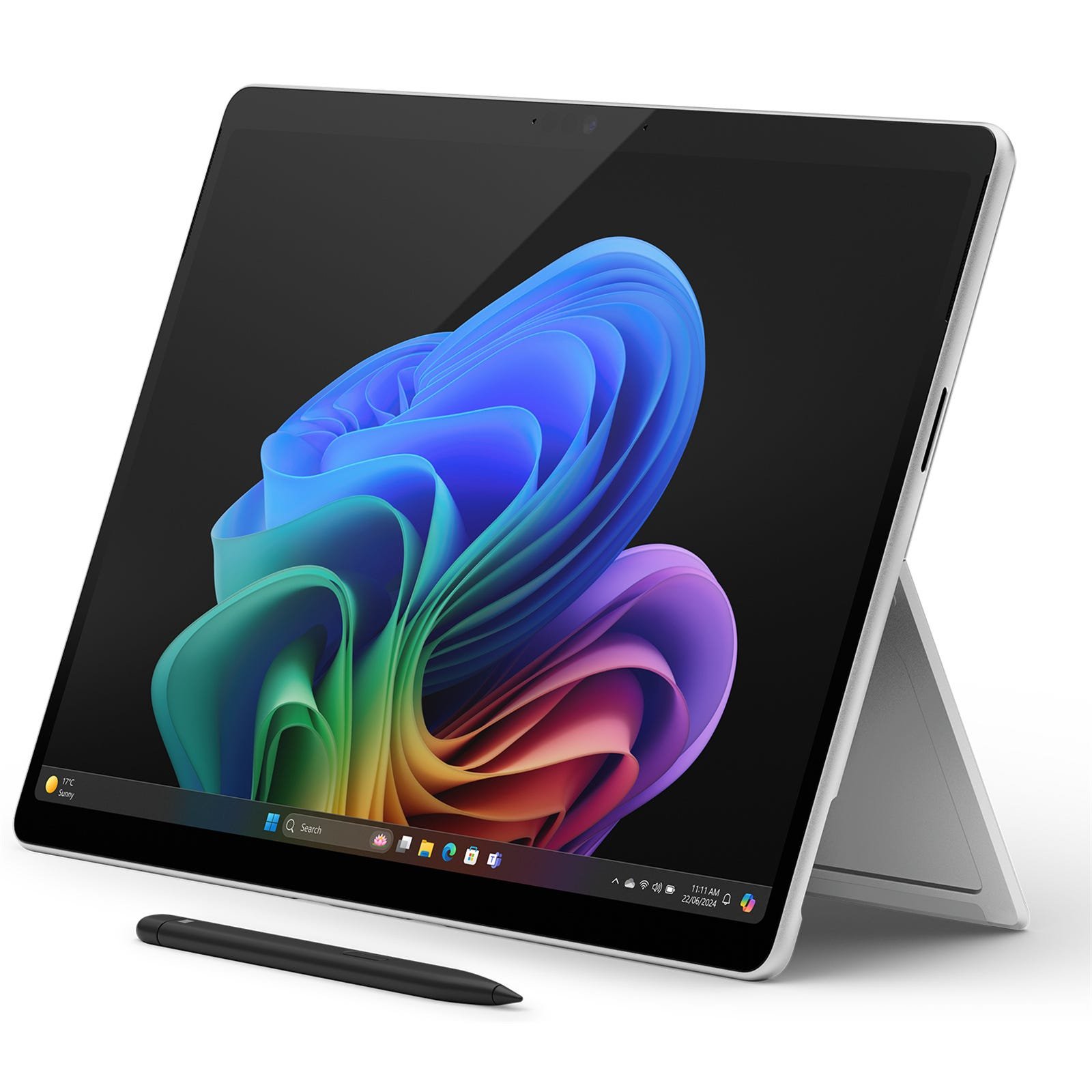
Updated November 2026. These Microsoft devices can both run office and school workflows, but they solve very different mobility problems. Surface Pro 11 is a detachable Windows-on-Arm tablet PC; Surface Laptop Go 3 is a conventional compact laptop with Intel x86 hardware. Compare your app requirements before choosing.
Quick recommendation
Check the operating system, intended programs, exact SKU, installed RAM, storage, accessories and warranty before selecting a model. The correct choice depends on your daily work rather than marketing labels.
Tablet flexibility versus laptop typing
The Surface Pro 11 supports a 13-inch touch-first design with an integrated kickstand and separately purchased keyboard options. Surface Laptop Go 3 is a compact 12.4-inch laptop whose keyboard is integrated, making it straightforward to type on a lap or small classroom desk. If most of your day involves typed documents, the total keyboard bundle cost matters more than how thin the tablet looks.
Processor architecture and software compatibility
A Surface Pro 11 with Snapdragon X Plus or X Elite is Windows on Arm, while Laptop Go 3 is built around a 12th-generation Intel Core i5. Many common Microsoft 365 and browser tasks run on both. Older accounting software, specialised USB drivers or institutional lockdown tools may behave differently. Ask your IT provider for a compatibility list and test essential applications before purchase.
Memory, storage and real price comparison
The newly listed Laptop Go 3 at Infinite Tech uses 8GB RAM and 256GB SSD. The Surface Pro 11 options include 16GB with 256GB or 512GB SSD. Comparing the same storage size still requires considering RAM, included charger, keyboard, pen and whether either model has a regional warranty. Compare live retail prices rather than assuming a supplier quote remains current.
Which one fits your work?
For handwriting, presentations, meetings and pen-supported workflows, Surface Pro 11’s detachable style can be valuable. For continuous typing and legacy Windows software, Laptop Go 3 may be the simpler option. Students should check assignment applications and lecture-hall charging access; businesses should check device servicing and management policies.
Available products and further reading
Use the live store links to compare current prices and confirm availability. Related articles provide further model-specific details.
Frequently asked questions
Are all listed models exactly the same configuration?
No. RAM, storage, operating system, screen, region and accessories can differ even within one name. Check the product title and request the exact manufacturer’s model number.
Do the prices include every accessory?
Never assume that a detachable keyboard, active pen, cable, sleeve or other accessory is included unless the product listing and supplier bundle say so.
Surface Pro 11 vs Surface Laptop Go 3: practical buying checks
Imagine completing a long assignment on the seat and desk you actually use. A conventional laptop has an attached keyboard; a kickstand tablet needs room behind the display. Pen-first learners may accept that trade-off, while someone writing long reports may favour the laptop shape. Neither decision should rest on tablet weight alone: carry weight includes the cover, charger and pen.
- Try typing on a small desk with the stand fully open.
- Check required Windows apps and printer support.
- Compare the total carried kit and final retail quotation.
Which is easier for essays on a lap?
The conventional laptop form can be more convenient, but comfort is personal. Test keyboard stability and screen angle before ordering.
Related buying guides
Windows on Arm software compatibility · Surface Pro keyboard and pen compatibility · Surface Laptop Go 3 vs MacBook Neo
Manufacturer reference: Microsoft official documentation. Check the exact model and supported configuration.
Buying support in Nairobi
Infinite Tech, Rehema House, Standard Street, Nairobi CBD, 1st Floor Shop 2. Call 0720 450 148 to confirm current stock, warranty and compatibility. This guide compares documented features and usage scenarios, not claimed hands-on benchmark results.