
Apple Magic Mouse USB-C vs Magic Trackpad: Best Choice for Mac in Kenya

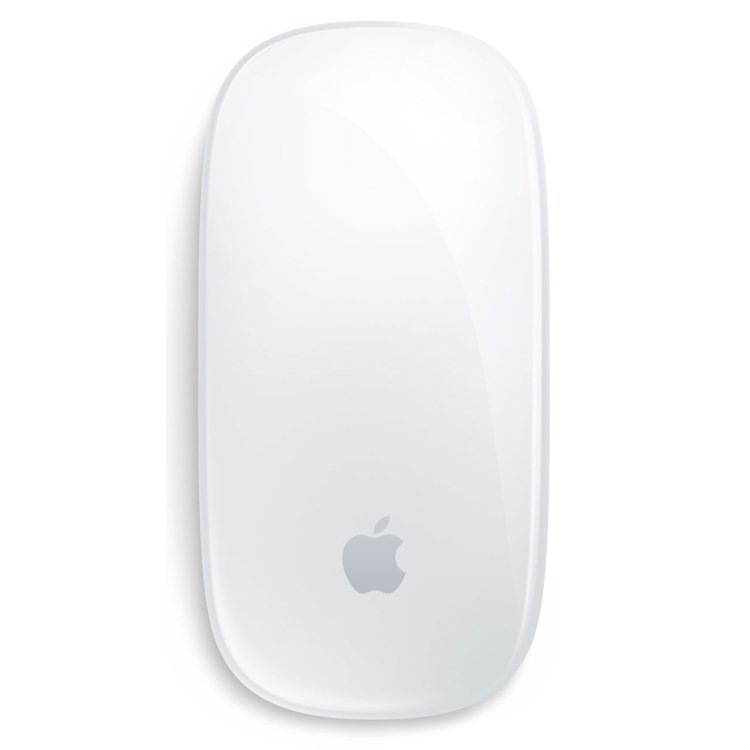
Kenya buying guide — November 2026. The Apple Magic Mouse and Magic Trackpad both support macOS gestures, yet differ in hand movement, desk space and long-session ergonomics. Choosing by looks alone can lead to a frustrating setup. This guide compares actual input habits to help Nairobi buyers decide which is more appropriate.
Quick buying checklist
- Identify the manufacturer model number and hardware configuration.
- Check compatibility with your primary devices and daily applications.
- Compare the total package, including any required accessories.
- Use the live Infinite Tech product price and ask about warranty terms.
How the gestures work
Magic Mouse combines cursor movement through physical mouse motion with a touch-sensitive top for scrolling and gestures. Magic Trackpad is a stationary multi-touch surface that supports pinch, swipe and Force Touch on supported models. Gesture availability depends on the Mac and macOS settings.
Graphic design and photo editing
Precise pointer work can be comfortable on either device, but designers accustomed to pointer drag movements may prefer the mouse, while frequent trackpad gesture users may value a larger glass surface. Neither product automatically replaces a drawing tablet for pen pressure or illustration.
Desk space and comfort
A mouse needs a clear movement area. A trackpad stays in one position and may suit narrow desks or ergonomic layouts. Hand and wrist comfort is individual: test a normal 20-minute task, not only the first few minutes in a shop.
Charging and compatibility
The current Magic Mouse USB-C and Magic Trackpad USB-C models use rechargeable batteries and Bluetooth. Do not confuse them with earlier Lightning-charging versions. For Touch ID, you need a supported Magic Keyboard rather than either pointing device.
Practical recommendation
For traditional pointer control or a mixed Windows/Mac workstation, a mouse may be the simpler transition. For gesture-heavy macOS navigation, the trackpad deserves consideration. If your professional tools rely on click precision and shortcuts, try your actual application before spending.
Compare related products on Infinite Tech
Use the live product links for current Kenyan selling prices, gallery pictures and enquiries. Availability and regional variations may change.
- Magic Mouse USB-C White
- Magic Mouse USB-C Black
- Magic Trackpad USB-C White
- Magic Keyboard with Touch ID
Frequently asked questions
Does Magic Trackpad have a mouse pointer?
Yes, it controls the Mac’s cursor with multi-touch interactions.
Is Magic Mouse USB-C the same as older Magic Mouse 2?
They are related generations, but the USB-C charging connection distinguishes the newer model.
Magic Mouse vs Magic Trackpad: practical buying checks
Try the input device using the application you work in for hours. Cursor precision, scrolling and gestures matter differently in spreadsheets, image editing and browsing. Check desk space, hand position and whether you switch between several workspaces. A useful demonstration includes selecting small controls and editing a document, not just moving the pointer across an empty desktop.
- Try scrolling, selecting and dragging in your usual application.
- Check comfort with your normal hand and desk posture.
- Confirm Mac software requirements and charging needs.
Is one input device better for every designer?
No. Application shortcuts, gesture habits, precision tasks and personal comfort determine the better choice.
Related buying guides
Studio Display nano texture vs standard · iMac M4 8 core vs 10 core · iMac M4 vs Mac mini M4 · MacBook Air M5 13 vs 15
Manufacturer reference: Apple official documentation. Check the exact model and supported configuration.
Visit Infinite Tech in Nairobi
Visit Rehema House, Standard Street, Nairobi CBD, 1st Floor Shop 2, or call 0720 450 148 to confirm the exact model, bundled accessories and current availability. Comparisons describe specifications and buying factors rather than claimed hands-on benchmark testing.