
Hisense HS5100 Rear Speakers: 5.1 Setup and Placement Guide

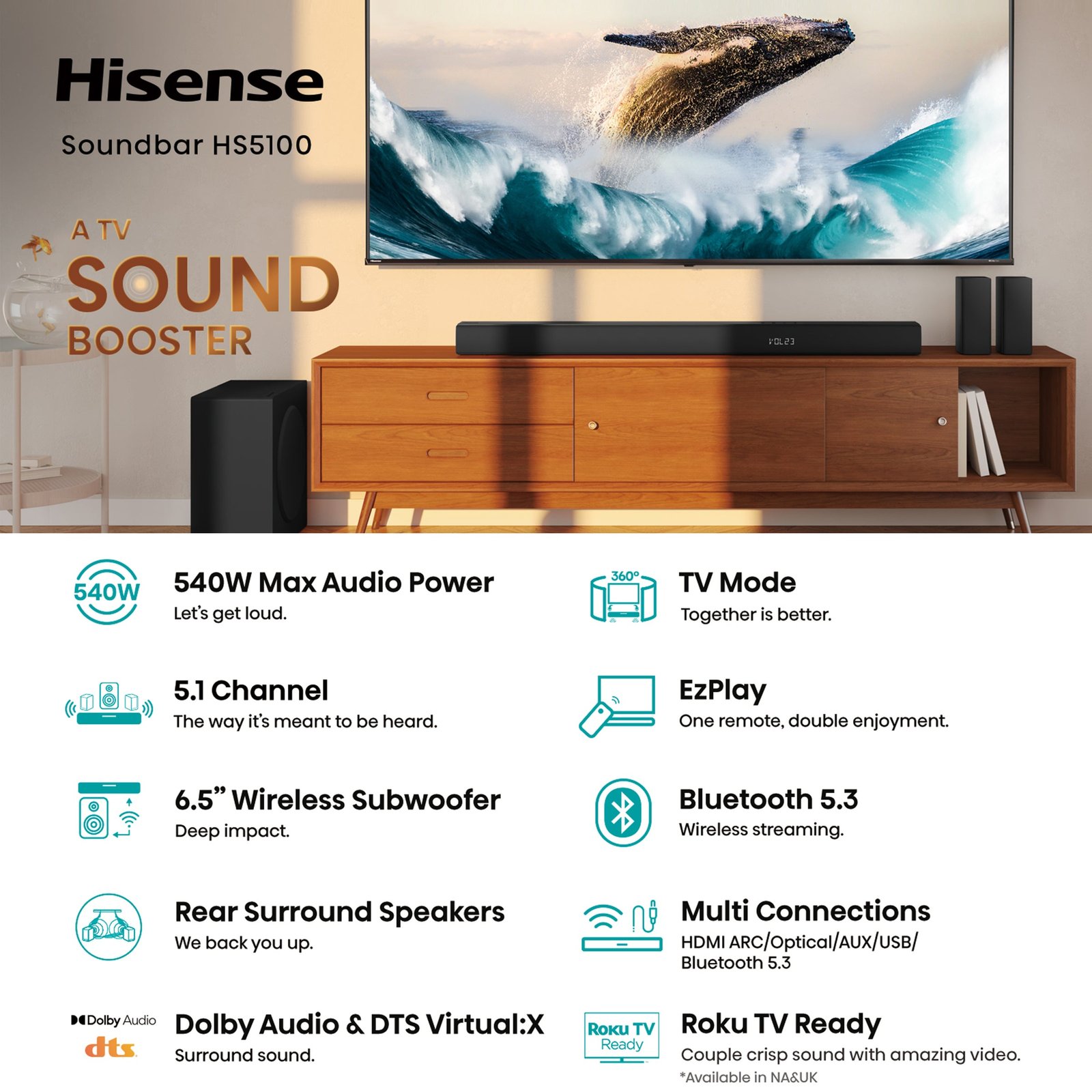
Updated 3 November 2026. The HS5100 is one of the six Hisense soundbars Infinite Tech sells, and its 5.1 package includes two separate surround speakers. Correct positioning and secure cable/power routing matter as much as the soundbar itself. The advice below is based on available manufacturer documentation, not on a claimed hands-on laboratory test.
Hisense HS5100: core specifications
540W maximum, 5.1 channels, wireless subwoofer, dedicated surround speakers, HDMI ARC and Dolby Audio/DTS Virtual:X. A true 5.1 speaker layout has front left/right, a centre, two surround channels and bass. The HS5100 provides rear units that should be placed near the listening position rather than beside the television. Their physical presence makes directional surround possible when the soundtrack supports it. Rear speakers are not necessarily completely cable-free; arrange mains power and speaker runs safely. The HS5100 should not be marketed as if it were an AX5100Q Atmos decoder.
Place rear speakers relative to your sofa
Arrange the two rear surround speakers slightly beside or behind the main listening position, with a reasonably symmetrical layout when practical. Do not mount both behind the television or group them next to the subwoofer; this would undermine the purpose of separate surround channels.
For a purchase decision, consult the Hisense HS5100 product page for the live price, rather than relying on old screenshots or copied retailer lists.
Wireless does not mean every speaker has no cables
The subwoofer pairs wirelessly with the bar, but satellite arrangements can need power leads, speaker cable to a receiver module or both. Check the exact packaging and manual before drilling holes or buying stands. Use cable protection where children or pets may walk.
For a purchase decision, consult the Hisense HS5100 product page for the live price, rather than relying on old screenshots or copied retailer lists.
Sound format and room test
Use a programme encoded in surround audio, then confirm that the TV is outputting compatible multichannel sound. Stereo television programmes may not use all channels discretely. The HS5100 advertises Dolby Audio and DTS Virtual:X, not native Atmos decoding.
For a purchase decision, consult the Hisense HS5100 product page for the live price, rather than relying on old screenshots or copied retailer lists.
Setup checklist for Kenyan TVs
- Record the full TV model number and identify the socket actually labelled ARC or eARC.
- Check the manufacturer instructions for supported audio formats before choosing a movie or console output mode.
- Test volume control and audio/video synchronisation at normal listening level before wall-mounting equipment.
- Allow ventilation around the electronics and keep all power leads safely routed.
- Confirm warranty, included accessories, current price and Nairobi or Kenya-wide fulfilment directly with Infinite Tech.
Frequently asked questions
Is the published output a guaranteed continuous power rating?
No. HS5100 is described by Hisense using maximum output. Room loudness and perceived sound quality depend on far more than this number.
Does HS5100 connect to a non-Hisense TV?
Usually yes through a supported shared audio connection such as HDMI ARC, optical or Bluetooth if available. Proprietary Hisense TV integrations only work with specifically compatible television models.
What if I am not sure the model suits my room?
Compare with the Hisense AX5100Q, review the complete Hisense soundbar price list, and take your TV model number and room dimensions to Infinite Tech before ordering.
Specifications and sources
Read Hisense’s manufacturer information for HS5100 and the soundbar buying guide. Physical stock and box contents can differ from online indicators. For buying and delivery queries, call Infinite Tech on 0720450148.