
Refurbished Laptop Grades Explained: How to Judge Appearance and Wear

A carefully chosen refurbished laptop can feel like an upgrade you are proud of. The confidence comes from understanding the machine you are receiving: its appearance, working condition, battery and written support. When comparing refurbished laptop grades in Kenya, turn each label into a clear description of the actual unit.
Catalogue and prices checked: 21 October 2026. Listing prices can change and do not reserve stock. This guide uses catalogue and manufacturer information; individual unit condition and measured performance require inspection. Read our laptop review methodology for the evidence behind our recommendations.
Start with the seller’s definition of the grade
Ask what Grade A, Grade B, excellent or good means in that particular offer. Does it describe cosmetic wear alone? Does it include a battery requirement, replacement parts or a test checklist? Do not assume two sellers use the same definition. If the description is only a letter, request the missing detail before comparing prices.
A premium model name and a cosmetic grade answer different questions. A refurbished EliteBook may have useful business features while still showing visible use. The refurbished vs new budget comparison covers the wider ownership choice; this guide focuses on judging condition once a used or refurbished offer is on your shortlist.
Keep four condition questions separate
| Area | Evidence to request | What it helps you decide |
|---|---|---|
| Appearance | Current lid, palm-rest, keyboard, screen and corner photographs | Whether the visible wear is acceptable to you |
| Functionality | A demonstration of charging, display, keyboard, ports, camera and Wi-Fi | Whether the functions needed for your work operate |
| Battery and storage | Battery report, installed SSD identity and available diagnostic results | Whether consumable condition and capacity suit your plans |
| Support | Written warranty, exclusions and return arrangements | What help is actually included after purchase |
Inspect the details you will see and touch every day
View the screen with light and dark backgrounds, then open a document at comfortable scaling. Look for marks, uneven areas or pixels that distract from your work. Type a few sentences, test frequently used keys and inspect the touchpad. Open and close the lid gently and check the hinges, base, feet and charging connector.
Photographs should show the offered machine, rather than only a clean catalogue model. Ask for close-ups of disclosed marks. If appearance matters because you often visit clients, say so explicitly. The client-meeting laptop guide explains how presentation, portability and connections fit together.
A real refurbished listing, with the unanswered questions visible
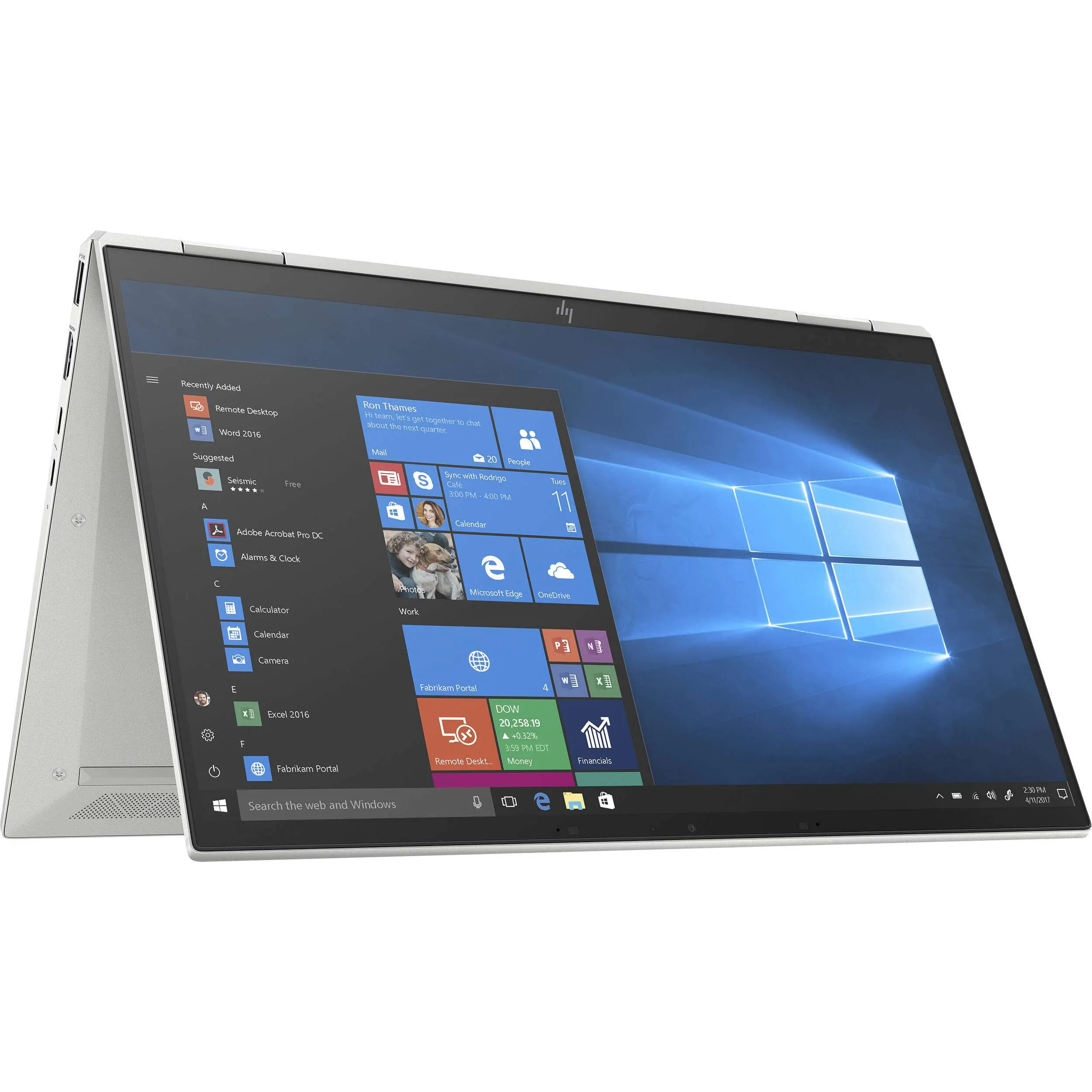
The HP EliteBook x360 1030 G7 Core i7, 16GB RAM and 512GB SSD was listed at KSh 54,995 in the refurbished category during this check. That classification does not establish its cosmetic grade, battery capacity, full processor suffix or included accessories. Ask for those details on the quotation for the available unit.
A convertible format may appeal if you annotate or present on screen, but try the hinge and touch input yourself. If you prefer a conventional work laptop, compare configurations in the professional shortlist under KSh 60,000. Choose the format and condition that you will enjoy using within your complete spending limit.
Battery condition deserves its own evidence
Ask for a recently generated report from the offered laptop, then discuss how you actually work away from a socket. A battery-capacity estimate does not establish hours of runtime. A short demonstration also cannot prove an entire working day. Use our Windows battery-report guide to understand the fields and the limits of the numbers.
Put the agreement in plain language
- Exact model, full processor, installed RAM, SSD and display specification.
- A description of visible wear, with current photographs when buying remotely.
- Battery evidence and any separately agreed replacement or service.
- The supplied charger, accessories and complete purchase cost.
- Written warranty, exclusions, delivery and return arrangements.
If you are replacing an older machine, the upgrade-or-replace guide can help identify which improvements matter. Paying more for a cleaner shell is a preference you can choose consciously; it does not automatically increase application performance. A clear agreement lets you enjoy the purchase without relying on an ambiguous grade.
Frequently asked questions
What does Grade A mean?
Ask for the seller’s written definition for that offer. Confirm whether it covers appearance only or also battery and functional requirements.
Is a refurbished laptop necessarily spotless?
No. Request current unit photographs and a description of visible wear rather than inferring condition from the model name.
Does a cosmetic grade prove battery health?
No. Evaluate battery evidence separately, using a recent report and an appropriate unplugged demonstration.
Can a scratched laptop still suit professional work?
It may, if its functions, configuration and support fit your needs. Decide which cosmetic marks you are comfortable seeing every day.
Does the example EliteBook have a confirmed grade?
The checked listing identifies it as refurbished. A particular cosmetic grade and battery capacity still need written confirmation.
What photographs should I request?
Ask for the lid, keyboard, palm rest, screen, corners, base and close-ups of any disclosed marks on the offered machine.
Should I test the touchscreen and hinges?
Yes, when those features are part of the offer. Try normal movement and touch input before accepting a convertible laptop.
Is a model photograph evidence of the unit condition?
No. It helps identify the model family; current photographs and inspection establish the appearance of the available unit.
What should the warranty clarify?
Read the duration, covered faults, exclusions, claim process and any separate battery or accessory terms in the actual written offer.
How can I compare value beyond the grade?
Compare the exact configuration, useful features, complete price and support. Use business laptop features worth paying for as a practical checklist.
Choose a laptop you can feel confident using
Explore Infinite Pro: Serious work. Smart investment. and Executive Pro. Contact Infinite Tech at Rehema House, Nairobi, or call 0720 450 148 with your applications, budget and preferred setup. Request the actual unit details and complete quotation, and review warranty information and delivery information before ordering.
One thought on “Refurbished Laptop Grades Explained: How to Judge Appearance and Wear”
Comments are closed.