
HP OmniBook Intel vs Snapdragon: Software Compatibility Before Buying

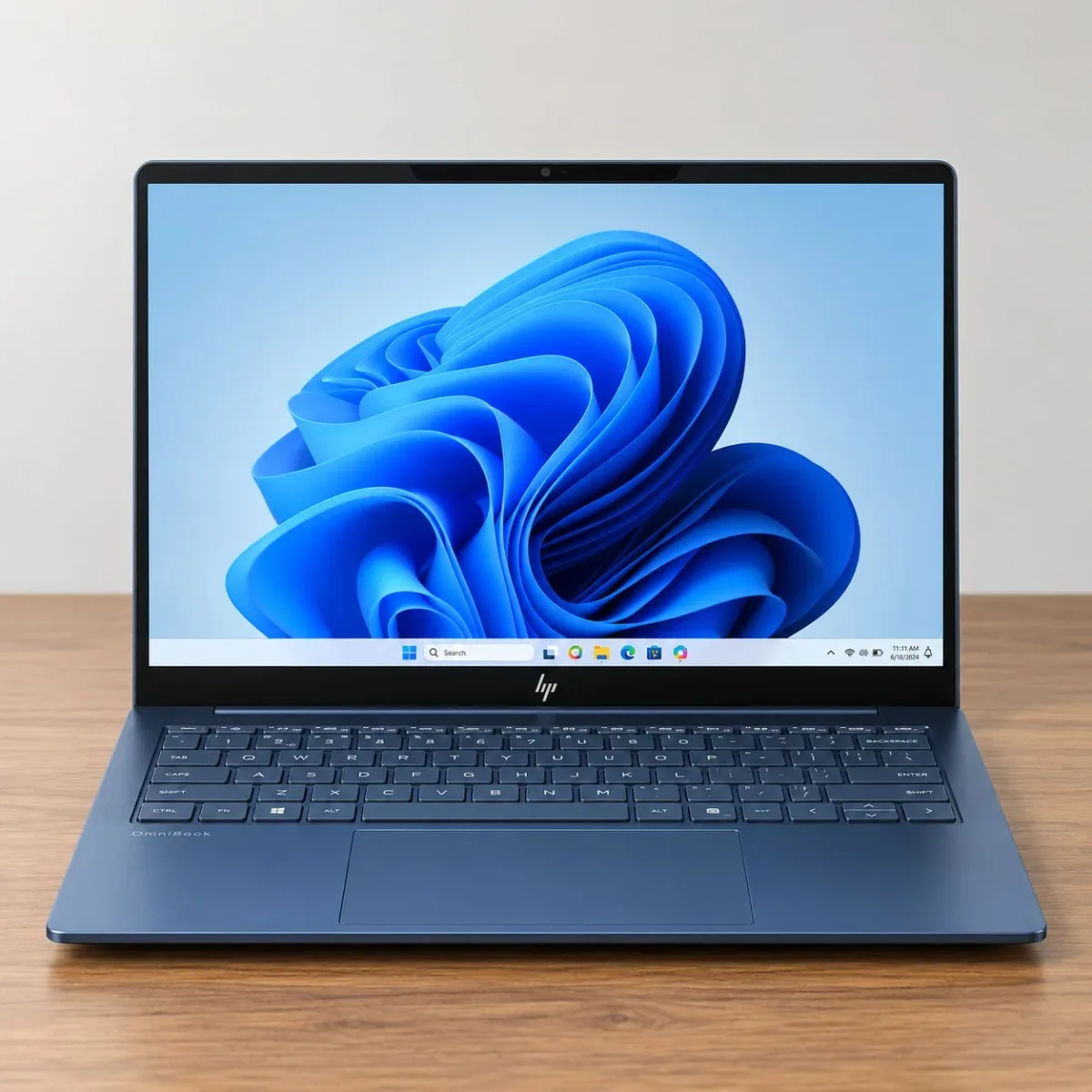
For an HP OmniBook purchase in Kenya, Intel versus Snapdragon is an application-compatibility decision before it is a performance or battery discussion. The exact processor architecture, software versions, drivers and accessories must fit the intended work. A Windows 11 label on both machines does not make every application or peripheral behave identically.
Catalogue and references checked: 20 October 2026. Prices below are Infinite Tech catalogue asking prices for the stated configuration. Confirm the actual unit, availability, accessories and written warranty before payment.
The programming laptop guide helps define your development environment before hardware selection. The Intel vs Snapdragon Surface guide explains the same architecture question on another Windows range.
For research and specialist tools, review the postgraduate laptop requirements guide. Use MacBook and Windows-software compatibility checks when your shortlist also crosses operating systems.
HP OmniBook Intel vs Snapdragon: software fit
| Choice | What to compare | Buying implication |
|---|---|---|
| Intel-based OmniBook | Check the exact x86/x64 processor and supported software | Still verify OS, GPU, driver and application requirements |
| Snapdragon-based OmniBook | Windows on Arm platform | Check native or emulated app support and compatible drivers |
| Either platform | Full SKU, RAM, SSD, screen and included accessories | Family names and AI branding are insufficient specifications |
Make a complete application list before choosing
Write down the programs used for work or university, including plugins, VPN, examination software, printers, scanners and specialist devices. Then check the publishers’ current support for the proposed Windows platform. Ordinary document editing is only one part of a professional or academic setup.
Microsoft’s Windows on Arm guidance makes clear that app and driver compatibility needs checking. An application that can run through emulation is not the same question as a peripheral requiring a suitable driver. Ask for confirmation of the exact versions you use rather than a broad statement that all Windows programs work. Where an essential component is unsupported, choose a different verified configuration.
Keep architecture separate from the family and AI labels
OmniBook names cover different designs and processor options. The full model code is therefore essential. A catalogue listing for an Intel-based model should not be used as evidence of what a Snapdragon offer supports, and vice versa. Identify the actual chip in the system information and on the invoice.
Likewise, AI or Copilot-related branding does not establish the availability of every feature. Some functions depend on hardware, software version, accounts, regional availability or subscriptions. Buy the laptop first for the work it must reliably perform, then verify any additional feature you specifically intend to use. Avoid treating a headline NPU capability as a substitute for application support.
Test the complete workflow, including attached devices
Run a representative task with the intended applications and files. Test video calls, the company or university login process, required browser tools and any external device that matters. If the workload includes engineering software, games with anti-cheat, specialist plugins or a particular VPN, seek a current publisher-supported answer for that exact setup.
Do not assume an Intel configuration removes every compatibility question either. It still needs the appropriate operating system, graphics capability, memory and drivers. The practical distinction is to identify and resolve the platform-specific risks before payment rather than expecting a familiar Windows desktop to answer them.
Compare memory, screen and the complete price after compatibility
Once the essential workflow is supported, compare installed RAM, SSD, panel and form factor. A thin convertible and a larger conventional notebook can have different carrying and desk-use advantages even within the same processor architecture. Ask which memory or storage changes are actually supported on the exact model.
Inspect the actual unit or confirm the boxed SKU, supplied charger and local warranty arrangement. Treat battery claims as dependent on the tested workload and configuration; this guide does not report measured runtime for the stock units. Use the real catalogue links below to compare offers, then request a written quote identifying the processor, configuration and included accessories.
Real Infinite Tech catalogue examples
These links lead to individual listings, not a promise that every model in the wider family is available. Compare the complete configuration rather than the processor badge alone.
| Exact listing | Listed price | Next check |
|---|---|---|
| HP OmniBook 3 14-hz0015dx Snapdragon X 16GB 512GB 14-inch Touch Windows 11 – HZ0015DX | KSh 106,500 | Confirm unit condition, exact components and what is included |
| HP OmniBook X Flip 14-fm0047nr Core Ultra 7 256V 16GB RAM 512GB SSD | KSh 156,000 | Confirm unit condition, exact components and what is included |
| HP OmniBook 5 AI 16-af1017wm Core Ultra 7 16GB RAM 1TB SSD | KSh 126,000 | Confirm unit condition, exact components and what is included |
A practical buying decision
Choose the architecture that has a verified route for every essential application and driver. After that, compare the exact OmniBook configuration, display, portability and complete price. Compatibility confirmation should precede payment.
Frequently asked questions
Do all Windows applications work identically on Snapdragon and Intel?
Do not assume it. Check current application and driver support for the exact platform and version.
Does app emulation guarantee a specialist peripheral will work?
No. Drivers and attached hardware need their own compatibility check.
Is every OmniBook a Snapdragon laptop?
No. Identify the full model code and processor in the actual offer.
Does AI branding guarantee a particular feature is included?
No. Verify its exact hardware, software, account and regional requirements.
Related Infinite Tech buying pages
- Laptop Knowledge Centre
- Compare all laptops
- Programming laptop guide
- Best Laptops for University Students in Kenya 2026: Course & Budget Guide
More HP buying guides
- HP Laptop Prices in Kenya: New vs Refurbished Buying Guide
- HP x360 Laptop Buying Guide: Touchscreen, Pen Support and Battery Checks
- HP ZBook Graphics Explained: Choosing the Right GPU for Your Work
- Intel vs Snapdragon Surface: Check Your Applications Before Buying
Manufacturer references and research method
This is a research-based buying guide, not a hands-on test or a benchmark report. Manufacturer references describe supported options; the linked catalogue identifies the configuration being offered. Model-specific details should be matched to the full product code or service tag.
Confirm your laptop with Infinite Tech
Contact Infinite Tech at Rehema House, Nairobi, on 0720450148. Ask for the full model code, a written specification and the applicable warranty. Read warranty information, delivery information and contact Infinite Tech before placing an order.
4 thoughts on “HP OmniBook Intel vs Snapdragon: Software Compatibility Before Buying”
Comments are closed.