
HP x360 Laptop Buying Guide: Touchscreen, Pen Support and Battery Checks

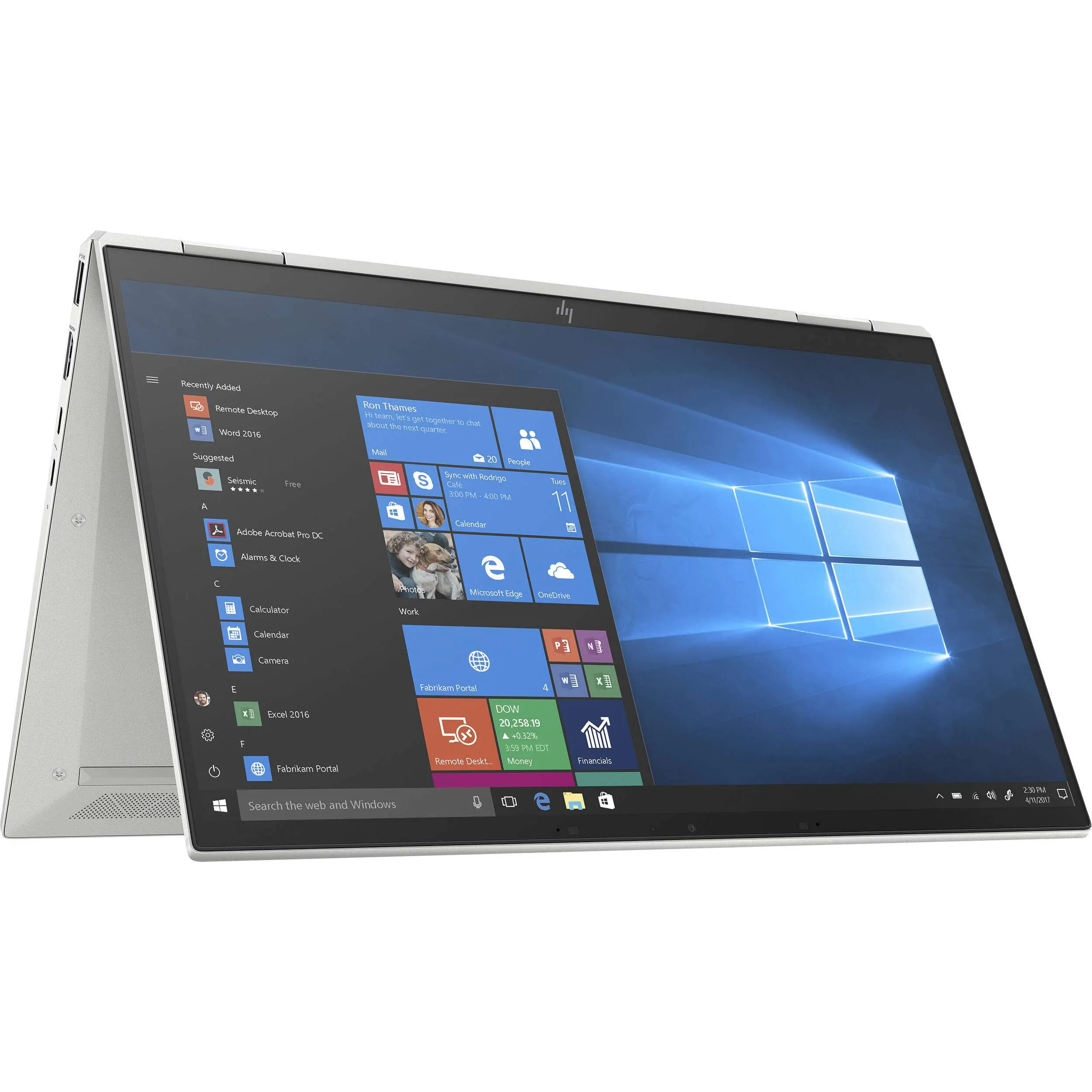
An HP x360 laptop can be useful for handwritten notes, presentations and flexible screen positions, but the x360 label is not a complete buying specification. Confirm the exact product code, touchscreen behaviour, supported pen and included accessories. For used units in Kenya, hinge condition and battery health deserve the same attention as processor and memory.
Catalogue and references checked: 20 October 2026. Prices below are Infinite Tech catalogue asking prices for the stated configuration. Confirm the actual unit, availability, accessories and written warranty before payment.
The Spectre x360 vs ZBook comparison explains why a convertible and a workstation meet different needs. For other touch-first options, compare Surface Pro, HP x360 and Lenovo Yoga.
Use the university laptop guide to check whether handwritten notes fit your course. The Yoga vs ThinkPad Yoga guide offers another model-specific route for comparing convertible designs.
HP x360: compare touch, pen and hinge requirements
| Choice | What to compare | Buying implication |
|---|---|---|
| Touchscreen | Test finger input across the actual panel | Touch does not automatically establish active-pen support |
| Pen | Check the exact supported pen technology and model | Price the compatible accessory if it is not included |
| Convertible hardware | Test supported positions and inspect hinges | A photograph does not establish present condition |
Start with the task that needs a convertible
A 360-degree design makes sense when you will regularly read in a tablet-like position, present across a desk or take compatible handwritten notes. For ordinary typing, a conventional laptop may provide a simpler or more affordable route. Decide which additional positions matter before paying for the feature.
Try the actual laptop in those supported positions. Check screen stability, keyboard behaviour and how comfortable the device is to hold or place on a desk. Do not force a hinge or assume that a touchscreen conventional notebook opens through the same range. Keep the full product name on the quote because EliteBook, Envy, Spectre and ProBook x360 offers can be very different machines.
Verify the pen instead of buying from its appearance
HP explains that active stylus operation depends on a compatible digitiser. A finger-responsive screen is not sufficient proof that any active pen will work. Ask which exact pen is supported by the full laptop model and whether it is part of the package.
For handwriting, test the intended note-taking application with the proposed pen. Check response across the screen, palm behaviour and the available writing controls. Confirm the power or charging arrangement and the availability of appropriate replacement tips. A pen pictured in marketing material should not be treated as included unless the written offer says so. Compatibility lists can apply to named generations rather than all x360 products.
Inspect the hinge, glass and battery on a used unit
Look for uneven closure, chassis separation, loose hinges and screen damage. Test touch across the panel, then inspect ordinary display quality with light and dark backgrounds. Convertible operation should be assessed alongside the keyboard, touchpad, webcam and microphone rather than replacing those basic checks.
Ask for current battery information and try a normal task away from mains power. Check stable charging with the suitable adapter. A thin convertible can still be a poor mobile purchase if its present battery condition is inadequate. Record any accepted cosmetic wear or battery limitation on the quotation and read the written warranty before payment.
Compare performance and the complete accessory cost
The linked examples span different families and generations, so their prices are not a controlled comparison of hinges. Match the actual CPU, RAM, SSD, screen and condition to your applications. An x360 form factor does not establish workstation graphics performance or software compatibility.
Include the compatible pen, suitable charger, case and any display adapter in the total. Check whether memory and storage can be changed on the exact model before planning upgrades. At collection, verify the installed components and normal personal setup. Choose the convertible when its verified features solve the intended task and the complete price remains sensible compared with a conventional alternative.
Real Infinite Tech catalogue examples
These links lead to individual listings, not a promise that every model in the wider family is available. Compare the complete configuration rather than the processor badge alone.
| Exact listing | Listed price | Next check |
|---|---|---|
| HP EliteBook x360 1030 G7 Core i7 16GB RAM 512GB SSD | KSh 54,995 | Confirm unit condition, exact components and what is included |
| HP ENVY x360 15 Intel Core i7 12th Gen 16GB RAM 1TB SSD | KSh 72,995 | Confirm unit condition, exact components and what is included |
| HP Spectre x360 14 Intel Core Ultra 7 155H 16GB RAM 1TB SSD | KSh 138,995 | Confirm unit condition, exact components and what is included |
| HP ProBook x360 11 G1 EE 4GB RAM 128GB SSD Touchscreen | KSh 16,000 | Confirm unit condition, exact components and what is included |
A practical buying decision
Buy an x360 for the specific screen positions and pen workflow you will use. Confirm the full laptop code, compatible pen, hinge condition, battery health and complete package instead of treating all HP convertibles as interchangeable.
Frequently asked questions
Will every HP active pen work on every x360?
No. Match the pen and digitiser requirements to the exact laptop model.
Does finger touch prove pen compatibility?
No. They are separate checks.
Is a pen automatically included with an x360?
No. Confirm included accessories in the written quotation.
Does an x360 design make a laptop suitable for 3D rendering?
No. Check the actual CPU, GPU, memory and application requirements separately.
Related Infinite Tech buying pages
- Laptop Knowledge Centre
- Compare all laptops
- EliteBook guide
- Best Laptops for University Students in Kenya 2026: Course & Budget Guide
More HP buying guides
- HP Laptop Prices in Kenya: New vs Refurbished Buying Guide
- HP EliteBook vs ProBook: Which Should You Buy?
- HP OmniBook Intel vs Snapdragon: Software Compatibility Before Buying
- Surface Pro vs HP x360 vs Lenovo Yoga: Choosing a Touchscreen Computer
Manufacturer references and research method
This is a research-based buying guide, not a hands-on test or a benchmark report. Manufacturer references describe supported options; the linked catalogue identifies the configuration being offered. Model-specific details should be matched to the full product code or service tag.
Confirm your laptop with Infinite Tech
Contact Infinite Tech at Rehema House, Nairobi, on 0720450148. Ask for the full model code, a written specification and the applicable warranty. Read warranty information, delivery information and contact Infinite Tech before placing an order.