
Used ThinkPad Buying Checklist: Battery, USB-C Charging and BIOS Locks

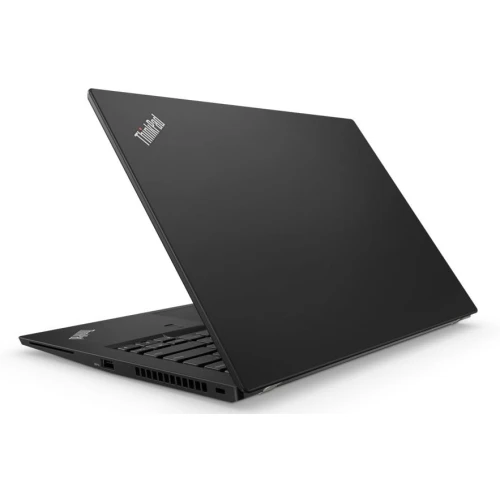
Before buying a used ThinkPad in Kenya, inspect the actual laptop rather than judging it from a clean lid or a familiar business name. A useful inspection covers ownership and setup, battery health, charging, screen, keyboard, storage and the ports required for your work. The following sequence helps turn a catalogue shortlist into a specific, documented purchase.
Catalogue and references checked: 20 October 2026. Prices below are Infinite Tech catalogue asking prices for the stated configuration. Confirm the actual unit, availability, accessories and written warranty before payment.
Start with the general second-hand laptop inspection checklist for the physical checks. The ThinkPad RAM and SSD guide helps confirm whether an advertised upgrade is supported.
The refurbished laptop buying guide explains condition and warranty questions. Compare the Lenovo shortlist below KSh 30,000 after establishing the minimum condition you will accept.
Used ThinkPad inspection: identity, charging and access
| Choice | What to compare | Buying implication |
|---|---|---|
| Before the visit | Full model, condition and included items | Arrive with an exact configuration to verify |
| At the machine | Battery, charging, display, input and firmware access | Test functions rather than relying on a desktop screenshot |
| Before payment | Normal setup, written warranty and invoice | Resolve restrictions through the legitimate owner |
Confirm the identity and the right to set it up
Ask for the full model and machine type, then compare the physical label with the device’s system information. Record the actual CPU, installed RAM, drive and screen resolution. A name such as T480s can describe several configurations, so the invoice should identify the one you are buying.
Ask the seller to demonstrate ordinary personal setup and access to firmware settings. A previous organisation’s management restrictions or an unknown password should be resolved legitimately before payment. A working Windows desktop alone is not proof that a clean setup will be unrestricted. Do not accept a promise to bypass another owner’s controls later; the device should be transferred in a state you can properly use.
Inspect charging before trusting an unplugged demonstration
Connect the suitable charger and check that the laptop consistently recognises power. Examine the port and cable for damage, looseness or movement that interrupts charging. Where the model has more than one supported charging route, test the relevant ports according to its manual. A USB-C shape does not guarantee identical charging or display functions on every socket.
Then inspect a recent battery report and try a normal task away from mains power. Treat battery capacity, charging behaviour and runtime as related but separate observations. A low cycle count alone does not establish excellent health. Ask whether any battery limitation is reflected in the price and what, if anything, the written warranty covers.
Test the display, keyboard and everyday connections
Use plain light and dark backgrounds to look for pressure marks, dead pixels and uneven illumination. View the screen at a normal working angle. Test every key, the touchpad, TrackPoint controls where present, webcam, microphone, speakers and wireless connection. A short call is more useful than merely opening the camera application.
Bring or request suitable test equipment for the ports you actually need. Check a USB drive and external display where practical, then test sleep and wake. If the unit is advertised as touchscreen, inspect touch response across the panel. Do not assume active-pen compatibility from finger touch. Photograph or document any accepted cosmetic wear so that the final grade is clear.
Check storage, support and the written total
Ask for drive health information and test opening and saving a realistic file. Compare the reported SSD capacity with the offer and leave space for the operating system and your work. A refurbished machine may have replacement components; the important point is to understand the actual configuration and its condition.
Check the intended operating-system requirements for the exact CPU and device. Add the cost of any required battery, charger, SSD work or adapter to the quoted price, then compare an alternative ready-to-use listing. Before paying, obtain an invoice and written warranty terms, including the process for reporting a fault. Keep important work backed up from the first day rather than relying on any single laptop as the only copy.
Real Infinite Tech catalogue examples
These links lead to individual listings, not a promise that every model in the wider family is available. Compare the complete configuration rather than the processor badge alone.
| Exact listing | Listed price | Next check |
|---|---|---|
| Lenovo ThinkPad T480s Core i5 8th Gen 8GB RAM 256GB SSD Non-Touch | KSh 25,000 | Confirm unit condition, exact components and what is included |
| Lenovo ThinkPad T490s Core i7 8th Gen 16GB RAM 256GB SSD Non-Touch | KSh 30,000 | Confirm unit condition, exact components and what is included |
| Lenovo ThinkPad X280 Core i7 8th Gen 16GB RAM 256GB SSD Touchscreen | KSh 28,000 | Confirm unit condition, exact components and what is included |
A practical buying decision
Buy only after the unit identity, normal setup, charging, hardware tests and written terms line up with the quote. Use the catalogue links to shortlist, then make the physical inspection decide whether that particular ThinkPad is worth the money.
Frequently asked questions
Does a clean exterior prove good battery health?
No. Inspect battery information and test unplugged operation with a suitable real workload.
Is reaching the Windows desktop enough to prove ownership restrictions are cleared?
No. Ask for a legitimate transfer and normal personal setup, including any management or firmware restrictions.
Should I test USB-C charging?
Yes, where it is a supported charging route. Inspect the port, adapter and charging behaviour for the exact model.
Must every used ThinkPad have original factory parts?
Not necessarily. Ask what is installed now, whether parts were replaced and what the written warranty covers.
Related Infinite Tech buying pages
- Laptop Knowledge Centre
- Compare all laptops
- ThinkPad buying guide
- 15 Checks Before Buying a Second-Hand Laptop Under KSh 15,000 in Kenya
More Lenovo buying guides
- Lenovo Laptop Prices in Kenya: ThinkPad, IdeaPad and Yoga Compared
- Best Refurbished Lenovo Laptops Under KSh 30,000
- ThinkPad RAM and SSD Upgrades: A Guide by Exact Model
Manufacturer references and research method
This is a research-based buying guide, not a hands-on test or a benchmark report. Manufacturer references describe supported options; the linked catalogue identifies the configuration being offered. Model-specific details should be matched to the full product code or service tag.
- Lenovo ThinkPad T480 specifications
- Lenovo ThinkPad T480s platform specifications
- Lenovo ThinkPad T490s specifications
Confirm your laptop with Infinite Tech
Contact Infinite Tech at Rehema House, Nairobi, on 0720450148. Ask for the full model code, a written specification and the applicable warranty. Read warranty information, delivery information and contact Infinite Tech before placing an order.
One thought on “Used ThinkPad Buying Checklist: Battery, USB-C Charging and BIOS Locks”
Comments are closed.