

Latest News & Articles
Microphone Gain Clipping Guide: Recording Levels for Beginners

Updated October 2026. Distorted or clipping audio is not fixed by simply lowering the volume of the final video. The microphone preamp or digital recording input may have overloaded during capture. Set usable levels before the take. This practical guide includes specific Infinite Tech products, but the manufacturer’s own instructions for the exact version take precedence.
Detailed step-by-step guide
- 1. Connect the intended microphone to the host camera, phone or interface and verify that the host is listening to that input.
- 2. Ask the speaker to perform their loudest expected phrase, not only a quiet test.
- 3. Adjust input gain until peaks remain below the clipping/red area on the recorder’s meters; where available, allow several decibels of margin.
- 4. Wear headphones or play back a test. Distortion, digital pops and pumping noise may be audible even when the meter looks acceptable.
- 5. Set microphone placement so voice is strong but the capsule does not receive excessive breath blasts or impacts.
- 6. For loud karaoke, control the microphone and speaker gain to reduce feedback, not only the playback volume.
- 7. If the microphone has 32-bit float on-board recording, learn its recovery process, but still avoid overloading any analogue stage.
Microphones and accessories to consider
| Product | Retail price | Best use |
|---|---|---|
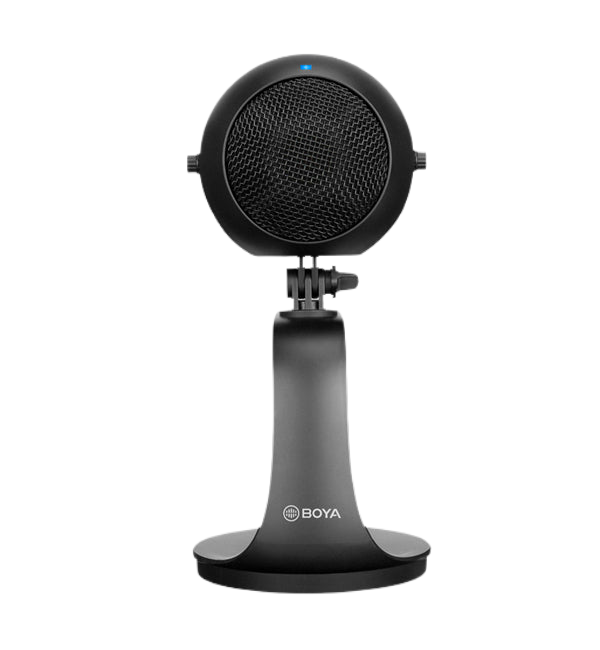
| BOYA PM300 | KSh 9,650 | USB desktop beginner podcast mic |
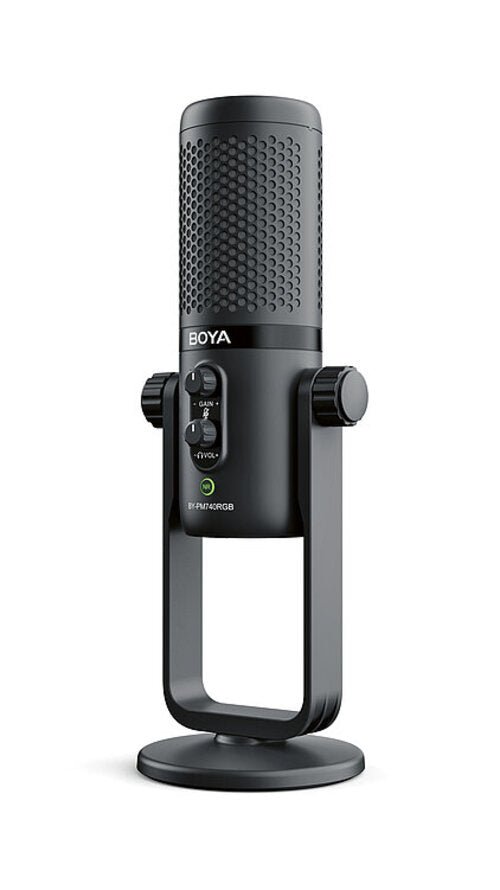
| BOYA PM740 | KSh 15,945 | Multi-pattern studio microphone |
| RØDE PodMic USB | KSh 32,495 | USB/XLR dynamic podcasting |
| BOYA BY-V20 | KSh 7,750 | Two-person USB-C wireless |
| RØDE Wireless GO Gen 3 | KSh 31,995 | Dual wireless with onboard 32-bit float recording |
How to select equipment for this task
BOYA PM300
USB desktop beginner podcast mic. This relevant Infinite Tech product is listed at KSh 9,650. Avoid buying it simply for a high specification number; choose it for your audio workflow and available equipment. See model and live price.
BOYA PM740
Multi-pattern studio microphone. This relevant Infinite Tech product is listed at KSh 15,945. Use the equipment only with compatible cables and host inputs, and inspect the original supplied package. See model and live price.
RØDE PodMic USB
USB/XLR dynamic podcasting. This relevant Infinite Tech product is listed at KSh 32,495. Avoid buying it simply for a high specification number; choose it for your audio workflow and available equipment. See model and live price.
BOYA BY-V20
Two-person USB-C wireless. This relevant Infinite Tech product is listed at KSh 7,750. Use the equipment only with compatible cables and host inputs, and inspect the original supplied package. See model and live price.
RØDE Wireless GO Gen 3
Dual wireless with onboard 32-bit float recording. This relevant Infinite Tech product is listed at KSh 31,995. Avoid buying it simply for a high specification number; choose it for your audio workflow and available equipment. See model and live price.
Quality control before you publish or perform
Always record a short controlled test, listen on headphones, and check whether the external microphone provided the sound. If a plug physically fits but no audio reaches the host, check device and recording-app compatibility; USB-C digital audio, Lightning, 3.5mm analogue and XLR are not interchangeable without appropriate hardware.
To obtain intelligible speech, reduce wind, reflections, clothing rub, handling noise and excessive mic-to-mouth distance. Leave digital headroom to avoid clipping, and keep backup audio where the event cannot be repeated. Confirm which microphones, receiver, cables and charging accessories are physically included in the exact model purchased.
Frequently asked questions
Can 32-bit float prevent every kind of clipping?
Start by matching the exact model and manufacturer instructions to your equipment; look for features actually supported by the chosen kit.
Why does my audio sound distorted at low playback volume?
A good recording still depends on positioning, gain staging, external connections, battery condition and a short test recording.
What is a safe peak level?
Confirm what the original box includes and test both connection and the recording application; never assume all variants are identical.
Should I fix clipping using an app?
Contact Infinite Tech about device compatibility, serial-number documentation and a warranty before the event or recording.
Related microphone learning resources
BOYA price list · Podcast microphone buying guide · Gain and clipping guide · Reducing background noise · Two-person interview setup.
View microphones and recording gear, or contact Infinite Tech Kenya to check accessories. Manufacturer information: BOYA, JBL, RØDE.
Understanding microphone levels in common recording apps
What clipping sounds like
Digital clipping produces harsh crackling or flattened vocal peaks when a signal exceeds the input’s available range. Turning down the playback volume later does not restore data already lost at capture. Watch peak meters during the loudest expected performance and give the sound enough headroom.
Mic placement before software gain
Move the mic closer to the speaker to improve the voice-to-noise ratio, while avoiding direct breath blasts, mouth clicks and movement against clothing. Turning up gain on a distant microphone makes room echo and background fans louder too; that is not the same as capturing a clear nearby voice.
Speech, music and karaoke need different checks
Quiet conversational voice, enthusiastic preaching and karaoke singing can have dramatically different peaks. Rehearse with real loudness and position, not a whisper. In live PA setups, feedback is a speaker-microphone loop and may require changing loudspeaker position or gain structure.
Where 32-bit float helps and where it does not
Certain RØDE systems such as Wireless GO Gen 3 and Wireless PRO provide transmitter-side 32-bit float recordings. These help recover a wide range of source recording levels, but they do not automatically fix broken wireless routing, clothing noise or a physically overloaded analog stage. Review the actual export workflow before relying on backups.
3 thoughts on “Microphone Gain Clipping Guide: Recording Levels for Beginners”
Comments are closed.