

Latest News & Articles
Best Laptops for AutoCAD, Civil 3D and Revit in Kenya (2026)

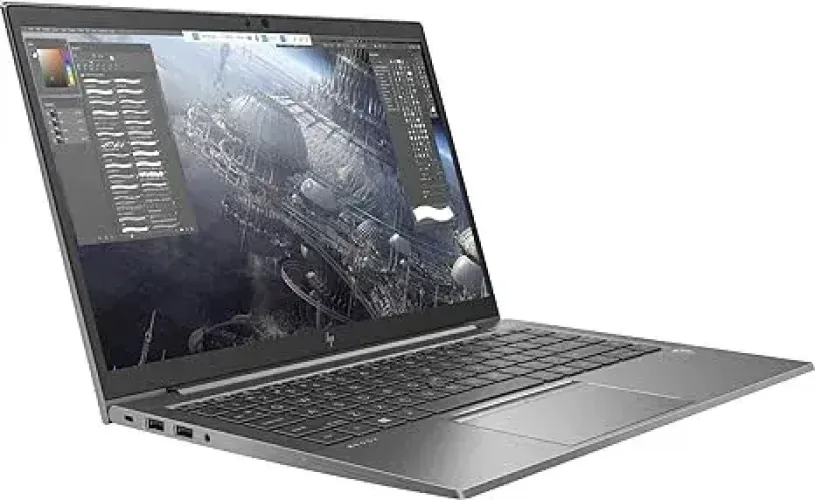
Quick answer: For AutoCAD in Kenya in 2026, a practical laptop should combine a recent processor, at least 16GB RAM and SSD storage. Straightforward 2D drafting is less demanding than complex 3D modelling, so users doing larger 3D projects should budget for stronger processors, more memory and capable dedicated graphics.
best laptop for AutoCAD Civil 3D Kenya is a buying question that depends on the exact HP configuration and the software used in class or at work. This guide covers AutoCAD 2D drafting, Civil 3D, Revit and BIM, with linked Kenyan catalogue prices and clear hardware caveats.
Quick comparison: best laptop for AutoCAD Civil 3D Kenya
| Workload | HP laptop to compare | Listed price |
|---|---|---|
| 2D CAD study | HP ProBook 440 G11 Core Ultra 7 155H | KSh 75,995 |
| Large model RAM | HP EliteBook x360 1040 G8 32GB | KSh 65,000 |
| Dedicated graphics candidate | HP ZBook Firefly 14 G7 | KSh 63,500 |
Software requirements that matter
Civil 3D 2026 recommended memory is 32GB with an 8GB GPU. A 4GB NVIDIA mobile workstation may work on smaller projects yet falls below that recommendation. Choose larger dedicated graphics for sustained 3D or large point-cloud workloads. The current site prices shown are a catalogue snapshot; they are not proof of exact-unit availability. Buying is safest when the department’s actual application versions and datasets are known.
Before buying or booking an examination
Request photographs of the actual laptop, CPU model, installed RAM, SSD condition, GPU and dedicated VRAM where required, Windows support, webcam, battery report, charger and applicable warranty. For online examinations, test the institution’s secure browser and proctoring application ahead of time. Compare this buying advice with Infinite Tech’s engineering and geology laptop hub.
AutoCAD laptop specifications by workload
| Use | RAM | Storage | Graphics |
|---|---|---|---|
| Student / 2D drafting | 16GB recommended | 512GB SSD | Modern integrated or suitable dedicated GPU depending on work |
| Professional 2D + moderate 3D | 16-32GB | 512GB-1TB SSD | Dedicated graphics useful |
| Complex 3D workflows | 32GB+ | 1TB SSD | Capable dedicated GPU |
Processor, RAM and graphics
Do not buy based only on Core i5 or Core i7 branding. Processor generation, clock performance and exact model matter. RAM becomes particularly important when AutoCAD is used alongside browsers, PDFs, rendering tools and other engineering applications.
Student versus professional requirements
An engineering or architecture student working primarily on coursework may not need the same workstation as a professional handling large production drawings. Match the hardware to the largest realistic projects you expect to run during the laptop’s useful life.
Buying checklist in Kenya
- Check Autodesk’s current requirements for your AutoCAD version.
- Prefer 16GB RAM as a practical starting point.
- Choose an SSD, preferably 512GB or larger.
- For 3D, investigate the exact GPU rather than relying on the words “dedicated graphics.”
- Consider a larger external monitor for desk-based CAD work.
- Check cooling and power performance on higher-spec machines.
FAQs
Can Core i5 run AutoCAD?
Many modern Core i5 systems can run AutoCAD well, particularly for 2D work, but the exact generation, RAM, graphics and project complexity matter.
Is 8GB RAM enough?
It may run lighter projects, but 16GB provides a more practical margin for current multitasking and larger drawings.
Do AutoCAD users need a GPU?
2D workflows can be relatively modest, while more complex 3D work benefits from stronger graphics. Check requirements for the exact Autodesk applications and workflows you use.
Is SSD important?
Yes. SSD storage improves general responsiveness, application loading and file handling compared with older mechanical drives.
Are refurbished workstations good for AutoCAD?
They can offer excellent value if their CPU, RAM, storage and graphics are suitable and the hardware condition is verified.
Is a gaming laptop suitable?
It can be, especially where strong CPU and GPU performance is needed, though workstation certification, portability and display requirements may differ.
How much storage is enough?
512GB is a useful starting point. Users with many project files and related applications may prefer 1TB.
Which screen size is best?
A 15.6-inch or larger display gives more workspace, while a 14-inch laptop can be easier to carry. External monitors can provide additional working space.
Can students buy an older business laptop?
Yes for lighter workloads if specifications are sufficient, but verify software compatibility and expected project demands.
Where can I compare suitable laptops?
Use Infinite Tech’s laptop catalogue to compare available processors, RAM, SSD capacity and graphics configurations in Kenya.
2026/2027 high-end HP buying guide update
Buying for civil engineering, 2D drafting and professional 3D BIM requires different priorities. Autodesk provides application-specific requirements rather than a general rule that every Core i7 is suitable.
AutoCAD and Civil 3D software needs
2D AutoCAD can be comfortable on 16GB RAM, an SSD and a competent CPU. Large Civil 3D corridors, surfaces, BIM files and point clouds put more pressure on RAM and the graphics processor. Autodesk recommends 32GB RAM and 8GB GPU VRAM for Civil 3D 2026. Larger visualizations may need more.
Revit scales up with model size
Autodesk Revit 2026 identifies 16GB RAM for an entry-level model, 32GB for a balanced value configuration and 64GB for performance and large models. Graphics requirements also scale. Do not assume a 32GB machine with integrated graphics is equivalent to a dedicated GPU workstation.
Which HP laptop from Infinite Tech?
The HP ZBook Firefly 14 G7 is listed with 32GB RAM/512GB SSD and supplier-quoted 4GB NVIDIA graphics at KSh 63,500. Verify the exact NVIDIA GPU; 4GB is below Civil 3D’s recommended 8GB tier. The EliteBook x360 1040 G8 with 32GB RAM at KSh 65,000 supports memory-heavy work without proving discrete GPU compatibility. A Core Ultra ProBook may suit CPU-heavy general design work.
Practical studio setup and survey work
Use an external display and precise mouse for technical drawing, verify USB-C docks for instruments, and keep at least two backup copies of field data and thesis files. Before buying a refurbished computer, inspect battery, charger, screen, ports, cooling and actual hardware. Software-license compatibility matters as much as specification.
Frequently asked questions for advanced study
How much RAM is practical for modern university laptops?
Sixteen gigabytes is a useful starting point for most coursework; 32GB is valuable for larger GIS, BIM, data science projects or virtual machines.
Is a Core i7 always better than a modern Core i5?
No. CPU generation, processor suffix, cooling and workload determine actual performance.
Is a dedicated NVIDIA GPU necessary?
For routine coding, notes and 2D coursework it is not always essential. Specialist 3D software and GPU computing may require a compatible GPU.
How much RAM does ArcGIS Pro recommend?
Esri recommends 32GB RAM, with discrete graphics and 8GB dedicated GPU VRAM for stronger 3D visualization.
What does Leapfrog Geo require?
Seequent requires a supported graphics card with at least 4GB graphics memory; it does not support Intel integrated graphics.
What does Civil 3D 2026 recommend?
Autodesk recommends 32GB RAM and an 8GB graphics card for its recommended configuration.
Will 512GB SSD storage be enough?
Often for student work, but GIS raster collections, VMs and BIM projects may justify 1TB or an external backup drive.
Can I upgrade RAM later?
Not always; many slim HP EliteBook x360 systems have soldered memory. Verify the full model number.
What matters for online exams?
An approved OS and lockdown browser, webcam, microphone, charger, reliable Wi-Fi and sufficient battery health.
How do I verify a refurbished HP laptop?
Request actual CPU and GPU screens, RAM count, battery report, SSD health, display and ports test, charger and warranty.
Where can I compare high-end HP options?
Use Infinite Tech’s dedicated Engineering, GIS & Geology Laptop Hub, linked below.
Compare related HP laptops and specialist guides
- HP ZBook Firefly 14 G7 with 32GB RAM
- HP EliteBook x360 1040 G8 32GB
- HP ProBook 445 G9 Ryzen 7
- Engineering, GIS & Geology Laptop Hub
- Geology, Mining & GIS guide
- ArcGIS Pro and QGIS guide
- University online exams guide
Official documentation: Esri ArcGIS Pro, Autodesk Civil 3D, Revit 2026 and Seequent Leapfrog Geo.

5 thoughts on “Best Laptops for AutoCAD, Civil 3D and Revit in Kenya (2026)”
Comments are closed.