
Hisense 85A6QKEN vs 85Q6QKEN: 85-Inch UHD or QLED TV?

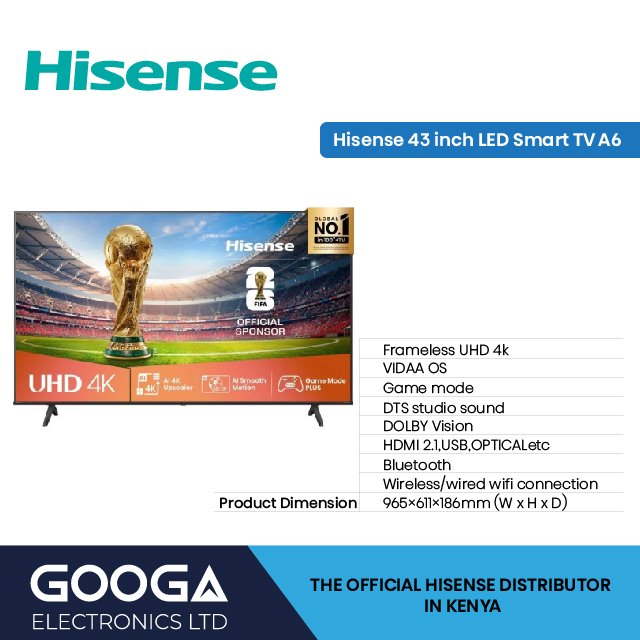
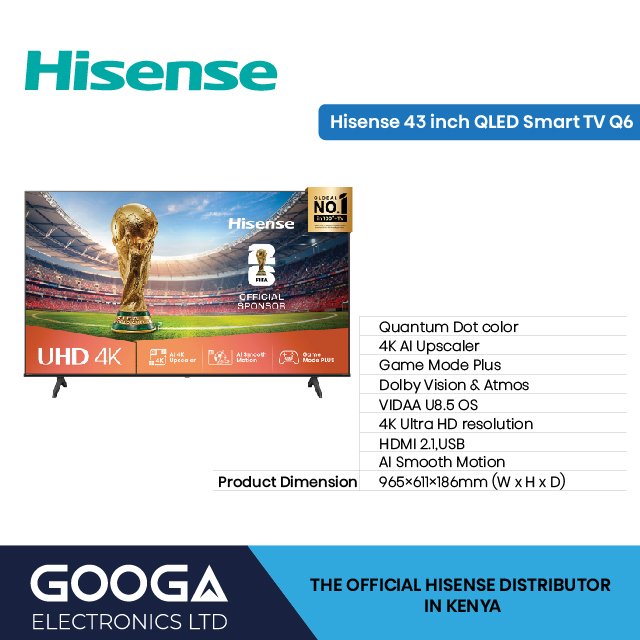
If you want an 85-inch Hisense television, the 85A6QKEN and 85Q6QKEN listings share the same advertised screen size and 4K UHD class but sit in different display families. Infinite Tech lists the A6Q as a 4K UHD Smart Frameless TV and the Q6Q as a QLED 4K UHD Smart TV. The decision should be made from the exact regional specification, viewing environment and total installation requirements.
At-a-glance comparison
| Decision point | 85A6QKEN | 85Q6QKEN |
|---|---|---|
| Screen size | 85 inches | 85 inches |
| Listed display family | A6Q 4K UHD Smart TV | Q6Q QLED 4K UHD Smart TV |
| Resolution in catalogue | 4K UHD | 4K UHD |
| Primary comparison | Mainstream UHD configuration | Quantum Dot QLED colour family |
| Must verify | Exact ports, refresh rate, OS, dimensions and suffix | Exact ports, refresh rate, OS, dimensions and suffix |
1. Same screen size, different display family
Because both listings are 85 inches, room fit and viewing distance are broadly similar in screen-size terms. The listed distinction is the display family: A6Q is described as 4K UHD, while Q6Q is described as QLED 4K UHD. QLED uses a Quantum Dot colour layer, but the real-world result still depends on panel, backlight, processing and picture tuning.
Do not assume every feature from a different Q6 or A6 regional model applies to the Kenya suffix. Refresh rate, HDR formats, local dimming, HDMI versions, speaker output and smart platform must be checked against the precise model code.
2. An 85-inch TV needs a measured installation plan
Measure the wall or TV cabinet, viewing distance, stand width and the path into the room. Large televisions can be difficult to turn through narrow staircases and doorways. Check the packaged dimensions as well as the bare TV dimensions, because packaging can be significantly larger.
If wall mounting, use a bracket rated for the television’s weight and VESA pattern. A large panel should be lifted by enough people using the manufacturer’s handling instructions. Do not hold or press the screen surface during installation.
3. Evaluate picture quality in your own room
Bright rooms, side seating, window reflections and night viewing can affect the experience as much as a display label. Compare sample content at normal viewing distance and use a consistent picture mode. Avoid judging a TV only from a vivid showroom demo with maximum brightness.
For sport and gaming, confirm the native refresh rate and supported HDMI input modes. A product title that says 4K or QLED does not by itself prove 120Hz or 144Hz input support. Match the model’s ports to your console, decoder and soundbar.
4. Make the final comparison from the model plate
Ask to see the complete model code on the carton or rear label and match it to the product page and regional manual. If a distributor page lists a related Q6 family code rather than 85Q6QKEN, treat it as family context, not proof that every specification is identical.
Choose the A6Q if its verified picture and smart features meet your budget and use. Consider the Q6Q if the exact unit’s QLED benefits and confirmed features justify the difference. Compare warranty, delivery and installation terms in writing.
Check the exact listing before ordering
Open the live product pages for the exact model codes, current price, stock status, included accessories and applicable warranty. Similar model names do not guarantee identical regional specifications. Browse the Hisense Knowledge Centre for related guides and the Hisense product catalogue for current listings.
Before you buy: 85-inch TV checklist
- Match the complete model suffix on the carton and rear label to the regional product sheet.
- Confirm native refresh rate, HDR formats, HDMI inputs and operating system for that exact variant.
- Measure the wall, stand, viewing distance, doorway and stair route.
- Verify VESA pattern, weight, bracket rating and professional lifting arrangements.
Compare the 85A6QKEN listing and 85Q6QKEN listing; do not transfer specifications from a related regional suffix.
Frequently asked questions
Are both TVs 85 inches?
Yes. Infinite Tech’s product records list both 85A6QKEN and 85Q6QKEN as 85-inch televisions.
Is the 85Q6QKEN QLED?
The Infinite Tech catalogue identifies it as QLED 4K UHD. Confirm the exact regional model label before payment.
Is the 85A6QKEN 4K?
The catalogue lists it as an 85-inch 4K UHD Smart TV.
Does either model support 120Hz or 144Hz?
Do not assume that from the series name. Verify native refresh rate and supported HDMI modes for the exact regional suffix.
What should I measure before buying an 85-inch TV?
Measure wall width, stand or bracket compatibility, seating distance, doorways, corridors and stair turns.
Independent retailer buying guidance by Infinite Tech, Nairobi. Confirm model labels and manufacturer documentation for the exact unit supplied.
