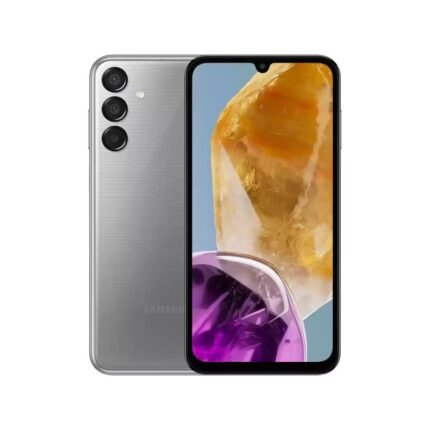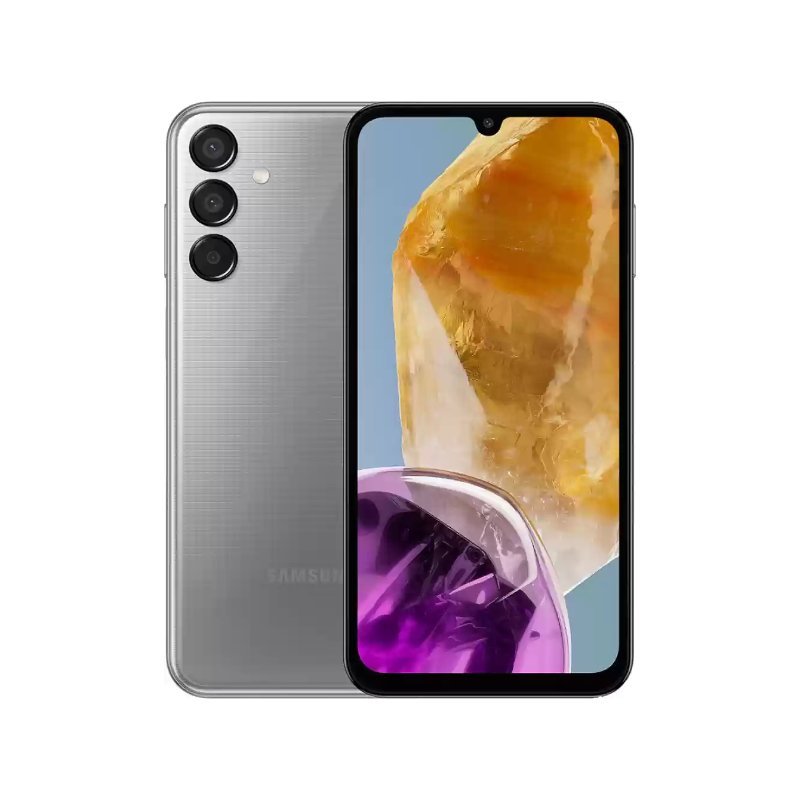
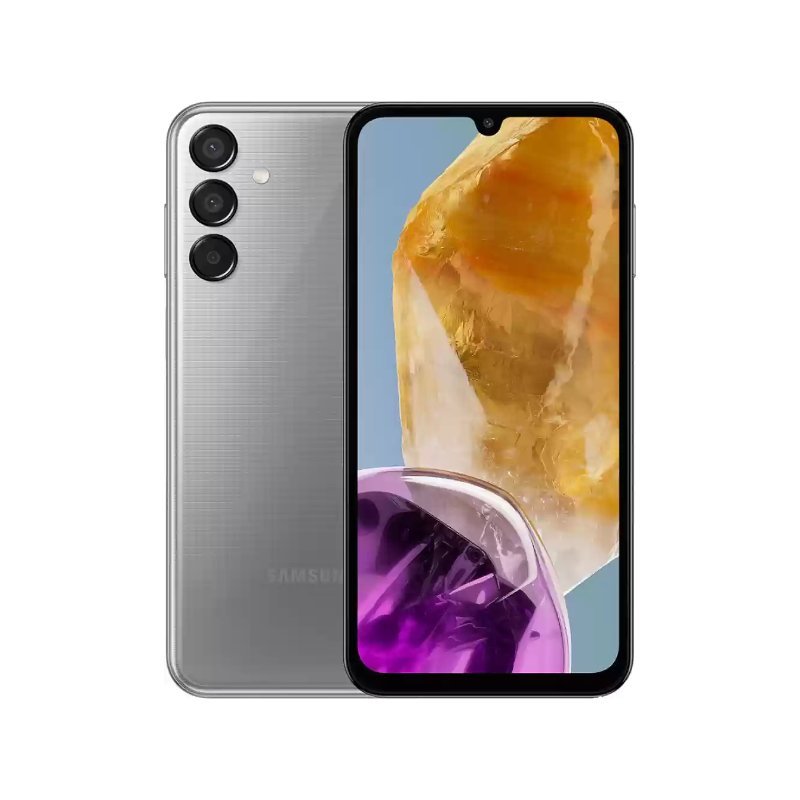
Samsung Galaxy M15 6GB/128GB 5G
KSh 21,500.00 Original price was: KSh 21,500.00.KSh 18,500.00Current price is: KSh 18,500.00.
Samsung Galaxy M15 6GB/128GB 5G Dubai
-
Display: 6.5-inch Super AMOLED, 1080 x 2340 pixels, 90Hz refresh rate, 800 nits peak brightness
-
Processor: MediaTek Dimensity 6100+ (6 nm), octa-core chipset
-
Memory: 6GB RAM, 128GB internal storage, expandable via microSDXC
-
Rear Camera: 50MP (wide, f/1.8, AF) + 5MP (ultrawide, f/2.2) + 2MP (macro, f/2.4), 1080p video recording
-
Front Camera: 13MP (wide, f/2.0), 1080p video recording
-
Operating System: Android 14 with One UI 6
-
Battery: 6000mAh, supports 25W wired charging
-
Connectivity: 5G, Wi-Fi 802.11 a/b/g/n/ac, Bluetooth 5.3, USB Type-C, NFC (varies by region)
-
Security: Side-mounted fingerprint sensor, face unlock
-
Audio: 3.5mm headphone jack, loudspeaker
-
Sensors: Accelerometer, gyro, compass, virtual proximity sensing
-
Build & Design: Glass front, plastic back, plastic frame, 160.1 x 76.8 x 9.3 mm, 217g
-
Available Colors: Light Blue, Dark Blue, Gray
Out of stock
Introduction to Samsung Galaxy M15
The Samsung Galaxy M15 emerges as a significant player in the bustling smartphone marketplace, set to cater to users who seek advanced features without breaking the bank. Positioned within the M series, the Galaxy M15 stands out in Samsung’s growing portfolio of budget-friendly and mid-range smartphones. This series has garnered a reputation for offering essential features at competitive prices, making it an excellent choice for a diverse range of consumers, particularly those looking for cost-effective solutions with 5G accessibility.
One of the standout attributes of the Samsung Galaxy M15 is its robust 6GB RAM and 128GB internal storage, providing an optimal balance between performance and capacity. This configuration positions the device well against competitors in the same segment, ensuring that users can multitask and store their content seamlessly. Additionally, the M15’s integration of 5G technology significantly enhances its relevance in today’s high-speed internet environment, allowing users to enjoy rapid connectivity and improved streaming capabilities.
The design language of the Galaxy M15 reflects modern aesthetics, showcasing a sleek form factor that appeals to a wide audience. Its display size further reinforces the device’s usability for various activities, from casual browsing to multimedia consumption. Furthermore, the camera capabilities promise an impressive photographic experience, ushering in the era of high-definition imaging for budget devices.
In essence, the Samsung Galaxy M15 encapsulates the essence of modern smartphone innovation within a reasonably priced package. It aims to attract users who desire a comprehensive set of features without a hefty price tag, solidifying its stance as an appealing option in the competitive smartphone landscape. With these key features, the M15 is poised to capture the interest of tech-savvy consumers navigating the evolving demands of mobile technology.
Specifications and Performance
The Samsung Galaxy M15 6GB/128GB 5G is equipped with a robust set of specifications that cater to both everyday users and technology enthusiasts. At the heart of this device lies a powerful octa-core processor, which ensures smooth and efficient performance. This processor, complemented by 6GB of RAM, offers superior multitasking capabilities, allowing users to switch effortlessly between applications without any noticeable lag. Such configuration promises a responsive experience whether one is browsing the web, streaming videos, or playing graphics-intensive games.
Storage is another highlight of the Galaxy M15, featuring a generous 128GB internal memory that can accommodate a vast array of applications, high-quality images, and videos. For users who require even more space, the smartphone supports expandable storage via a microSD card slot. This flexibility enables users to enhance their storage capacity based on their individual needs, catering to those who frequently download large files or utilize numerous apps.
Battery life is critically important in today’s fast-paced world, and the Galaxy M15 excels in this aspect. It boasts a large battery capacity that can last throughout the day, even with heavy usage. Users can expect long hours of operation without the frequent need for recharging, making it particularly appealing for individuals on the go.
The camera features on the Samsung Galaxy M15 are also noteworthy. It incorporates a multi-lens setup that allows for versatile photography, capturing stunning images in various lighting conditions. Coupled with intelligent software enhancements, the camera’s performance is formidable, enabling users to take high-quality shots effortlessly.
Another significant advantage of the Galaxy M15 is its 5G capability. This feature dramatically enhances internet connectivity, providing faster download and upload speeds. As 5G networks continue to expand globally, the ability to connect without latency offers a superior user experience, particularly for streaming and gaming applications, ensuring that the device remains relevant in the rapidly evolving smartphone landscape.
Design and User Experience
The Samsung Galaxy M15 6GB/128GB 5G stands out with a design that combines both aesthetics and functionality. Measuring approximately 159.9 x 75.9 x 8.9 mm, the device is compact enough to fit comfortably in one hand while also providing a sizable screen real estate for immersive viewing. The front of the device is dominated by a vibrant 6.5-inch FHD+ display, featuring a resolution of 2400 x 1080 pixels and a 20:9 aspect ratio. This screen offers stunning visuals with vibrant colors and sharp details, making it ideal for media consumption and gaming. The sleek design and thin bezels enhance the overall appeal, providing an elegant look that is easy to hold.
Constructed from high-quality materials, the Galaxy M15 features a plastic back and frame, making it lightweight. However, Samsung ensures that the build quality does not compromise durability. The device is available in multiple color options, allowing personalization for users. The rear houses a triple-camera setup, which not only serves practical purposes but also adds to the aesthetic dimension of the smartphone.
User experience is significantly enhanced through Samsung’s One UI, which eliminates clutter and simplifies navigation. The interface is intuitive, allowing users to access features quickly. Additionally, customization options are abundant; users can change themes, icons, and layouts to suit their preferences. Powerful software features such as split-screen multitasking and Dark Mode enhance its usability, catering to a variety of user needs. The Galaxy M15’s design is not just visually appealing; it plays a crucial role in providing a seamless and enjoyable user experience, making it a noteworthy contender in the mid-range smartphone market.
Conclusion and Final Thoughts
The Samsung Galaxy M15 6GB/128GB 5G stands out as a solid contender in the budget smartphone market. Drawing from the review of its features, this device offers remarkable performance combined with 5G capabilities, making it a worthy option for users looking for a high-speed internet experience without breaking the bank. The impressive display, robust battery life, and decent camera setup cater well to both casual users and tech enthusiasts alike.
One of the key strengths of the Samsung Galaxy M15 is its value for money proposition. Priced competitively, it provides features that often belong to mid-range devices, including a smooth user interface and good overall performance, backed by its 6GB RAM and 128GB storage. However, potential buyers should be aware of some limitations, such as the plastic build and the average camera performance in low-light conditions. While these aspects might deter some users, they do not diminish the device’s overall appeal.
When compared to similar budget smartphones, such as the Xiaomi Redmi Note 11 and the Realme Narzo 50, the Galaxy M15 maintains a strong position. Each of these competitors has its unique strengths, yet the Samsung Galaxy M15 holds its ground primarily due to its reliable brand reputation and consistent software support.
As 5G technology continues to shape the smartphone landscape, budget devices like the Samsung Galaxy M15 present a promising future. They not only make advanced connectivity accessible but also exemplify the ongoing trend of smartphone manufacturers pushing the envelope on performance and features at lower price points. For potential buyers, any decision should factor in personal usage requirements, budget constraints, and the specific strengths of the device in question.
Samsung Galaxy M Series – Frequently Asked Questions (FAQs)
1. What is the Samsung Galaxy M Series?
The Samsung Galaxy M Series is a lineup of affordable and mid-range smartphones designed to deliver excellent battery life, reliable performance, quality cameras, and modern features for everyday users.
2. Who is the Samsung Galaxy M Series designed for?
The Galaxy M Series is ideal for students, professionals, gamers, content consumers, and anyone looking for a feature-rich smartphone at a competitive price.
3. Does the Samsung Galaxy M Series support 5G?
Yes. Many of the latest Galaxy M Series smartphones support 5G connectivity for faster downloads, smoother streaming, and improved online gaming. Some entry-level models are 4G only.
4. What operating system do Galaxy M Series phones use?
Galaxy M Series devices run Android with Samsung One UI, providing a clean interface, productivity features, and regular security updates.
5. What display sizes are available in the Galaxy M Series?
Most Galaxy M Series smartphones feature large displays ranging from approximately 6.5 inches to 6.8 inches, depending on the model.
6. Do Galaxy M Series phones have AMOLED displays?
Many Galaxy M Series models feature Samsung Super AMOLED or Super AMOLED Plus displays, while some entry-level devices use LCD panels.
7. Are Galaxy M Series phones good for gaming?
Yes. Many Galaxy M Series smartphones are equipped with capable processors, large RAM options, and high-refresh-rate displays, making them suitable for casual and moderate gaming.
8. How long does the battery last on a Galaxy M Series phone?
Most Galaxy M Series devices include 5,000mAh or larger batteries, providing all-day battery life under normal usage. Some models feature even higher battery capacities.
9. Does the Samsung Galaxy M Series support fast charging?
Yes. Most Galaxy M Series smartphones support fast charging, although charging speeds vary by model.
10. Can I expand the storage on a Galaxy M Series phone?
Many Galaxy M Series models support expandable storage via a microSD card, allowing you to store more photos, videos, apps, and documents.
11. What RAM options are available?
Galaxy M Series phones are available in various RAM configurations, typically ranging from 4GB to 12GB depending on the model.
12. What storage options are available?
Storage capacities commonly include 64GB, 128GB, and 256GB, with expandable storage available on many models.
13. Are Galaxy M Series cameras good?
Yes. Galaxy M Series smartphones feature AI-powered camera systems capable of capturing clear photos, portraits, landscapes, and videos in different lighting conditions.
14. Do Galaxy M Series phones support Dual SIM?
Yes. Most Samsung Galaxy M Series smartphones support Dual SIM functionality, allowing users to manage two phone numbers on one device.
15. Does the Galaxy M Series include a fingerprint sensor?
Yes. Depending on the model, Galaxy M Series phones feature either a side-mounted or in-display fingerprint sensor for secure unlocking.
16. Does the Samsung Galaxy M Series support Face Unlock?
Yes. Most Galaxy M Series smartphones include Face Unlock for quick and convenient access.
17. Are Galaxy M Series phones waterproof?
Most Galaxy M Series devices do not have an official IP water-resistance rating. Users should keep them away from water unless a specific model states otherwise.
18. Does the Galaxy M Series support NFC?
NFC support varies by model and region. Check the specifications of the specific Galaxy M Series device before purchasing if NFC is important to you.
19. Can I use Samsung Wallet on a Galaxy M Series phone?
Samsung Wallet support depends on the model, software version, and country availability.
20. Are Galaxy M Series phones suitable for photography?
Yes. Many models feature high-resolution cameras, ultra-wide lenses, macro cameras, portrait modes, AI scene optimization, and night photography capabilities.
21. How often does Samsung update Galaxy M Series phones?
Samsung provides regular security updates and Android OS upgrades for supported Galaxy M Series devices. The update period varies depending on the model.
22. What connectivity options are available?
Depending on the model, Galaxy M Series smartphones support:
- 4G LTE or 5G
- Wi-Fi
- Bluetooth
- GPS
- USB Type-C
- NFC (selected models)
23. Are Galaxy M Series smartphones suitable for students?
Yes. Their affordable pricing, dependable performance, long battery life, and large displays make them ideal for online learning, research, entertainment, and communication.
24. Are Galaxy M Series phones good for business use?
Yes. Galaxy M Series smartphones support productivity apps, video conferencing, email, cloud services, and multitasking, making them suitable for work and business users.
25. Can I stream HD videos on a Galaxy M Series phone?
Yes. The large displays and quality screens make Galaxy M Series devices excellent for watching HD videos, movies, and online content.
26. Do Galaxy M Series phones come with a charger?
Box contents vary by model and region. Some models include a charging cable only, while others may include a charger.
27. What colors are available in the Galaxy M Series?
Galaxy M Series smartphones are available in various colors such as Black, Blue, Green, Silver, Purple, and other finishes depending on the model.
28. Are Galaxy M Series phones good for everyday use?
Yes. They are designed to handle daily activities such as calling, messaging, browsing, social media, online banking, photography, video streaming, and gaming with ease.
29. Why should I choose a Samsung Galaxy M Series smartphone?
The Galaxy M Series offers a strong balance of affordability, long-lasting battery life, dependable performance, quality cameras, Samsung One UI, and trusted software support, making it an excellent choice for users seeking value without compromising on essential features.
30. What are the main advantages of the Samsung Galaxy M Series?
Some of the biggest advantages include:
- Large immersive displays
- Long battery life
- Reliable performance
- AI-enhanced cameras
- Fast charging support
- Expandable storage on many models
- Samsung One UI experience
- 4G and 5G options
- Dual SIM functionality
- Excellent value for money
Lenovo ThinkPad Laptops – Frequently Asked Questions (FAQs)
1. What is a Lenovo ThinkPad laptop?
A Lenovo ThinkPad is a business-class laptop series known for its durability, reliability, powerful performance, and security features. ThinkPad laptops are widely used by professionals, students, and businesses worldwide.
2. What are ThinkPad laptops best used for?
ThinkPad laptops are ideal for business, office work, programming, graphic design, online learning, content creation, video conferencing, and multitasking.
3. Are Lenovo ThinkPad laptops good for business?
Yes. ThinkPad laptops are designed for business users and include enterprise-grade security, durable construction, long battery life, and productivity features.
4. Are ThinkPad laptops suitable for students?
Yes. Their lightweight design, dependable performance, comfortable keyboard, and long battery life make them an excellent choice for students.
5. Can I use a Lenovo ThinkPad for programming?
Yes. ThinkPad laptops are popular among software developers thanks to their powerful processors, comfortable keyboards, and support for Windows and Linux operating systems.
6. Are ThinkPad laptops good for gaming?
While ThinkPads are primarily built for productivity, some high-performance models with dedicated graphics can handle light to moderate gaming. Gaming-focused laptops are generally better for demanding games.
7. What operating systems do ThinkPad laptops support?
ThinkPad laptops typically come with Windows pre-installed and many models also support Linux distributions such as Ubuntu and Fedora.
8. What processor options are available?
ThinkPad laptops are available with Intel Core, Intel Core Ultra, Intel Xeon (selected workstation models), and AMD Ryzen processors depending on the model.
9. How much RAM can a ThinkPad laptop have?
RAM capacity varies by model, with options ranging from 8GB to 64GB or more on high-end workstation models.
10. Can I upgrade the RAM?
Many ThinkPad models allow RAM upgrades, while some newer ultrathin models have soldered memory. Upgradeability depends on the specific model.
11. Can I upgrade the SSD?
Yes. Most ThinkPad laptops allow SSD upgrades or replacements using M.2 NVMe solid-state drives.
12. Are ThinkPad laptops durable?
Yes. ThinkPad laptops are known for their durability and many models are tested against military-grade standards for resistance to shock, vibration, humidity, and extreme temperatures.
13. Do ThinkPad laptops have backlit keyboards?
Many ThinkPad models include a backlit keyboard, although availability varies by model and configuration.
14. Why are ThinkPad keyboards highly rated?
ThinkPad keyboards are known for their comfortable key travel, tactile feedback, spill resistance, and excellent typing experience.
15. What is the ThinkPad TrackPoint?
The TrackPoint is the iconic red pointing stick located between the G, H, and B keys, allowing precise cursor control without moving your hands from the keyboard.
16. Do ThinkPad laptops have fingerprint readers?
Many ThinkPad models include an integrated fingerprint reader for secure and convenient login.
17. Do ThinkPad laptops support facial recognition?
Some ThinkPad models feature an infrared (IR) camera that supports Windows Hello facial recognition.
18. Are ThinkPad laptops good for video conferencing?
Yes. Many models feature Full HD webcams, AI noise cancellation, dual microphones, and Dolby Audio speakers for clear video calls.
19. How long does the battery last?
Battery life varies by model and usage, with many ThinkPad laptops offering between 8 and 20 hours on a single charge.
20. Do ThinkPad laptops support fast charging?
Yes. Many modern ThinkPad laptops support Rapid Charge technology, allowing the battery to recharge quickly.
21. What display sizes are available?
ThinkPad laptops are available in several screen sizes, including 13-inch, 14-inch, 15.6-inch, and 16-inch models.
22. Are ThinkPad displays touchscreen?
Some ThinkPad models offer touchscreen displays, while others use standard non-touch screens.
23. Are ThinkPad laptops good for graphic design?
Yes. High-end ThinkPad models with powerful processors, dedicated graphics, and color-accurate displays are suitable for graphic design, photo editing, and creative work.
24. Can ThinkPad laptops connect to multiple monitors?
Yes. Most ThinkPad laptops support multiple external displays through HDMI, USB-C, or Thunderbolt ports, depending on the model.
25. Do ThinkPad laptops support Wi-Fi 6 or Wi-Fi 7?
Many recent ThinkPad laptops support Wi-Fi 6, Wi-Fi 6E, or Wi-Fi 7, depending on the model.
26. What ports are available on ThinkPad laptops?
Port selection varies by model but may include:
- USB-A
- USB-C
- Thunderbolt (selected models)
- HDMI
- Ethernet (RJ45 on selected models)
- Audio jack
- SD or microSD card reader (selected models)
27. Are ThinkPad laptops suitable for remote work?
Yes. Their portability, reliable performance, security features, and collaboration tools make them excellent for remote and hybrid work environments.
28. How secure are Lenovo ThinkPad laptops?
ThinkPad laptops include multiple security features such as:
- Fingerprint reader
- TPM (Trusted Platform Module)
- Webcam privacy shutter
- BIOS protection
- Self-healing BIOS (selected models)
- Windows Hello support
29. How do I choose the right ThinkPad laptop?
Choose a model based on your needs:
- ThinkPad E Series: Affordable business and everyday use.
- ThinkPad L Series: Business productivity with upgrade options.
- ThinkPad T Series: Premium business performance and portability.
- ThinkPad X Series: Ultra-lightweight and highly portable.
- ThinkPad P Series: Mobile workstations for engineering, design, and professional workloads.
30. Why should I buy a Lenovo ThinkPad laptop?
Lenovo ThinkPad laptops are an excellent choice for users who need dependable performance, exceptional keyboard comfort, durable construction, enterprise-grade security, long battery life, and reliable productivity for work, school, or professional use.
Google Pixel Smartphones – Optimized FAQs
1. What is Google Pixel?
Google Pixel is a premium smartphone series developed by Google, featuring the latest Android operating system, advanced AI capabilities, exceptional cameras, and regular software and security updates.
2. What makes Google Pixel phones unique?
Google Pixel smartphones are known for their clean Android experience, AI-powered features, outstanding cameras, timely software updates, and exclusive Google services.
3. Do Google Pixel phones support 5G?
Yes. Most recent Google Pixel smartphones support 5G connectivity for faster downloads, smoother streaming, and improved online gaming.
4. Which operating system do Google Pixel phones use?
Google Pixel devices run the latest version of Android with a pure, bloatware-free user experience and receive updates directly from Google.
5. What processor powers Google Pixel smartphones?
Recent Google Pixel phones are powered by Google's Tensor processors, designed to deliver powerful AI performance, efficient multitasking, and enhanced photography.
6. Are Google Pixel phones good for photography?
Yes. Google Pixel smartphones are widely recognized for their excellent camera performance, AI-powered image processing, Night Sight, Portrait Mode, and Super Res Zoom.
7. What camera features do Google Pixel phones offer?
Depending on the model, Pixel smartphones may include:
- Night Sight
- Magic Editor
- Magic Eraser
- Best Take
- Photo Unblur
- Portrait Mode
- Panorama
- Ultra HDR
- Super Res Zoom
- Astrophotography Mode
- 4K Video Recording
8. Do Google Pixel phones support AI features?
Yes. Google Pixel devices include advanced AI features such as:
- Gemini AI
- Circle to Search
- Call Screen
- Live Translate
- Recorder with transcription
- Magic Editor
- Magic Eraser
- Best Take
- Pixel Studio (supported models)
9. Are Google Pixel phones good for gaming?
Yes. Newer Pixel devices with Tensor processors, high-refresh-rate displays, and optimized software provide a smooth gaming experience.
10. What display technology do Google Pixel phones use?
Most Google Pixel smartphones feature OLED or Actua OLED displays with vibrant colors, deep blacks, and smooth refresh rates of up to 120Hz on supported models.
11. Do Google Pixel phones support fast charging?
Yes. Many Google Pixel smartphones support USB-C fast charging, with charging speeds varying by model.
12. Do Google Pixel phones support wireless charging?
Many premium Pixel models support wireless charging and reverse wireless charging, while some entry-level models may not.
13. Can I expand storage with a microSD card?
No. Google Pixel smartphones do not support microSD card expansion. Choose a storage option that suits your needs.
14. What storage options are available?
Storage options vary by model and commonly include:
- 128GB
- 256GB
- 512GB
- 1TB (selected flagship models)
15. Are Google Pixel phones waterproof?
Many Google Pixel smartphones have an IP67 or IP68 water and dust resistance rating, depending on the model.
16. Do Google Pixel phones have a fingerprint sensor?
Yes. Most modern Google Pixel devices include either an in-display or rear-mounted fingerprint sensor, depending on the model.
17. Does Google Pixel support Face Unlock?
Many newer Pixel models support Face Unlock for quick and secure access.
18. Do Google Pixel phones support Dual SIM?
Yes. Most modern Pixel smartphones support Dual SIM using a physical SIM and eSIM, while some models support dual eSIM functionality.
19. How long do Google Pixel phones receive software updates?
Google provides multiple years of Android OS upgrades and security updates, with newer flagship Pixel devices receiving up to 7 years of software and security support.
20. Are Google Pixel phones secure?
Yes. Google Pixel devices include advanced security features such as:
- Titan M2 Security Chip
- Android Security Updates
- Google Play Protect
- VPN by Google (supported models)
- Theft Protection features
- Secure Face Unlock and Fingerprint Authentication
21. What connectivity features do Google Pixel phones support?
Depending on the model, Pixel smartphones support:
- 5G
- Wi-Fi 6, Wi-Fi 6E, or Wi-Fi 7
- Bluetooth
- NFC
- GPS
- USB Type-C
22. Are Google Pixel phones good for business use?
Yes. Google Pixel smartphones offer strong security, AI productivity features, Google Workspace integration, and reliable performance, making them suitable for professionals.
23. Can I use Google Pixel for video recording?
Yes. Pixel smartphones support high-quality video recording, including 4K video, cinematic modes, stabilization features, and AI-powered video enhancements on supported models.
24. Are Google Pixel phones suitable for students?
Yes. Their smooth Android experience, long software support, quality cameras, and Google productivity apps make them an excellent choice for students.
25. Why should I buy a Google Pixel smartphone?
Google Pixel smartphones are an excellent choice for users who want a pure Android experience, outstanding AI-powered photography, fast software updates, premium security, reliable performance, and seamless integration with Google services.
VON Refrigerators – Optimized FAQs
1. What are VON refrigerators?
VON refrigerators are reliable and energy-efficient home appliances designed to keep food fresh while offering modern features, spacious storage, and durable performance for households and businesses.
2. Are VON refrigerators energy efficient?
Yes. Many VON refrigerators are designed with energy-saving technology to help reduce electricity consumption while maintaining optimal cooling performance.
3. What refrigerator sizes are available?
VON offers a wide range of refrigerator capacities, including compact models for small spaces and larger double-door refrigerators for families and commercial use.
4. Does VON offer single-door and double-door refrigerators?
Yes. VON manufactures single-door, double-door, top-freezer, bottom-freezer, and side-by-side refrigerator models to suit different household needs.
5. Are VON refrigerators suitable for home use?
Yes. VON refrigerators are ideal for homes, apartments, offices, hostels, and small businesses thanks to their practical designs and dependable performance.
6. How long do VON refrigerators keep food fresh?
VON refrigerators are designed to maintain consistent cooling temperatures that help preserve the freshness of fruits, vegetables, dairy products, beverages, and frozen foods for longer.
7. Do VON refrigerators have a freezer compartment?
Yes. Most VON refrigerator models include a built-in freezer compartment for storing frozen food, ice cream, and ice cubes.
8. Are VON refrigerators frost-free?
Some VON refrigerator models feature Frost Free technology, while others require manual defrosting. This depends on the specific model.
9. Do VON refrigerators have adjustable shelves?
Yes. Many VON refrigerators come with adjustable glass shelves that allow you to organize food items efficiently.
10. Can I adjust the cooling temperature?
Yes. Most VON refrigerators include adjustable temperature controls, allowing you to customize cooling based on your storage needs.
11. Are VON refrigerators quiet?
Yes. VON refrigerators are designed with low-noise compressors that operate quietly, making them suitable for homes and office environments.
12. Do VON refrigerators have interior lighting?
Yes. Most models include bright LED interior lighting, making it easy to locate food items even in low-light conditions.
13. Are the shelves made of tempered glass?
Many VON refrigerator models feature durable tempered glass shelves that can support heavy food containers and are easy to clean.
14. Do VON refrigerators include door storage?
Yes. Most models feature multiple door balconies for storing bottles, condiments, eggs, and beverages.
15. Can I store large bottles in a VON refrigerator?
Yes. Many VON refrigerators include spacious bottle racks designed to accommodate large beverage bottles.
16. Do VON refrigerators have a vegetable crisper?
Yes. Most models include a dedicated vegetable and fruit crisper drawer that helps maintain freshness.
17. What type of refrigerant do VON refrigerators use?
Many modern VON refrigerators use environmentally friendly refrigerants, depending on the model and production year.
18. Are VON refrigerators suitable for areas with frequent power interruptions?
Yes. Their quality insulation helps retain cool temperatures for a period during power outages, although the duration depends on ambient conditions and how often the door is opened.
19. Are VON refrigerators easy to clean?
Yes. Their removable shelves, smooth interior surfaces, and spill-resistant compartments make cleaning simple and convenient.
20. Do VON refrigerators come with a warranty?
Yes. Most new VON refrigerators include a manufacturer's warranty, though warranty coverage varies by model and retailer.
21. Are VON refrigerators good for large families?
Yes. VON offers high-capacity refrigerator models with ample storage space for large households.
22. Can VON refrigerators be used in offices or businesses?
Yes. They are suitable for offices, shops, restaurants, cafés, hotels, and other commercial environments where dependable refrigeration is needed.
23. What colors are available for VON refrigerators?
Depending on the model, VON refrigerators are available in finishes such as:
- Silver
- Black
- Stainless Steel
- Grey
- White
24. Why should I choose a VON refrigerator?
VON refrigerators offer excellent value with energy-efficient operation, reliable cooling performance, spacious storage, modern designs, and user-friendly features, making them a practical choice for homes and businesses.
25. How do I choose the right VON refrigerator?
When selecting a VON refrigerator, consider:
- Household size
- Storage capacity
- Available kitchen space
- Single-door or double-door design
- Frost-free or manual defrost
- Energy efficiency
- Freezer size
- Budget and preferred features
Lenovo ThinkPad X260 – Optimized FAQs
1. What is the Lenovo ThinkPad X260?
The Lenovo ThinkPad X260 is a compact 12.5-inch business laptop designed for professionals, students, and remote workers. It is known for its durability, portability, excellent keyboard, and dependable performance.
2. Which processor does the Lenovo ThinkPad X260 use?
The ThinkPad X260 is available with 6th Generation Intel® Core™ processors, including Intel Core i3, Core i5, and Core i7 options, depending on the configuration.
3. What display size does the ThinkPad X260 have?
The ThinkPad X260 features a 12.5-inch display and is available with HD (1366×768) or Full HD (1920×1080) IPS display options, depending on the model.
4. Is the Lenovo ThinkPad X260 good for business use?
Yes. The ThinkPad X260 is built for business users, offering enterprise-grade security, a comfortable keyboard, and reliable performance for everyday productivity.
5. Is the ThinkPad X260 suitable for students?
Yes. Its lightweight design, long battery life, and dependable performance make it a great choice for students and online learning.
6. How much RAM does the Lenovo ThinkPad X260 support?
The ThinkPad X260 officially supports up to 16GB of DDR4 RAM, although some users have reported higher capacities working with specific configurations.
7. Can I upgrade the RAM on the ThinkPad X260?
Yes. The laptop includes a user-accessible SO-DIMM slot, making RAM upgrades straightforward.
8. Does the Lenovo ThinkPad X260 support SSD upgrades?
Yes. The ThinkPad X260 supports SSD storage upgrades, allowing you to replace or install a faster SSD for improved performance.
9. Is the ThinkPad X260 good for multitasking?
Yes. With an SSD and sufficient RAM, the X260 handles office applications, web browsing, video conferencing, and multitasking efficiently.
10. Does the ThinkPad X260 have a backlit keyboard?
Many ThinkPad X260 configurations include an optional backlit, spill-resistant keyboard for comfortable typing in low-light environments.
11. Does the ThinkPad X260 include the TrackPoint?
Yes. The ThinkPad X260 features Lenovo's iconic red TrackPoint along with a precision touchpad for accurate navigation.
12. Does the ThinkPad X260 have a fingerprint reader?
Some configurations include an integrated fingerprint reader for secure and convenient login.
13. Does the ThinkPad X260 support Windows Hello?
Models equipped with an optional IR camera can support Windows Hello facial recognition, while standard models use a traditional webcam.
14. What graphics does the ThinkPad X260 use?
The ThinkPad X260 features integrated Intel HD Graphics 520, suitable for everyday computing, multimedia, and light creative tasks.
15. Is the Lenovo ThinkPad X260 good for programming?
Yes. The ThinkPad X260 is a popular choice among developers due to its reliable performance, excellent keyboard, and compatibility with Windows and Linux.
16. Can the ThinkPad X260 run Microsoft Office and Zoom?
Yes. It runs Microsoft Office, Zoom, Google Meet, Microsoft Teams, web browsers, and other productivity applications smoothly with an SSD and adequate RAM.
17. How long does the ThinkPad X260 battery last?
Battery life depends on the battery configuration. With Lenovo's optional Power Bridge system, some configurations can provide significantly extended runtime, with official figures reaching up to 25 hours under specific test conditions.
18. Does the ThinkPad X260 support fast charging?
Yes. The ThinkPad X260 supports Lenovo Rapid Charge when used with a compatible charger.
19. What ports are available on the Lenovo ThinkPad X260?
Common ports include:
- USB 3.0
- HDMI
- Mini DisplayPort
- Ethernet (RJ-45)
- 3.5mm audio jack
- SD card reader
- Docking connector (selected models)
20. Does the ThinkPad X260 support Wi-Fi and Bluetooth?
Yes. The laptop supports Wi-Fi and Bluetooth for fast wireless networking and connection to accessories.
21. Is the Lenovo ThinkPad X260 durable?
Yes. Like other ThinkPad laptops, the X260 is tested against MIL-STD-810G military standards for durability and reliability.
22. Can I connect external monitors to the ThinkPad X260?
Yes. The HDMI and Mini DisplayPort outputs allow you to connect external monitors, projectors, and docking stations.
23. Is the ThinkPad X260 good for remote work?
Yes. Its portability, dependable performance, quality keyboard, webcam, and connectivity options make it an excellent laptop for remote work and hybrid offices.
24. Does the Lenovo ThinkPad X260 support Linux?
Yes. Many users successfully run Linux distributions such as Ubuntu, Fedora, Debian, and Linux Mint on the ThinkPad X260.
25. Why should I buy the Lenovo ThinkPad X260?
The Lenovo ThinkPad X260 is an excellent choice for professionals, students, and everyday users who need a compact, durable, and reliable laptop with upgradeable storage and memory, a comfortable keyboard, solid battery life, and dependable performance for business, education, and daily computing.
Related products
Infinix Smart 7 Plus Price in Kenya
Nokia C1 1GB 16GB ROM
OnePlus 10T 5G 128GB
Oppo A57 4GB 64GB Storage
Realme 10 Pro 5G
Samsung Galaxy A53 5G
Xiaomi Poco M5 4G
Xiaomi Redmi 9A
- RAM: 2 GB
- Internal Storage: 32GB
- Battery: 5000 mAh
- Main camera: 13MP
- Front camera: 5MP
- Display: 6.53 inch
- Processor: Helio G25
- Connectivity: Dual sim, 3G, 4G, VoLTE, Wi-Fi
- Colors: Granite Gray, Peacook Green, Sky Blue
- OS: Android 10.0

Reviews
There are no reviews yet.