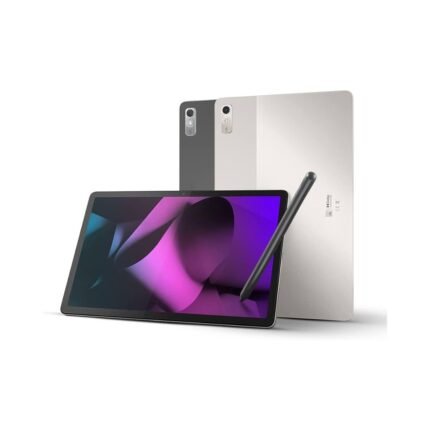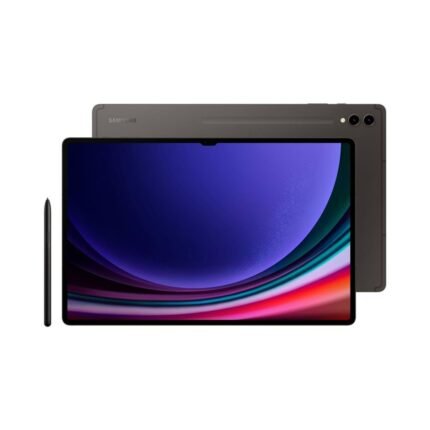
Samsung Galaxy S24 Ultra 1TB ROM 12GB RAM 5G
Samsung Galaxy S24 Ultra 1TB ROM 12GB RAM 5G Original price was: KSh 156,000.00.Current price is: KSh 116,000.00.
Back to products
G-Tab Mega 12 Tablet
G-Tab Mega 12 Tablet Original price was: KSh 27,500.00.Current price is: KSh 21,500.00.

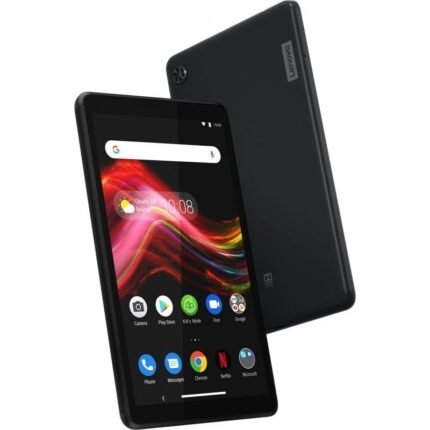
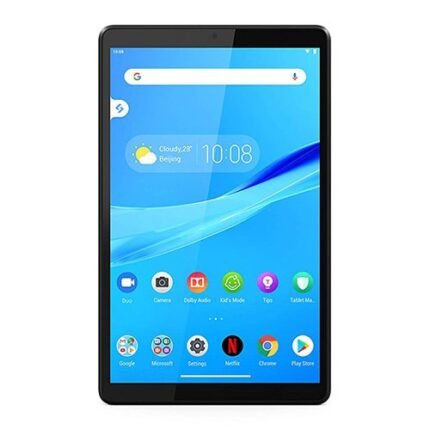
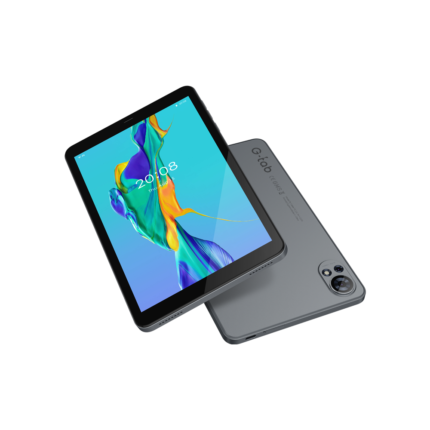
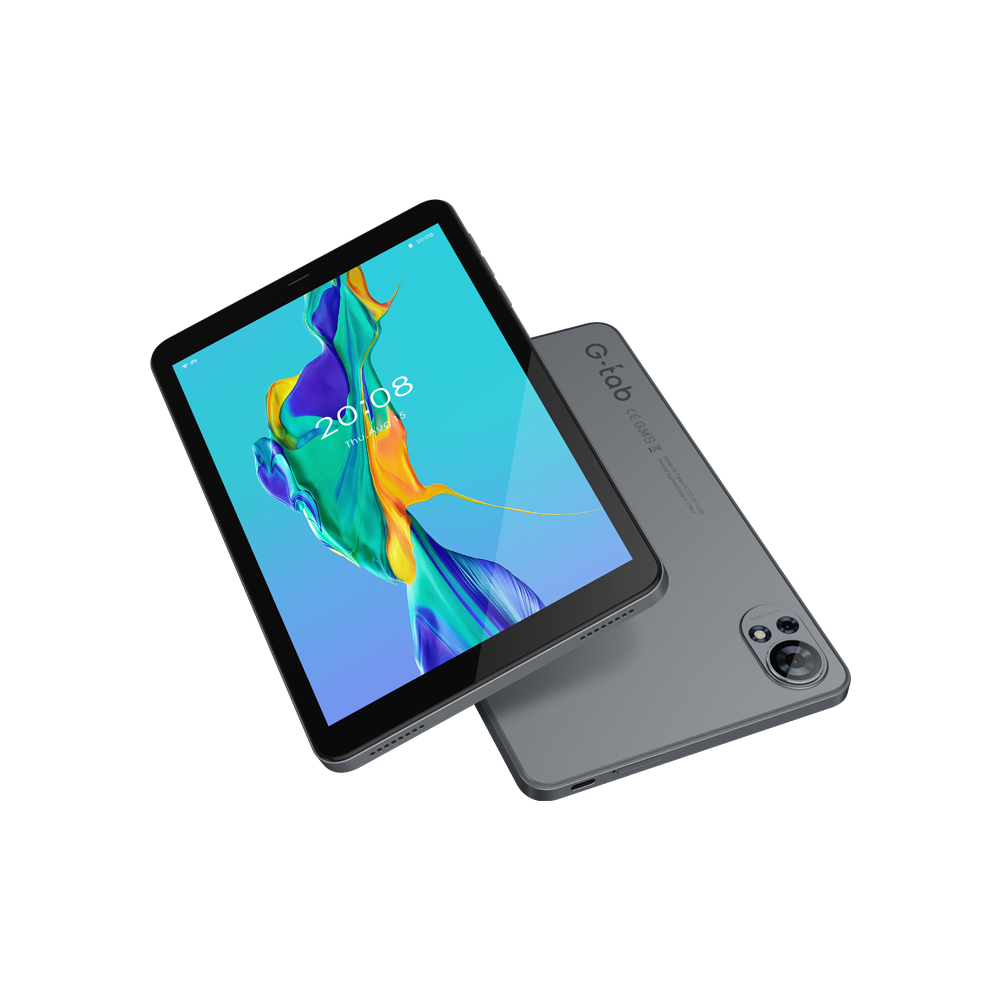
New G-Tab T8s Tablet – 8-inch Display, 64GB Storage, 4GB RAM

Original price was: KSh 12,500.00.Current price is: KSh 9,000.00.

G-Tab T8s Tablet

The GTAB 8.0″ tablet features a vibrant IPS display, T310 2.0GHz processor, and 4GB RAM (expandable) for smooth performance. With Android 14, a 5000mAh battery, and ample storage, it’s perfect for work, entertainment, and on-the-go use.

18 People watching this product now!
Description

G-Tab T8s Tablet – 8-inch Display, 64GB Storage, 4GB RAM

G-Tab T8s Tablet: The Perfect Budget-Friendly Companion for Everyday Use

Are you searching for an affordable, reliable, and highly portable device for everyday browsing, media consumption, or online learning? The G-Tab T8s Tablet hits the sweet spot between performance and value. Packing an 8-inch display, a capable processor, and modern software, this compact tablet is designed to handle your daily tasks without breaking the bank.

Whether you need a dedicated screen for your child’s educational apps, a convenient e-reader, or a portable streaming device for your commute, the G-Tab T8s delivers smooth functionality in a sleek, lightweight design.


Key Features of the G-Tab T8s Tablet

1. Compact and Vibrant 8-Inch IPS Display

The G-Tab T8s is built around a highly portable 8.0-inch IPS LCD screen that delivers clear and colorful visuals.

  • HD Resolution: With a 1280 × 800 resolution, text is crisp, and videos are sharp enough for an enjoyable viewing experience.

  • Multi-Touch Support: The G+G capacitive touchscreen features 5-point multi-touch, making navigation, light gaming, and typing highly responsive.

  • Perfectly Sized: The 8-inch form factor is the ideal middle ground—larger than a smartphone for comfortable reading and viewing, yet small enough to comfortably hold in one hand or slip into a small bag.

2. Smooth Performance and Ample Storage

Under the hood, the G-Tab T8s is optimized for everyday reliability.

  • Quad-Core Processor: Powered by the RK3562 Quad-core 1.3GHz chipset, this tablet efficiently handles daily multitasking, web browsing, and standard app usage.

  • 4GB RAM: Enjoy smooth transitions between apps and lag-free streaming thanks to a solid 4GB of DDR3 memory.

  • 64GB Internal Storage: Store plenty of photos, videos, and applications right out of the box. Need more space? The storage is expandable up to 128GB via a MicroSD card.

3. Up-to-Date Android 14 Experience

Running on the modern Android 14 operating system, the G-Tab T8s ensures you aren’t left behind on old software

  • Improved Security & Privacy: Benefit from the latest Android security protocols and granular app permissions.

  • User-Friendly Interface: Enjoy a clean, intuitive layout with enhanced battery optimization and multi-language support.

  • App Compatibility: Full access to the Google Play Store means you can download your favorite games, productivity tools, and streaming services.

4. Everyday Cameras for Snaps and Video Calls

Stay connected with family and friends or capture on-the-go moments.

  • 5MP Rear Camera: Features AutoFocus (AF) and a built-in flash, allowing you to scan documents or take clear photos even in low-light conditions.

  • 2MP Front Camera: Ideal for video calls, online classes, and quick selfies.

5. Reliable Battery and Modern Connectivity

The G-Tab T8s ensures you stay powered up and connected wherever you have a Wi-Fi signal.

  • 5000mAh Battery: A dependable lithium-ion polymer battery provides up to 5 hours of continuous active usage—perfect for a movie marathon or a day of schoolwork.

  • USB Type-C with OTG: Enjoy the convenience of modern Type-C charging, plus “On-The-Go” support which allows you to plug in external USB drives or a mouse.

  • Dual-Band Wi-Fi & Bluetooth 4.0: Supports both 2.4GHz and 5GHz Wi-Fi bands for faster, more stable internet connections.

  • 3.5mm Headphone Jack & FM Radio: Plug in your favorite wired headphones and tune into local radio stations without needing an internet connection.


Technical Specifications Breakdown

Feature Specification
Display 8.0″ IPS LCD, 1280 x 800 Resolution (5-point multi-touch)
Processor RK3562 Quad-core 1.3GHz
RAM 4GB DDR3
Storage 64GB eMMC (Expandable up to 128GB via MicroSD)
Operating System Android 14
Rear Camera 5MP AutoFocus with Flash
Front Camera 2MP
Battery 5,000mAh (Up to 5 hours battery life)
Connectivity Wi-Fi 802.11 a/b/g/n (Dual-band 2.4GHz/5GHz), Bluetooth 4.0
Ports USB Type-C (OTG Supported), 3.5mm Audio Jack
Audio/Media Single K Class BOX Speaker, FM Radio Supported
Dimensions 201.7 × 124.1 × 9.7 mm

Why Choose the G-Tab T8s Tablet?

If you don’t need the overwhelming processing power of a high-end flagship tablet but still want a smooth, up-to-date, and capable device, the G-Tab T8s is an excellent choice. It makes for a fantastic dedicated entertainment screen, a reliable smart-home hub, or a perfect starter tablet for students and children. With its expandable storage, dual-band Wi-Fi, and the modern touch of Android 14, it offers outstanding value for its entry-level price point.

Here is an exhaustive, SEO-optimized FAQ section covering the most asked questions about kids’ tablets. This is perfectly structured to be added to an e-commerce category page, a blog post, or a product listing to capture search traffic and build trust with parents.

Main product image

SEO Metadata

  • Target Keyword: Kids Tablet FAQs / Most asked questions kids tablet

  • Secondary Keywords: what to look for in a kids tablet, best tablet for children, kids tablet parental controls, safe tablets for toddlers, offline kids tablet.

  • SEO Title: Kids Tablet FAQs: The Ultimate Buying & Safety Guide for Parents

  • Meta Description: Have questions about buying a kids’ tablet? We answer the most common questions about age recommendations, parental controls, durability, storage, and offline use.


The Ultimate Kids’ Tablet FAQ: Everything Parents Need to Know

Buying a tablet for your child can be overwhelming. You want a device that is educational, entertaining, and above all, safe. To help you make an informed decision, we have compiled the most frequently asked questions from parents about buying and managing kids’ tablets.


1. General Buying Questions

What is the right age to give a child a tablet?

There is no one-size-fits-all answer, but most experts agree that children can start using educational tablets around ages 3 to 4, provided it is in moderation. For toddlers, tablets should be heavily restricted to interactive learning apps. As children reach ages 7 to 9, they can handle tablets with more freedom for reading, light gaming, and watching shows.

What are the most important features to look for in a kids’ tablet?

When shopping for a kids’ tablet, prioritize these four factors:

  • Durability: Look for a tablet with a rugged, drop-proof bumper case (often made of thick silicone).

  • Battery Life: Aim for a device that offers at least 6 to 8 hours of battery life to survive long car rides.

  • Parental Controls: A good kids’ tablet must have robust, built-in software to restrict access and limit screen time.

  • Pre-loaded Content: Many top-tier tablets come with pre-installed, age-appropriate educational games and videos, which saves you money on app purchases.

Should I buy a dedicated “kids’ tablet” or a regular tablet with a tough case?

This depends on the child’s age.

  • For kids under 8, a dedicated kids’ tablet (like a tablet pre-loaded with Android Kids Space) is usually better. They have locked-down operating systems that are incredibly safe out-of-the-box.

  • For older kids (9+), a standard budget tablet (like an 8-inch Android tablet or an entry-level iPad) with a heavy-duty case is a smarter investment. You can manually install parental controls, and the hardware will keep up with their growing needs for schoolwork and more advanced games.


2. Safety & Parental Controls

How do parental controls work on kids’ tablets?

Parental controls allow you to become the “administrator” of the device. Through a password-protected app (like Google Family Link), you can:

  • Block or approve specific app downloads.

  • Filter web browsers to only show kid-safe websites.

  • Disable in-app purchases so your child cannot accidentally spend money.

  • Track the tablet’s location.

Can I limit my child’s screen time automatically?

Yes. Modern kids’ tablets and parental control apps allow you to set strict daily screen time limits. For example, you can set the tablet to allow only 1 hour of games and 1 hour of reading. You can also enforce a “Bedtime Mode” where the tablet automatically locks itself at a specific time (e.g., 8:00 PM) and will not unlock until the morning.

Are kids’ tablets safe from the open internet?

Dedicated kids’ tablets typically operate in a “walled garden.” This means the standard web browser is either disabled entirely or restricted to a curated list of approved, child-friendly websites. If you are setting up a standard tablet for a child, you must manually enable these web filters in the settings to ensure a safe browsing experience.


3. Technical Specifications & Usage

How much storage space does a kids’ tablet need?

Because kids love to download multiple games and save movies for offline viewing, storage fills up fast

  • 32GB is the absolute minimum, but you will likely need to delete old apps frequently.

  • 64GB is the recommended sweet spot for most users.

  • Pro Tip: Always check if the tablet has a MicroSD card slot. This allows you to affordably expand the storage by 128GB or more later on.

Do kids’ tablets work offline without Wi-Fi?

Yes, but with limitations. To use a tablet without Wi-Fi (such as on an airplane or a long road trip), you must download the content before you leave the house. Most streaming apps (like Netflix or Disney+) and premium educational platforms allow you to download videos and games directly to the device’s storage for offline use.

Are kids’ tablets bad for their eyes?

Prolonged use of any screen can cause digital eye strain. To combat this, many kids’ tablets feature “Eye Comfort Mode” or “Blue Light Filters,” which give the screen a warmer tint to reduce eye fatigue. Regardless of the technology, pediatricians recommend enforcing the 20-20-20 rule: every 20 minutes, have your child look at something 20 feet away for at least 20 seconds.

Categories: ,

Reviews

There are no reviews yet.

Be the first to review “New G-Tab T8s Tablet – 8-inch Display, 64GB Storage, 4GB RAM”

Your email address will not be published. Required fields are marked *