
Moto G87 200MP OIS Camera: Settings and Photography in Kenya

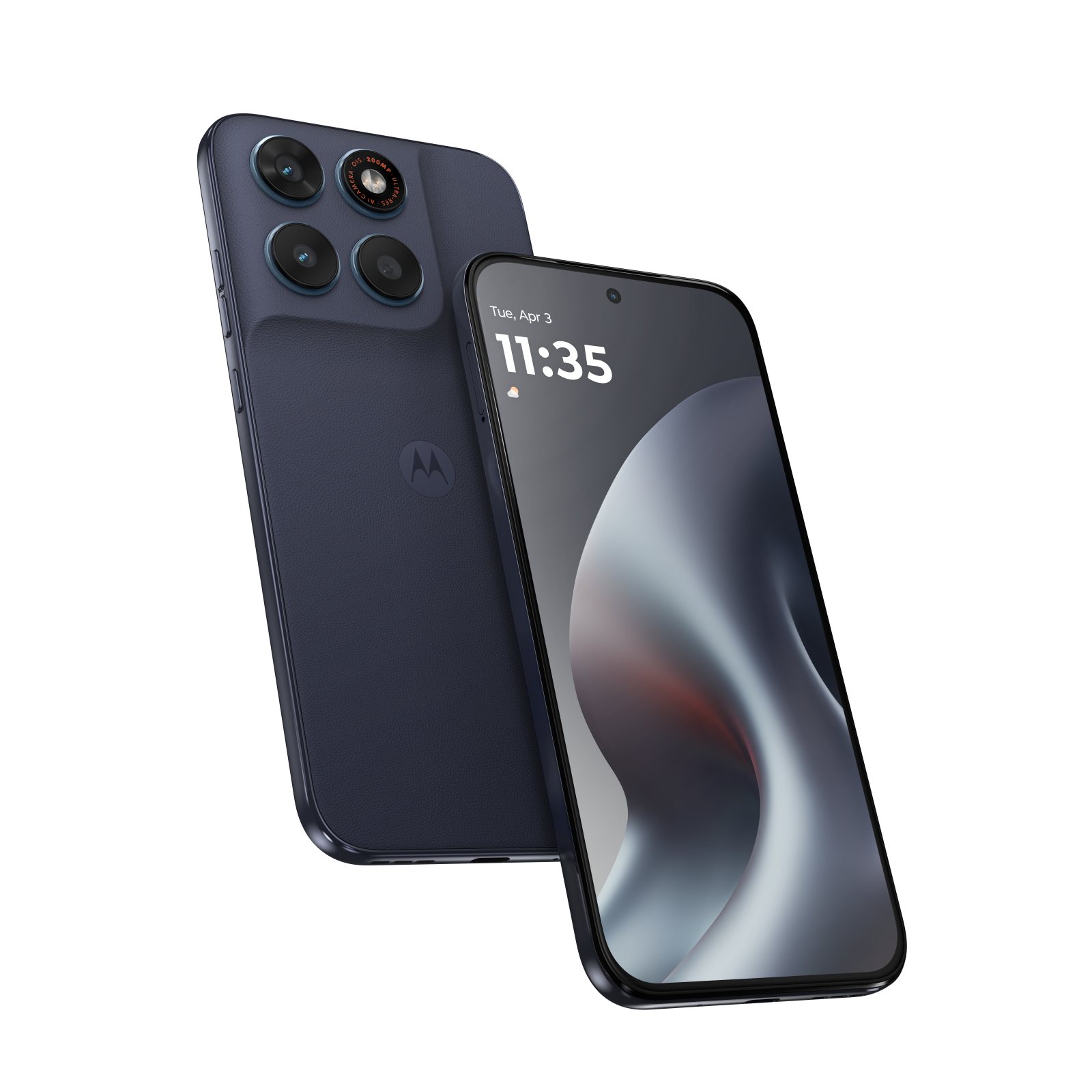
moto g87 200mp camera: Moto G87 200MP camera performance is an important buying question because the specification can sound like a guaranteed professional camera. Motorola’s G87 documentation lists a 200MP optically stabilised main sensor and an 8MP ultrawide. This guide explains how to choose the right photo mode for product photos, receipts and ordinary family images, while avoiding imaginary low-light benchmark claims.
The Motorola Moto G87 12GB/256GB is published at KSh 47,500 on Infinite Tech. All prices are snapshots and should be rechecked on the live product page before checkout. Regional features and accessories may differ between imports.
Moto G87 200MP OIS Camera: important facts
| Check | Verified information or action |
|---|---|
| Main camera | 200MP manufacturer-specified main sensor with OIS |
| Ultrawide | 8MP in Motorola’s documented G87 version |
| Selfie camera | 32MP in cited manufacturer version |
| Best use of full resolution | Bright stationary scenes needing later crops or detailed prints |
| Stabilisation | OIS helps with some movement but cannot freeze a fast subject |
Use the normal camera mode first
High-resolution smartphone sensors often combine neighbouring pixels in their default processing pipeline to produce manageable files. A 200MP option may be accessible as a separate capture mode and should be enabled only when the light is sufficient and the scene is relatively still. Open camera settings on the actual handset and confirm the mode names: firmware versions change labels. Take a default shot and a high-resolution shot of the same receipt, and zoom to judge detail rather than assuming the larger file is automatically better.
Understand what OIS can fix
Optical image stabilisation is designed to counter a degree of handheld movement. It can reduce some shake, particularly in dimmer scenes, but it cannot stop a person, motorbike or pet from moving during exposure. When photographing products, stabilise the phone and light the subject rather than expecting OIS to repair motion blur. If a barcode or text label looks soft, retake in brighter light and focus on the label instead of cropping endlessly.
Product photos for a Nairobi business
For ecommerce listings, stand against a plain neutral backdrop, wipe the product carefully and capture the front, rear, ports and exact model label. Avoid artificial zoom that creates false details, and keep colour corrections realistic so customers can identify the item. Use the ultrawide only when the entire large item cannot fit in the main frame; ultrawide distortion can make straight product edges bend. Compress exported images for the website after checking legibility rather than uploading the largest 200MP original blindly.
Video, selfie and storage considerations
The G87 also lists a 32MP selfie camera, useful for video calls and creator talking-head scenes in suitable light. Actual video modes and stabilisation vary by regional firmware, so verify available resolution and frame rates directly from the handset. Full-resolution photos are larger than default images, and a 256GB device will fill up faster if the camera is left at maximum size. Set up periodic secure backups and review cloud syncing on mobile data.
Practical purchase checklist
- Clean the lens and test normal photo mode first
- Compare high-resolution photos under bright stable light
- Keep product colours natural and avoid misleading edits
- Back up important images and export web-friendly versions
- Verify camera menu options on the actual regional Moto G87
For phones used in work or study, identify the expected apps, the charging situation and how warranty claims are handled. If the exact model is an import, verify the local SIM bands and a usable Google services configuration before making commitments. A spec sheet is useful for comparison but does not substitute for inspection of the individual unit.
Frequently asked questions
Does Moto G87 always take 200MP photos?
Not necessarily. Standard camera modes can produce lower-resolution processed photos; use a dedicated high-resolution mode if offered.
Is OIS the same as optical zoom?
No. OIS stabilises the camera module; optical zoom refers to lens magnification.
Is 200MP better for night photography?
Not automatically. Night results depend on light, processing, sensor and motion rather than megapixels alone.
Shop, compare and verify sources
Infinite Tech is at Rehema House, Standard Street off Kimathi Street, behind Sarova Stanley, first-floor Shop 2, Nairobi CBD. Call 0720450148 to verify colour and collection or delivery before travelling.

One thought on “Moto G87 200MP OIS Camera: Settings and Photography in Kenya”
Comments are closed.