
Motorola Razr Fold Hinge and Inner Screen Care: Kenya Warranty Guide

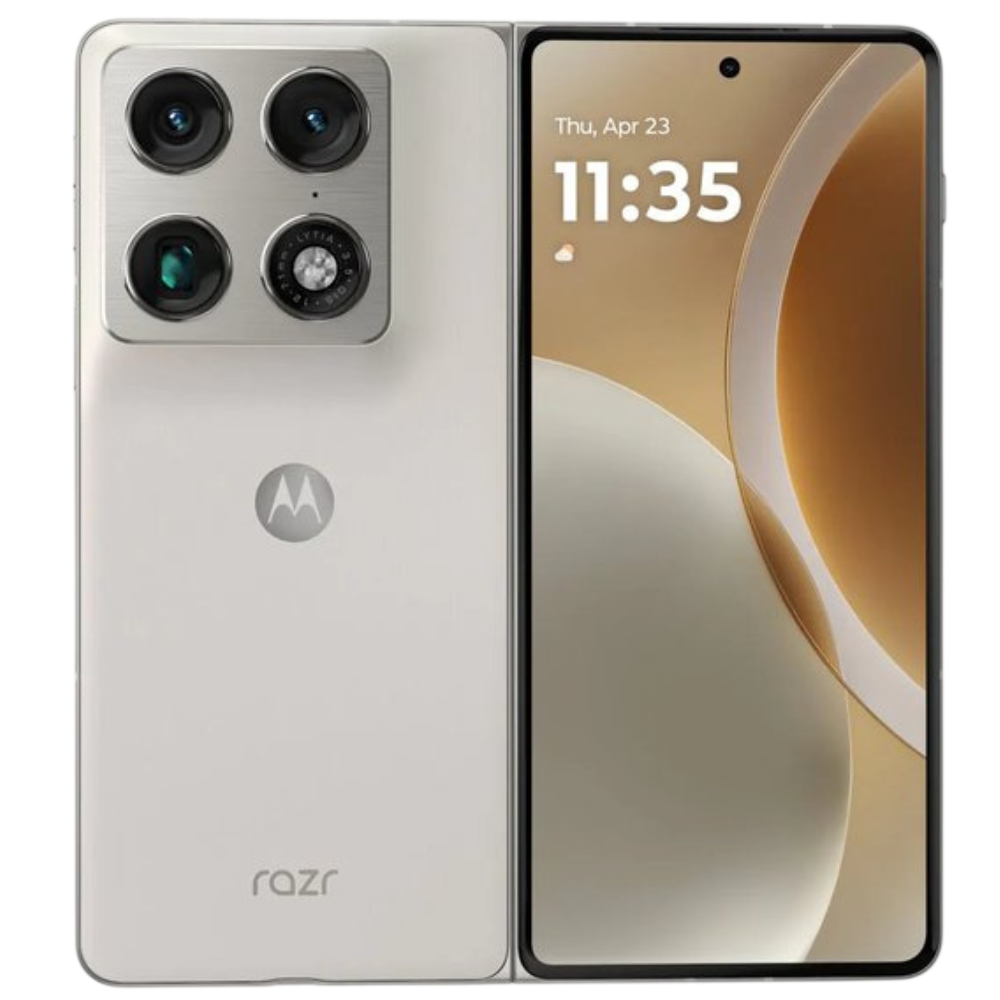
motorola razr fold screen care: Motorola Razr Fold screen care is a different proposition from protecting an ordinary slab smartphone. A book-style foldable has a flexible inner panel, hinge and factory-installed protective elements that can be damaged by unsuitable films, pressure or grit. Kenyan buyers should understand safe cleaning and the limits of warranty coverage before they pay for an expensive replacement display.
The Motorola Razr Fold 16GB/512GB is published at KSh 162,500 on Infinite Tech. All prices are snapshots and should be rechecked on the live product page before checkout. Regional features and accessories may differ between imports.
Motorola Razr Fold Hinge and Inner Screen Care: important facts
| Check | Verified information or action |
|---|---|
| Inner screen | Flexible folding panel; use manufacturer-approved care methods |
| Outer screen | Conventional cover display; protect without blocking sensors |
| Hinge | Avoid trapped debris and forced closing |
| Water protection | Motorola lists an IP rating under controlled conditions, not unlimited liquid protection |
| Warranty | Confirm exact Kenyan supplier terms and accidental-damage exclusions |
Avoid pressure on the inner folding screen
Do not place keys, coins, sand or hard cards between the two screen halves before closing the phone. A foldable needs clearance for its moving layers. Never deliberately test the crease with fingernails or a pointed tool. If an unfamiliar ridge, crack or line appears, stop forcefully manipulating the hinge and seek an authorised inspection. Trying to flatten a crease can create damage that is not covered as an ordinary factory defect.
Clean without lifting protective films
Use a dry soft lint-free cloth for routine dust, and refer to Motorola’s published cleaning guidance before applying liquids. Do not peel the factory inner protector or apply heavy pressure in the centre of the screen. After a dusty commute or an outdoor shoot, inspect the folding edges before closing. Avoid compressed air, abrasive cleaners and unapproved adhesive films around the hinge. A case should not obstruct the folding motion or interfere with a pen accessory.
What the IP rating does and does not cover
A published ingress rating describes a particular test protocol. It is not an invitation to rinse a foldable under high-pressure water, expose it to seawater or leave it wet during charging. Water resistance can change through wear or past impacts. Ask to see the warranty’s explicit treatment of liquid damage, and never equate a splash rating with insured accidental damage. Keep charging ports dry and check the manufacturer’s storage-temperature and drying advice.
Inspect the device on collection
Open and close the phone in a normal smooth motion, without forcing it. Inspect inner and cover displays against both dark and bright backgrounds, test touch near edges, make a call and test charging. Confirm there is no unusual grinding, obstruction or dead touch region. Photograph the device’s condition and retain the receipt and model number. If a defect appears after purchase, describe the symptom accurately rather than trying a home hinge repair.
Practical purchase checklist
- Inspect the inner and cover screens before leaving the shop
- Keep dirt and loose objects away from the folding gap
- Use only approved protective layers and pen accessories
- Save the receipt, warranty card and device model information
- Contact the seller promptly if the hinge develops grinding or abnormal resistance
For phones used in work or study, identify the expected apps, the charging situation and how warranty claims are handled. If the exact model is an import, verify the local SIM bands and a usable Google services configuration before making commitments. A spec sheet is useful for comparison but does not substitute for inspection of the individual unit.
Frequently asked questions
Can I remove the Razr Fold inner-screen protector?
Follow Motorola guidance and avoid removing a factory protective layer yourself.
Will a crack on the inner display be covered?
Coverage depends on the written warranty and whether the defect is manufacturing-related or accidental.
Is the Razr Fold indestructible because it has an IP rating?
No. Ingress tests do not guarantee protection against drops, sand or all liquid incidents.
Shop, compare and verify sources
Infinite Tech is at Rehema House, Standard Street off Kimathi Street, behind Sarova Stanley, first-floor Shop 2, Nairobi CBD. Call 0720450148 to verify colour and collection or delivery before travelling.
