
How to Pair Motorola Moto Buds Bass With Android and iPhone: Setup Guide

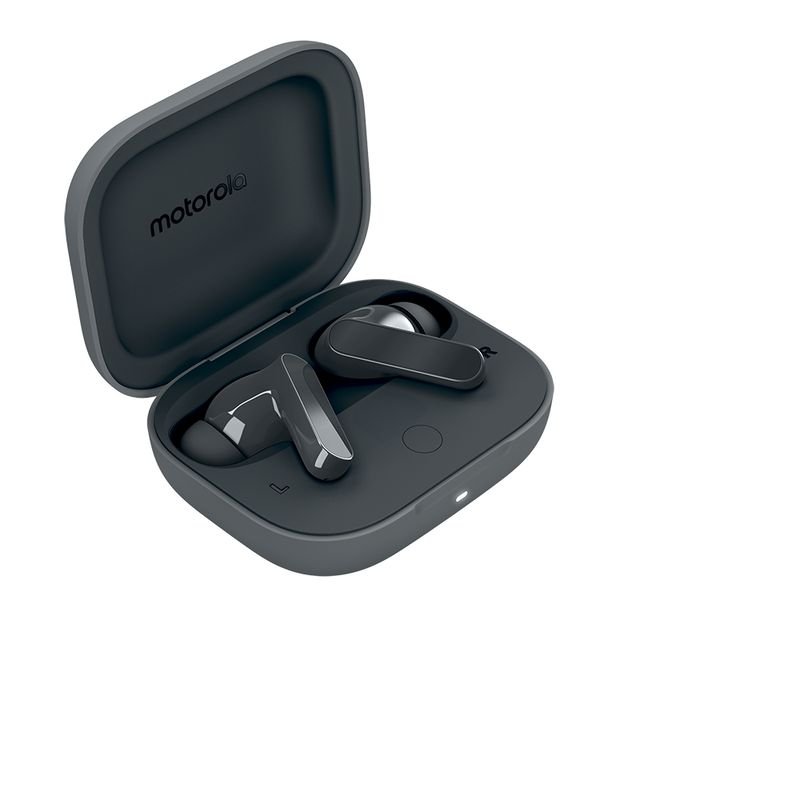
Practical guide: A Bluetooth pairing guide should help a buyer make the earbuds work rather than repeat a promotional specification list. These steps use normal Android and iOS Bluetooth setup principles; exact buttons and reset gestures can differ by Moto Buds Bass firmware and case revision.
Catalogue checked 16 November 2026. This article uses verified Infinite Tech listing information and distinguishes stated features from unsupported assumptions. This is not a first-hand bench test.
What is listed for sale?
Motorola Moto Buds Bass is listed at KSh 6,500. Key description: 12.4mm drivers, dynamic ANC, transparency mode, total battery claim up to 41 hours with case.
Prepare the case and Bluetooth settings
Charge the earbuds and case using a supported cable before first pairing. Remove any packaging films covering charging contacts. Keep the case and phone close, and turn Bluetooth on in the phone settings. Open the case as described in the supplied user manual. If a case has a physical pairing control, follow its instructions; do not guess a fixed hold duration for every Motorola earbud model.
Pair to Android
On Android open Settings > Bluetooth or Connected devices > Pair new device. Put the earbuds into the case’s instructed pairing mode, then select the name that matches your Moto Buds Bass. If the phone asks to confirm a code, verify that the displayed device is the earbuds. Play a short audio clip to check left and right channels. If the listing supports a manufacturer companion app, install only from the official application store after checking it is applicable to this exact model.
Pair to an iPhone
Open Settings > Bluetooth, enable the switch and select the earbuds when they appear under nearby devices. Do not assume every app-only function available on Android will also be offered on iOS; core Bluetooth audio pairing is separate from advanced brand controls. Once connected, make a short call to check microphone selection, then confirm audio output returns to the phone when the earbuds disconnect.
Troubleshoot a missing connection
First confirm that the earbuds are charged and not still connected to a previous phone. Turn Bluetooth off and on, move the case close to the handset and repeat the pairing instructions from the genuine Moto manual. If the phone shows an old paired entry that no longer works, forget that entry before retrying. For a factory reset, use the model’s own user guide: unrelated Motorola earbud models may require different buttons or hold times.
Recommendation and shopping checklist
Successful setup depends on charge, correct pairing mode and selecting the right Bluetooth device. Avoid unverified reset sequences and third-party pairing apps.
- Verify the exact manufacturer model, retail box and any regional differences.
- Ask which features were actually tested, rather than relying on generic seller claims.
- Confirm stock, included cables or accessories, warranty and current live price.
- Check compatibility with the specific phone, operating system, charger or vehicle involved.
Where to buy in Nairobi
See the Motorola Moto Buds Bass product listing. Infinite Tech is at Rehema House, Standard Street off Kimathi Street, behind Sarova Stanley, Nairobi CBD, first floor Shop 2. Call 0720450148 to confirm the exact stocked model before travelling. Browse other electronics and accessories at Infinite Tech.
Frequently asked questions
Does a feature name guarantee that it works on every phone?
No. Protocols, OS versions, hardware profiles and regional model codes can limit compatibility. Check the manufacturer’s exact instructions.
Is the online price permanent?
No. The published product page supplies the current WooCommerce selling price; this article is a dated guide.
Are review scores or hands-on test outcomes being claimed?
No. No experimental battery, audio, charging or durability results were invented for this guide.
Editorial method: product-linked descriptions, standard safety and compatibility checks, and explicit uncertainty where supplier details are incomplete.
