
How to Test Used Samsung Galaxy S Pen Recognition and Writing

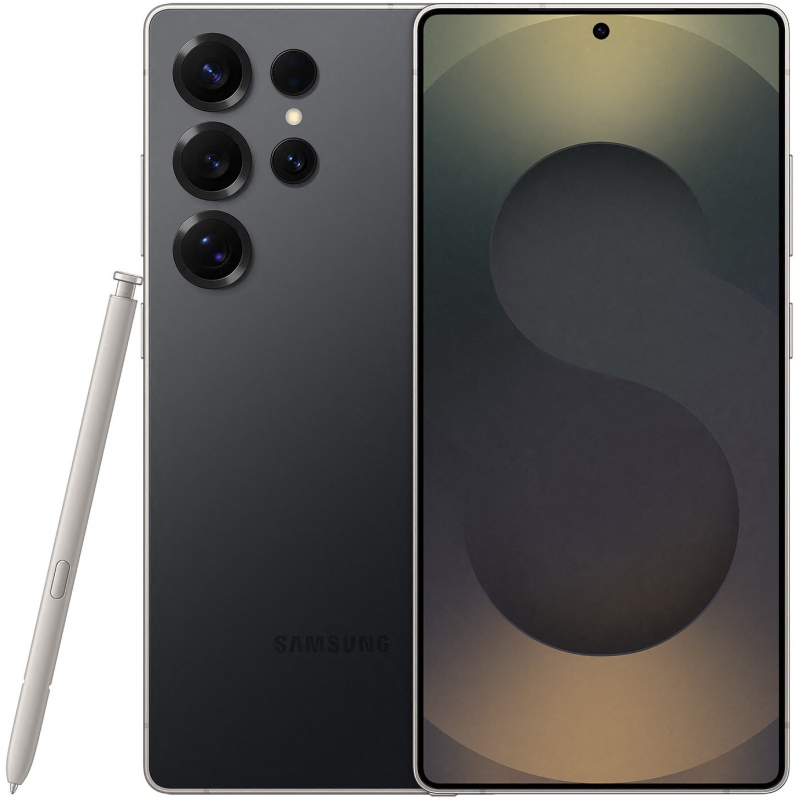
Ex-UK buyer guide for Kenya: Use these checks on the exact pre-owned handset offered for sale; no individual unit has been personally tested for this article. Manufacturer model specifications and current device condition are separate facts.
Start by identifying the correct model
A working stylus inspection starts with the exact model number. Samsung confirms integrated S Pen support for its Galaxy S23 Ultra; other Galaxy models may not have a pen slot or equivalent Bluetooth functions. When comparing Galaxy S22 Ultra and Galaxy S23 Ultra, check model-specific functions and the included pen rather than assuming all S Pens are interchangeable. Verify original features in the Samsung specification sheet.
Test handwriting and pressure
Ask the seller to remove the pen, open Samsung Notes and write slow lines, circles, small letters and strokes near the screen’s edges. Test whether the screen registers pauses and light strokes, and check for skips in any area. Try a second note without a thick case or a magnetic attachment that might interfere with pen sensing. A screen protector can change the feel of the pen; that does not automatically mean the digitizer has failed.
Check the slot and optional remote features
Observe whether the pen fits properly and is detected after insertion and removal. If the model supports Air actions or remote functions, test only those functions with the correct pen and connected setup. Do not treat unsupported Air actions as a defect. The pen’s button, tip, body and charging/connection behavior (when applicable) should be recorded separately from touchscreen writing.
Look for screen and damage clues
Inspect display glass for fractures, touch faults, marks caused by drops, and the frame around the pen slot. Ask if the screen or pen has been replaced, and check Samsung Members diagnostics where supported. These steps are a limited in-store evaluation, not proof of a factory-new S Pen or complete water-resistance preservation.
Before agreeing on price or trade-in
Request a test on the exact Ex-UK handset in stock. If trading your existing S Ultra or Note device, disclose a damaged stylus, missing pen or failure to detect writing, because the condition may affect assessment. Model-reference photos cannot verify that the seller’s pen is intact.
View real product options and ask for inspection
See Infinite Tech’s live Ex-UK catalogue and an example listing, Galaxy S23 Ultra 256GB Ex-UK. Confirm the real unit’s photos, price, condition, warranty and availability first. For an optional trade-in inspection, visit Infinite Tech, Rehema House, Standard Street off Kimathi Street, First Floor Shop 2, Nairobi CBD, or call 0720450148. Trade-in value is determined only after assessment, not by this article.
Quick FAQ
Does passing this single test guarantee a used phone?
No. It is one check in a wider inspection and does not establish all repair history or future reliability.
Are the article images actual-unit photos?
Only photos explicitly labelled as an inspected unit should be treated that way. Other pictures are manufacturer or model references.
