
iPad A16 vs Samsung Galaxy Tab S10 Lite in Kenya: Best Tablet for School?

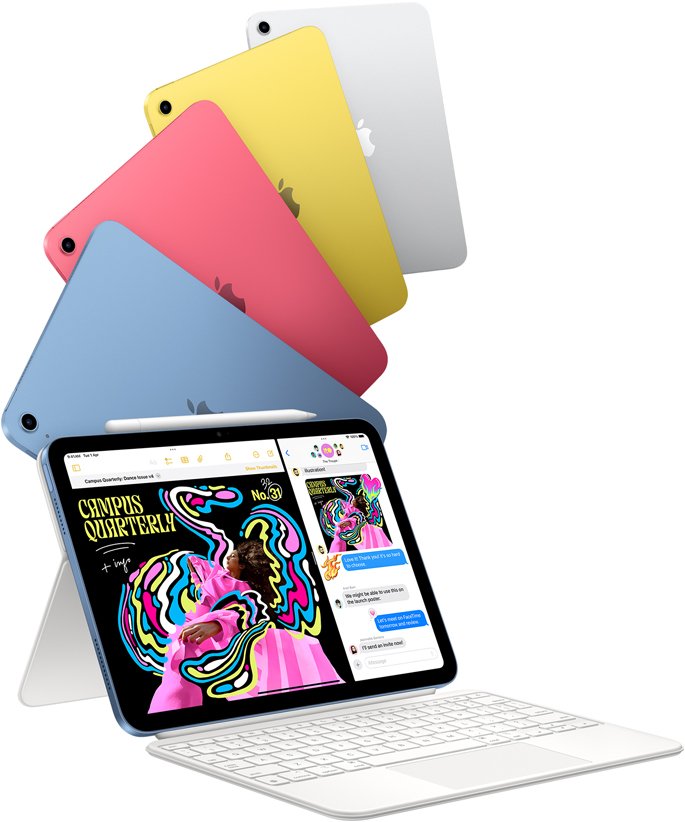
Kenya buyer guide · November 2026. The iPad A16 and Samsung Galaxy Tab S10 Lite are credible choices for digital classrooms, but they differ in pen, software, storage and keyboard ecosystems. Choosing one should begin with the learning apps your school actually requires.
Key decision factors
- Match the exact model and size, not just the brand name.
- Check storage, connectivity, accessories and warranty as separate line items.
- Use current WooCommerce prices rather than old supplier screenshots.
Operating system and school apps
iPad A16 runs iPadOS, while Galaxy Tab S10 Lite uses Android with Samsung One UI. Both support mainstream browsers, video calls and document applications, but school assessment apps or stylus-specific workflows may work differently. Ask teachers about required apps and offline access before purchasing.
Writing with a stylus
Galaxy Tab S10 Lite supports Samsung S Pen. The iPad A16 uses Apple’s compatible Pencil options, which may need to be purchased separately. For a student who wants daily handwritten notes, assess pen availability, replacement tips and app export formats as part of the real cost.
Display, storage and battery
The Samsung tablet has a 10.9-inch class display; the iPad A16 uses a larger mainstream iPad form factor. Compare actual pixel density, screen brightness and touch response rather than expecting one to always be better. Downloaded lessons, textbooks and educational games can fill storage unexpectedly.
Keyboard, accessories and safety
Samsung and Apple tablets require different keyboard cases and charging accessories. Confirm model-specific protection, parental controls and cloud backups, particularly for younger learners. Replace a generic unsupported keyboard bundle with the correct manufacturer-compatible accessory when necessary.
Which should parents buy?
Choose based on school software, desired pen system, budget and long-term support. A child using Android at home may find Samsung familiar, while an Apple family may prefer iPadOS. Both require clear screen-time boundaries and a resilient case.
Compare products and related guides
Frequently asked questions
Should I buy based on a single storage figure?
No. Storage affects offline files but app requirements, screen size and accessories can be equally decisive. Compare like-for-like Wi-Fi/Cellular and RAM configurations.
Can I reuse a keyboard or stylus from another generation?
Do not assume compatibility. Check the model number and the manufacturer’s supported-device list first.
iPad A16 vs Galaxy Tab S10 Lite: practical buying checks
Choose a school tablet by the required learning platform and handwriting workflow. Test a submitted assignment, rather than just streaming a lesson. Add the compatible pen, keyboard if needed and protective case before comparing the final cost. For younger students, also consider account supervision, backups and how easily a replacement accessory can be obtained.
- Check the school’s exact application and login requirements.
- Test note-taking and assignment export.
- Compare complete bundles with matched storage.
Can both use the same stylus?
Do not assume so. Match each tablet to its documented active pen and include that cost in the comparison.
Related buying guides
Galaxy Tab S10 Lite vs S10 FE · tablets for handwritten notes Kenya · iPad mini 7 vs iPad A16 · iPad keyboard compatibility
Manufacturer reference: Apple official documentation. Check the exact model and supported configuration.
Visit Infinite Tech Nairobi
Rehema House, Standard Street, Nairobi CBD, 1st Floor Shop 2. Call 0720 450 148 for stock, prices and regional warranty confirmation. The recommendations are specification-based, not claimed hands-on benchmarks.