
Kindle Colorsoft Signature vs Kindle Scribe in Kenya: Colour or Pen?

Kindle Colorsoft Signature vs Kindle Scribe in Kenya: Colour or Pen?
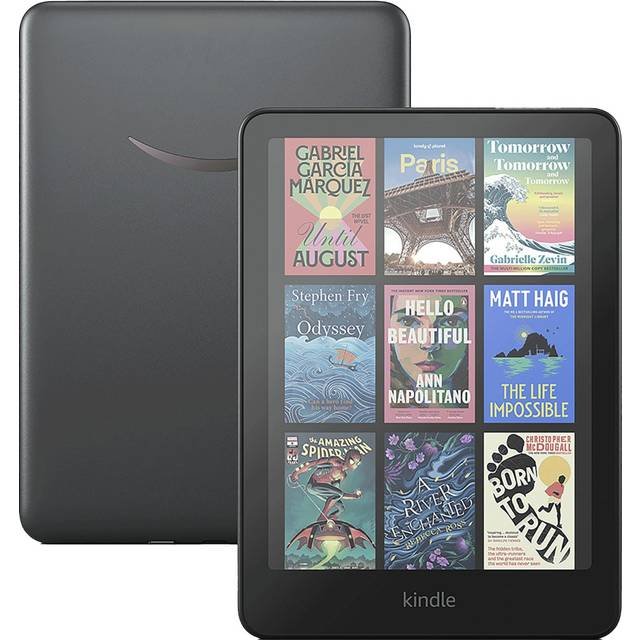
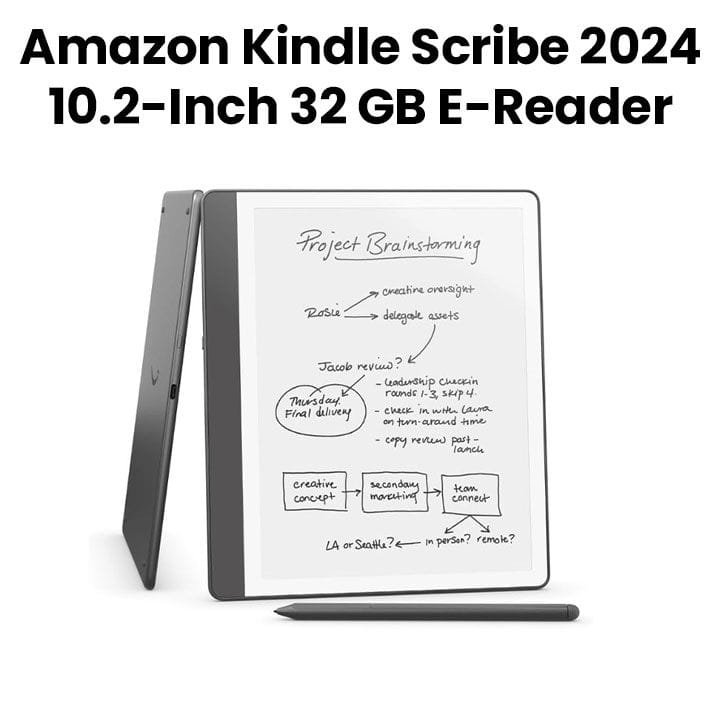
Amazon Kindle Colorsoft Signature Edition and Kindle Scribe solve different needs. Colorsoft Signature targets colour-supported reading, illustrated books and an auto-adjusting front light. Scribe is intended for people who read and make handwritten notes with a compatible Premium Pen. Both can hold digital books, but choosing based only on 32GB storage obscures the most important distinction: display technology and whether pen annotation is part of the product design.
Infinite Tech is an electronics retailer at Rehema House, Standard Street, Nairobi CBD. The linked WooCommerce product pages are the source for current selling prices, not stale supplier snapshots. Confirm variant and regional features before paying.
Side-by-side specification table
| Feature | Kindle Colorsoft Signature | Kindle Scribe |
|---|---|---|
| Primary use | Colour e-book and illustrated reading | Reading, handwriting and note-taking |
| Display type | Colour E Ink | Monochrome E Ink on standard Scribe |
| Pen workflow | No equivalent Scribe Premium Pen support | Premium Pen on the specified Infinite Tech offer |
| Typical screen | 7-inch for classic Colorsoft Signature edition | Generation-dependent larger notebook screen |
| Storage example | 32GB | 32GB or 64GB current supplier offers |
| Model-year check | Identify exact release year | Identify exact release year |
Manufacturer battery, durability and software information is conditional on the stated use, software and local market. Manufacturer quotes are not independent performance tests.
What changes for the buyer?
Colour reading vs handwriting
A colour E Ink panel is useful for highlighted passages, illustrated books and covers. Standard Kindle Scribe instead provides more writing-oriented screen real estate and a compatible pen, for marking up documents and organizing handwritten notes. It would be inaccurate to advertise the ordinary Scribe as a colour reader or claim the Colorsoft Signature supports the same Scribe handwriting interface.
Understanding the different generations
The seller’s 32GB or 64GB descriptor is not sufficient to identify release year. Check the model code on the physical device and box. Colorsoft and Scribe generations can change display size, software and charging details, so compare a verified current-generation specification rather than combining promotional descriptions from multiple years.
Students, lawyers and business users
Students highlighting textbooks may benefit from colour E Ink, while people regularly working through PDF documents with handwritten notes may prefer Scribe. Whether a particular file supports notes or export depends on document format and Kindle software. Neither device replaces an iPad when you need full desktop or video-conferencing apps.
Connectivity, warranty and buying in Kenya
Before purchase, verify Wi-Fi registration, supported Amazon content services, original charging accessories, any pen in the bundle and warranty terms for imported inventory. Compare live WooCommerce offers: accessory bundles and model generations can change what the shelf price includes.
Which one should you buy?
- Choose Colorsoft Signature for colour reading and automatic display adjustment.
- Choose Kindle Scribe when handwritten notes and Premium Pen compatibility are essential.
- Use a tablet instead when your work demands full office, video or cloud application support.
- Match release year, actual storage and box contents before comparing prices.
Shop related products and comparisons
- Kindle Colorsoft Signature 32GB
- Kindle Scribe 32GB with Premium Pen
- Kindle Scribe 64GB with Premium Pen
- Kindle Scribe 32GB vs 64GB guide
For colour, capacity, case size, included accessories and in-stock confirmation call 0720450148. Use the official sources below to cross-check the exact model code.
FAQs
Can I handwrite with the Scribe Premium Pen on Kindle Colorsoft Signature?
No. The standard Kindle Colorsoft Signature Edition is designed as an E Ink reading device; do not assume Scribe pen-note features on it.
Does 64GB make Kindle Scribe faster than 32GB?
Capacity alone does not establish performance. Compare the same generation and software first.
Is Kindle Colorsoft a colour tablet?
No. It uses colour E Ink optimized for reading, with different refresh behaviour and app capabilities than a full tablet.