
How to Use Samsung DeX With a Galaxy Tab Keyboard in Kenya

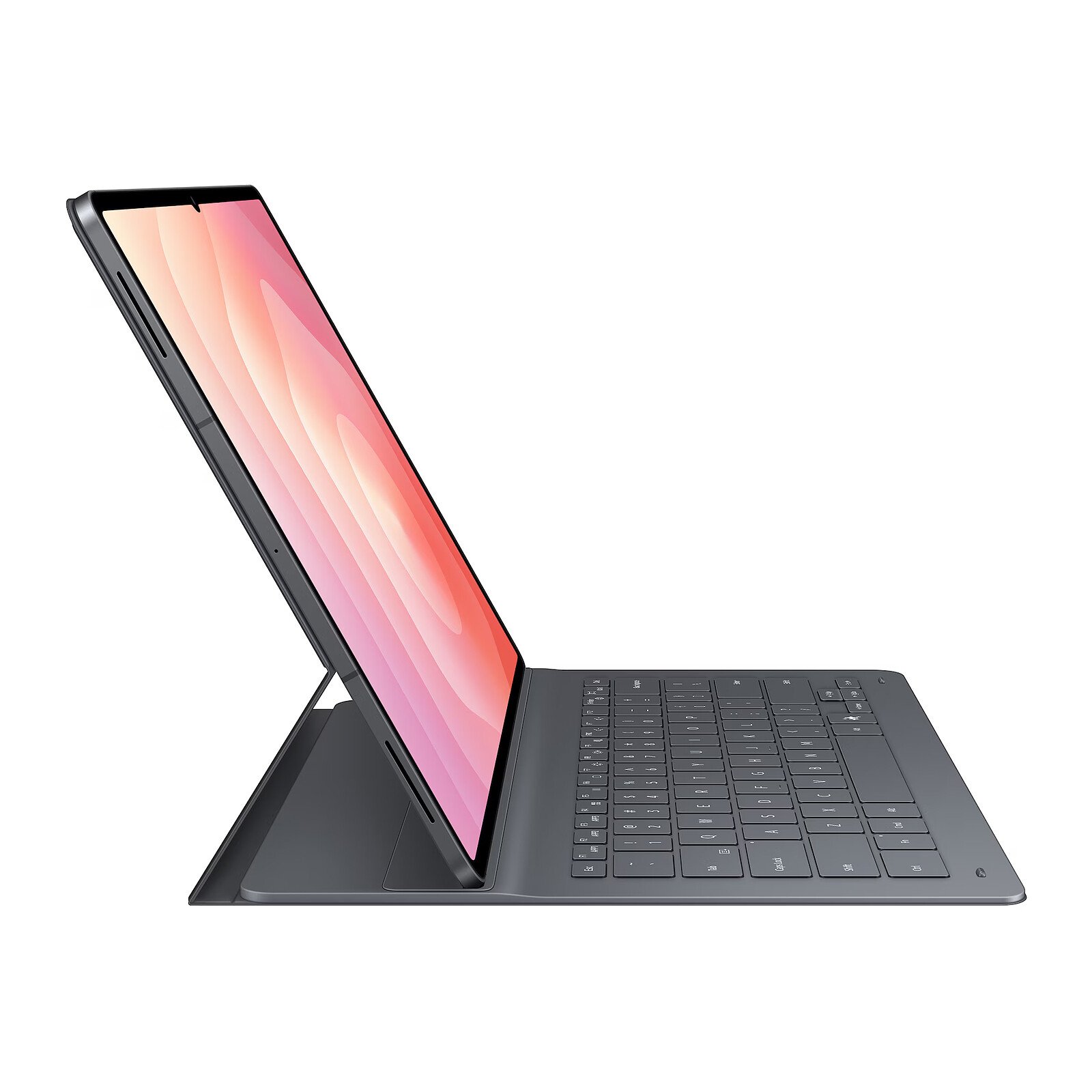
Updated November 2026. Samsung DeX offers a desktop-style interface on compatible Galaxy tablets, but owning a keyboard does not guarantee that every model can output DeX through an HDMI monitor. This setup guide covers compatibility, common keyboard problems and the difference between on-tablet and external-screen use.
At a glance: what to check before buying
- Model number, display size and keyboard or stylus compatibility.
- Storage, RAM, Wi-Fi or cellular variant and supported apps.
- Total bundle cost, regional warranty and verified current stock.
Check that your exact tablet supports DeX
Samsung publishes a device compatibility list for Galaxy Tab S and selected Tab A models. On a supported tablet, you can open Quick settings and select Samsung DeX to enter its desktop-style interface. The experience differs by Android and One UI version. Some FE tablets support DeX on the tablet but not HDMI output.
Attach a compatible keyboard cover
Match the accessory’s EF-DX part number to the tablet model and case size. A pogo-pin cover uses the tablet’s contacts and may not require Bluetooth pairing; a generic Bluetooth keyboard follows a different pairing path. If typing fails, check contact cleanliness, firmware updates, software keyboard settings and compatible language layout.
Configure apps and windows
Start with a browser, file manager and document editor to practise window switching, keyboard shortcuts and drag interactions. Samsung DeX can make Android apps feel more desktop-like, but it does not transform Android apps into Windows binaries. Test any accounting, educational or professional software you rely on.
External display caution
A USB-C cable does not prove support for video output. Samsung’s guidance states that Tab S10 FE/FE+ and S10 Lite do not support certain HDMI output paths. Before buying a monitor or dock, verify the tablet’s connector capability and the display’s input mode directly from official specifications.
Buying priorities
For DeX productivity, compare the tablet, correct keyboard cover, mouse or trackpad, cable and monitor requirements as one system. If you need a desktop Windows application, consider a Surface or conventional laptop instead.
Relevant products and comparisons at Infinite Tech
These links lead to live WooCommerce offers and related guides. Retail prices and available variants may change, so check the product page and contact the store before payment.
Frequently asked questions
Can accessories from one tablet generation be reused on another?
Not necessarily. Check the exact keyboard, case, pen and tablet model number against Samsung or Apple’s compatibility documentation.
Is the most expensive tablet always best for studying?
No. App compatibility, pen performance, screen size, portability, total accessory price and the buyer’s budget determine usefulness.
Samsung DeX tablet keyboard setup: practical buying checks
Build the workspace around the task, not the docking accessories. First use the tablet screen and a familiar app. Add a keyboard, mouse and monitor only after confirming support for each connection. A video adapter cannot add hardware video output to an unsupported tablet. Keep a short list of working app shortcuts and file locations so the setup remains usable when moving between home and the office.
- Check the current Samsung compatibility page for your model.
- Test DeX on the tablet before buying a monitor or dock.
- Open, edit, save and share a real work document.
Does a keyboard unlock DeX on every Galaxy Tab?
No. DeX depends on the tablet and software; the keyboard is an input accessory, not a software upgrade.
Related buying guides
Galaxy Tab S10 Lite vs S10 FE · Galaxy Tab S10 FE vs FE Plus · Samsung Galaxy Tab keyboard compatibility · Surface Pro 11 vs Galaxy Tab S11
Manufacturer reference: Samsung official documentation. Check the exact model and supported configuration.
Buy at Infinite Tech in Nairobi
Visit Rehema House, Standard Street, Nairobi CBD, 1st Floor Shop 2, or call 0720 450 148. We recommend verifying the exact regional model and accessories before purchasing. This is a specification-based buyer guide, not a hands-on benchmark report.