
Apple iPad Keyboard Compatibility Guide: Magic Keyboard, Smart Keyboard Folio and Smart Folio

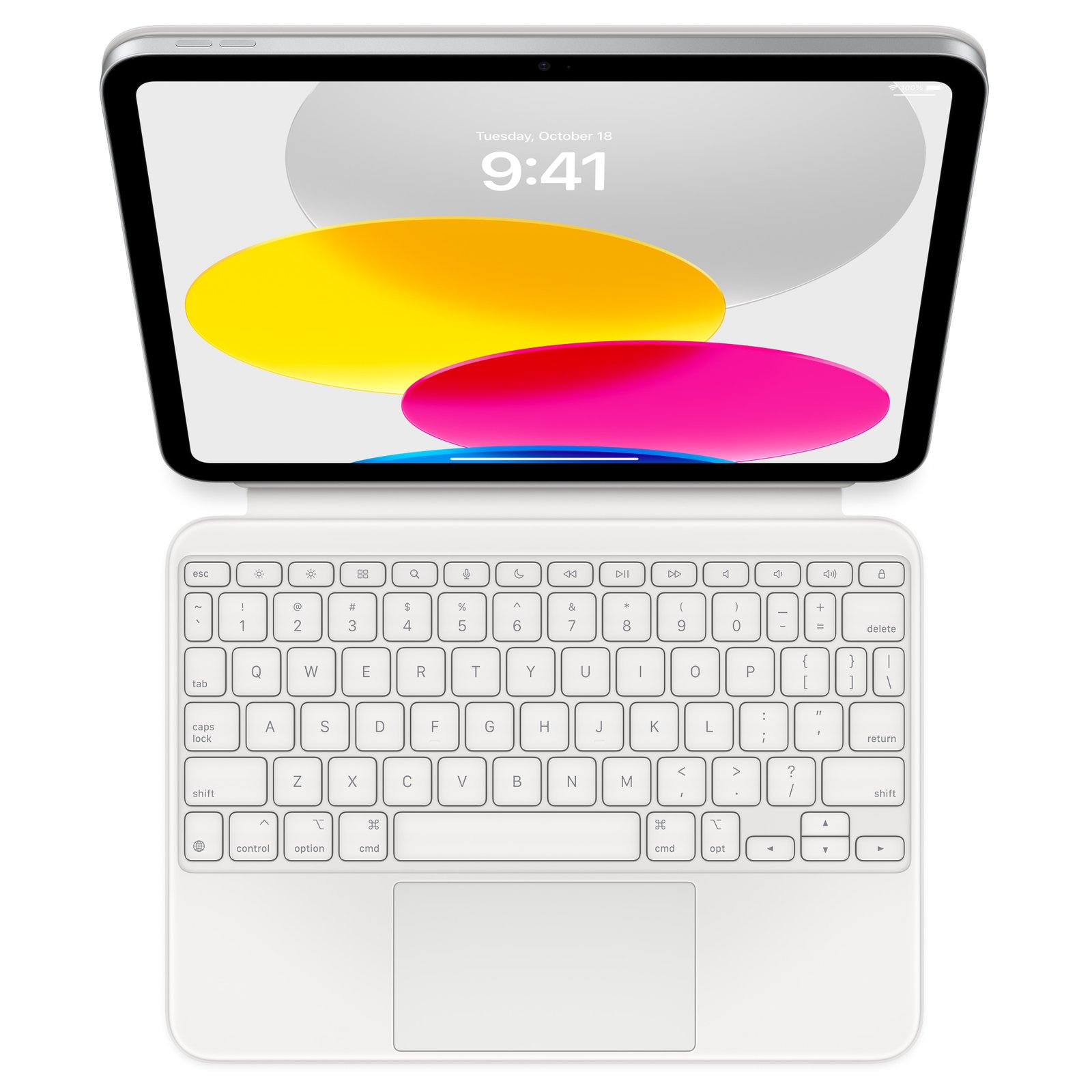
Updated November 2026. Not every Apple keyboard works with every iPad, even when the tablets share an approximate screen size. A Magic Keyboard, Smart Keyboard Folio and Magic Keyboard Folio can differ in connector placement, trackpad, attachment and supported iPad generation. This guide helps Kenyan shoppers buy the correct accessory once, without guessing from inches alone.
Quick answer: Compare the exact model number, intended software, included accessories and current Kenyan selling price before deciding. The specifications and availability on a given listing take priority over an abbreviated supplier label.
Apple iPad keyboard compatibility at a glance
| Keyboard family | Supported iPad family | Pointer and connection |
|---|---|---|
| Magic Keyboard for iPad Pro | Matching 11-inch or 13-inch iPad Pro M4/M5 | Trackpad; Smart Connector |
| Magic Keyboard for iPad Air | Matching Air 11-inch or 13-inch M2/M3/M4; check the exact accessory compatibility list | Trackpad; Smart Connector |
| Magic Keyboard Folio | iPad A16 and iPad 10th generation | Trackpad; two-piece design |
| Older Magic Keyboard for iPad Pro 12.9-inch | Supported older 12.9-inch generations, including M1/M2; not Pro 13-inch M4/M5 | Trackpad; confirm generation and fit |
| Smart Keyboard Folio | Selected older Pro and Air generations on Apple’s list | No trackpad; Smart Connector |
| Smart Folio | Exact matching iPad size and generation | Protective cover; no keyboard or trackpad |
| Magic Keyboard for Mac or other Bluetooth keyboard | Supported iPadOS Bluetooth pairing | Separate keyboard, not a fitted tablet cover; Mac Touch ID does not authenticate an iPad |
Start with the exact iPad identity
In Settings > General > About, locate the model name and, if needed, the A-series model number. For iPad Pro, distinguish the old 12.9-inch design from the newer 13-inch M4/M5 generations; keyboard fit is not necessarily cross-compatible. For iPad Air, the 11-inch and 13-inch models also have different accessories.
Magic Keyboard Folio for iPad A16 and iPad 10
The Apple Magic Keyboard Folio for standard iPad is a two-piece system with a detachable keyboard, adjustable back panel and trackpad. It is designed for supported mainstream iPads, not iPad Pro 13-inch. Check the connector position and Apple’s compatible-model list before paying.
Magic Keyboard for iPad Air 11-inch and 13-inch M2/M3/M4
Choose the matching 11-inch or 13-inch Magic Keyboard for the iPad Air M2, M3 or M4 listed in Apple’s compatibility guide. The current Air keyboard offers a trackpad and function keys. An iPad Pro M4/M5 keyboard is a separate product family even when the screen-size label is similar. Confirm the exact keyboard part number, supported iPad generation and language layout.
Older 12.9-inch iPad Pro versus newer 13-inch
A keyboard sold for iPad Pro 12.9-inch M1/M2 should not be marketed as universally compatible with the newer 13-inch Pro M4/M5. Verify the fifth/sixth generation product family for 12.9-inch units and purchase a distinct keyboard for the newer design.
Smart Keyboard Folio is a different product
Apple Smart Keyboard Folio is a lighter protective keyboard cover without the newer Magic Keyboard’s large trackpad and floating hinge. It can be a good typing-focused option when compatibility is confirmed. A product described simply as ’11-inch Smart Folio’ must be distinguished from a keyboard-equipped Smart Keyboard Folio.
Check full cost and return terms
An incorrectly fitted keyboard can appear functional in photographs but fail to connect or secure properly. Ask for the part number, language layout, return conditions and whether the keyboard is original Apple. Compare a keyboard-plus-tablet total to a lightweight laptop if the buyer mainly works in spreadsheets.
Compare available products at Infinite Tech
Browse the exact listings below for live retail prices, gallery images and current product configurations. Availability, accessories, colour and warranty should be confirmed before payment.
- Magic Keyboard Folio iPad A16/10th – price and product details in Kenya
- Magic Keyboard iPad Air 13-inch – price and product details in Kenya
- Magic Keyboard iPad Pro 12.9-inch M1/M2 – price and product details in Kenya
- Smart Keyboard Folio 11-inch – price and product details in Kenya
Frequently asked questions
Can I use an iPad Pro 12.9 keyboard with an iPad Pro 13 M5?
Do not assume so; the keyboard connector/fit generations differ.
Does Smart Keyboard Folio include a trackpad?
No, it is primarily a typing-focused folio keyboard.
Where do I find my iPad model?
In Settings > General > About. Use the exact model name and number when selecting a keyboard.
iPad keyboard compatibility: practical buying checks
Select the iPad first, then select a keyboard from its supported accessories. A Mac keyboard with Touch ID, an iPad Magic Keyboard and a Smart Folio are different purchases. For frequent spreadsheet work, test pointer control and shortcuts; for lecture notes, consider the weight of the full setup. Keep the packaging model number with the receipt so a future tablet upgrade can be checked against the same accessory.
- Find the iPad model under Settings, General, About.
- Confirm keyboard size, generation, layout and trackpad features.
- Test attachment, charging pass-through and typing before buying.
Does Smart Folio include a keyboard?
No. Smart Folio is a protective cover. Smart Keyboard Folio and Magic Keyboard are separate keyboard product families.
Related buying guides
iPad Pro M5 11 vs 13 inch · iPad Air M4 128GB vs 256GB · iPad Air M4 11 vs 13 inch · iPad A16 vs Galaxy Tab S10 Lite
Manufacturer reference: Apple official documentation. Check the exact model and supported configuration.
Buy in Nairobi
Infinite Tech is at Rehema House, Standard Street, Nairobi CBD, 1st Floor, Shop 2. Call 0720 450 148 for current availability, warranty, colours or compatible accessories. This guide is editorial advice based on specifications and listed products; it does not claim hands-on benchmark testing.
2 thoughts on “Apple iPad Keyboard Compatibility Guide: Magic Keyboard, Smart Keyboard Folio and Smart Folio”
Comments are closed.