

TCL Google TV Remote Pairing and Voice Control Troubleshooting

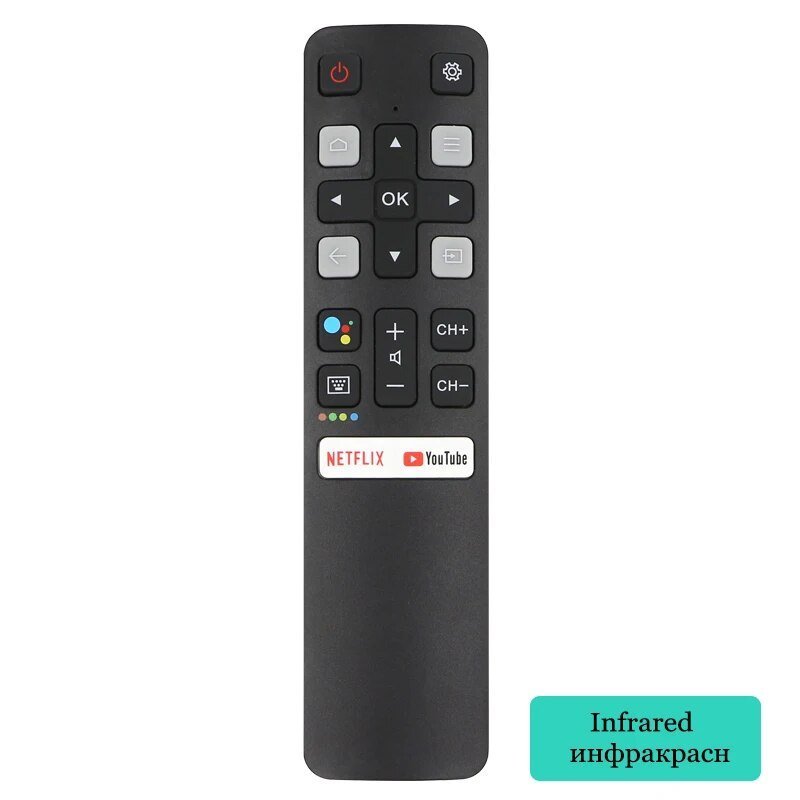
If your TCL Google TV remote stops responding, start with the simple checks—power, batteries and line-of-sight—before resetting pairing information. Procedures differ across remotes and TV generations. This guide forms part of Infinite Tech’s TCL Buying Guides Kenya programme, with specific shop links and honest model-availability notes.
TCL Google TV Remote Pairing and Voice Control Troubleshooting — updated Kenya buyer insights
TCL Google TV Remote Pairing and Voice Control Troubleshooting should be researched against an exact TCL product code and current Nairobi availability. For TCL Google TV voice-remote pairing, read the exact remote and TV manufacturer instructions. Infrared replacements do not necessarily support Bluetooth voice functions.
Practical checks before ordering
Try fresh batteries, the correct pairing button combination for the model and a software update before considering hardware replacement. Consider total ownership, installation space, accessible service and what the warranty actually includes.
Further model and price comparisons
Use the TCL TV price index, TCL products shopping centre, and TCL 98C7L product page when relevant. Product prices displayed in WooCommerce take precedence over older article snapshots. Infinite Tech Nairobi CBD, 0720 450 148.
Main factors for this TCL purchase
- Identify the exact remote type and TV’s full model number.
- For infrared remote operation, test batteries and remove obstructions to the receiver.
- For Bluetooth voice functionality, follow the model’s documented pairing instructions.
- If only voice input fails, inspect microphone permissions and internet connection before buying a new remote.
Relevant TCL product listings at Infinite Tech
Use the linked products to see current WooCommerce price, exact model code and stock. Product availability can change; items mentioned for comparison but not listed must be confirmed before ordering.
- TCL-compatible infrared replacement remote (third-party Mingfulai) — exact model listing, pictures and current seller price.
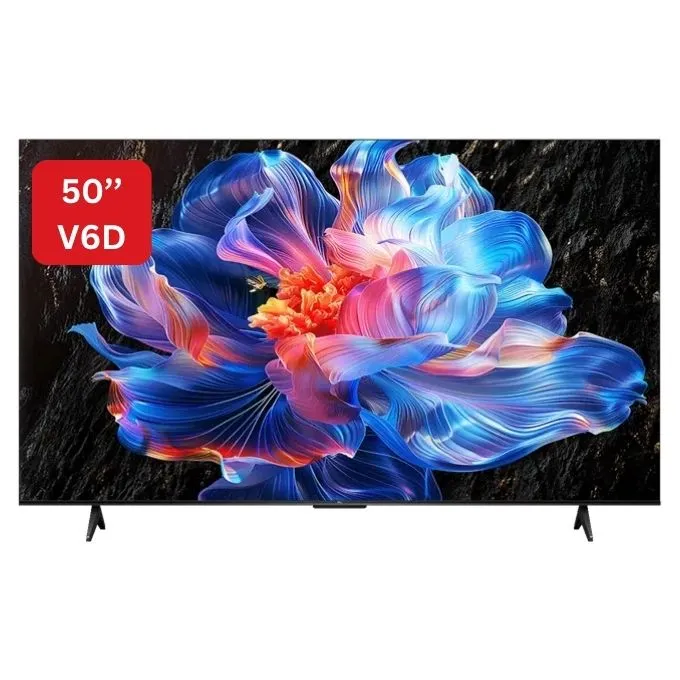
- TCL 75C7L 75-inch TV — exact model listing, pictures and current seller price.
Understanding the technical differences
Do not treat a similar-looking remote as proof of compatibility. Check infrared versus Bluetooth, original part codes and documented TCL Google TV pairing steps. An aftermarket handset may operate power and volume while lacking app control or voice-search support.
Where a device has a numerical technical claim—BTU/h, watts, kWh, TV refresh rate, audio channels or litres—compare figures with the same units and measurement basis. A family name alone may cover several model variants or screen sizes. Ask for the actual manufacturer’s specifications when local product names differ.
Remote troubleshooting sequence
- Replace both batteries with a fresh matched pair, observing polarity. If the remote is rechargeable, follow its manual instead.
- For infrared commands, remove obstructions and try power or volume from close range; some phone cameras can detect infrared flashes, but camera filters vary.
- Restart the TV using its documented power procedure before attempting Bluetooth re-pairing.
- Identify the original remote part number and follow the pairing instructions for that exact TCL television and remote. Do not assume a universal button combination.
- If navigation works but voice does not, verify microphone permissions, connectivity and whether the replacement remote actually has a Bluetooth microphone.
Bring the original remote or photograph its label and the TV’s full model number to Infinite Tech Nairobi when seeking a compatible replacement. Pairing methods and supported features vary by generation.
Save the product invoice and model serial number and ask for local warranty terms. Do not rely on a worldwide warranty headline. For goods bought in Kenya, proof of purchase and the manufacturer’s regional support process matter.
Five checks before placing an order
- Confirm exact model number and regional specification.
- Check the current listed product price and stock.
- Review the genuine product image and included components.
- Compare total cost including safe installation or mounting.
- Verify written warranty coverage and contact details.
FAQs
Why does my remote change volume but not open voice search?
It may be an infrared-only replacement or voice pairing may not be active; check actual device capabilities.
Can I assume every model shown internationally is in stock in Nairobi?
No. Check the actual Infinite Tech product listing; request a separate sourcing confirmation for models absent from the catalogue.
Review the TCL East Africa manufacturer catalogue, all TCL buying guides, and the TCL television price index. Visit Infinite Tech, Rehema House, Standard Street, Nairobi CBD, 1st Floor Shop 2, or call 0720 450 148.
