

TCL Q75H Setup Guide: Speaker Placement and Audio Settings

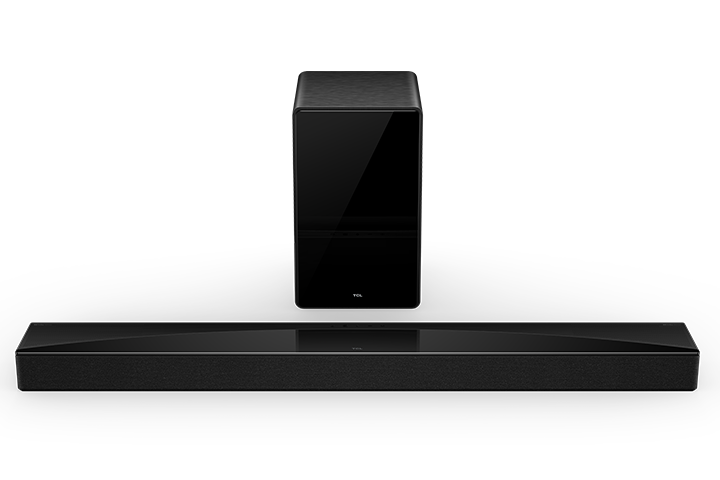
TCL Q75H setup Kenya: Start with the soundbar input, HDMI eARC connection, subwoofer pairing and supported TV audio output before adjusting surround settings. Setting up the TCL Q75H 5.1.2 soundbar correctly is one of the easiest ways to improve film dialogue, surround effects and controlled bass in a Kenyan living room. This guide explains installation choices for Nairobi apartments and family entertainment spaces without assuming every television supports identical audio outputs.
TCL Q75H Setup Guide: Speaker Placement and Audio Settings — practical setup and comparison
TCL Q75H Setup Guide: Speaker Placement and Audio Settings is a popular TCL soundbar research topic for Kenyan homes. Start with the exact TCL soundbar model and TV audio-output port. A supported HDMI ARC/eARC connection normally allows more straightforward TV volume control than Bluetooth, while optical remains a useful fallback. Avoid factory resets until checking cables and source selections.
Compatibility, channels and sound performance
If the TV remains silent, select external speakers, enable HDMI-CEC when required and test a simple PCM output before moving to advanced surround modes. For a wireless subwoofer, keep it near the bar during initial pairing and follow the official model procedure.
What to verify at Infinite Tech Nairobi
Confirm the exact speaker configuration, available HDMI and optical ports, included subwoofer, manufacturer warranty and current WooCommerce price. Never assume an advertised audio format is supported by every TV app and cable combination.
Continue comparing TCL audio
For model-specific assistance, visit Infinite Tech, Rehema House, Standard Street, Nairobi CBD, or call 0720 450 148.
Understanding the Q75H setup
The Q75H is TCL’s 5.1.2-channel soundbar system with a wireless subwoofer and height-effect speakers. It supports Dolby Atmos and DTS:X according to the TCL East Africa manufacturer page. To benefit from those capabilities, your streaming source, television audio-output settings and room acoustics must also be compatible.
What to check inside the box
Check the soundbar, wireless subwoofer, mains cables, supplied remote and permitted mounts against the exact Kenyan box list. Keep the invoice and serial number for warranty support. International promotional images do not guarantee an accessory is included locally.
Place the bar to avoid blocked drivers
Centre the bar below the television on a stable surface and leave the up-firing acoustic path clear. Avoid burying it in a closed media cabinet or placing ornaments above the height drivers. A reflective ceiling may help overhead effects; heavy acoustic panels or tall ceilings can alter the result.
Wireless subwoofer position and pairing
Use the recommended power adaptor and position the subwoofer on a level floor. If bass rattles the cabinet, move it away from corners or loose items. When pairing fails, check power, move the subwoofer closer and follow the model’s published pairing sequence rather than trying random reset codes.
Connect HDMI eARC step by step
Find the television port marked ARC or eARC. Connect a suitable HDMI cable from it to the bar’s eARC connector. In the TV audio settings, select external speakers, enable HDMI-CEC where required, and choose the highest audio format supported by both devices. Test familiar stereo material before Atmos content.
Dolby Atmos and DTS:X content checklist
A 5.1.2 label does not mean every programme contains overhead information. Check that the title or game actually supplies the surround format, that the app supports it on your device, and that the TV can pass the stream to the soundbar. Streaming tiers and platform settings can affect available output.
Test at normal listening volume
Start with clear voices and realistic volume. Compare sound modes while seated in your usual position. Tighten excessive bass before increasing overall loudness. Make adjustments in small steps; room layout and furnishings frequently change perceived quality more than wattage marketing.
Avoid these installation mistakes
Do not place the soundbar above the TV without manufacturer support for that arrangement. Do not cover ventilation, use loose power outlets, or force HDMI cables into the wrong connectors. If there is damage, overheating or electrical noise, disconnect and consult qualified support.
Frequently asked questions
Can I connect TCL Q75H to a Samsung, Sony or LG television?
Often yes, through a compatible HDMI ARC/eARC or optical connection. Verify the exact TV’s ports and output formats.
Does the Q75H need a special ceiling?
No universal ceiling type is mandatory, but reflective surfaces can help upward-firing height effects; room geometry changes the result.
Should I use Bluetooth for watching movies?
Use HDMI eARC when both devices support it, especially for advanced surround streams and straightforward volume control.
Consult TCL East Africa’s Q75H model information; shop the TCL Q75H at Infinite Tech or compare the Q65H. For Kenya pricing, availability and installation questions, visit Rehema House, Standard Street, Nairobi CBD, 1st Floor Shop 2, or call 0720 450 148.
