Samsung Microwave Error Codes and Safe Troubleshooting in Kenya

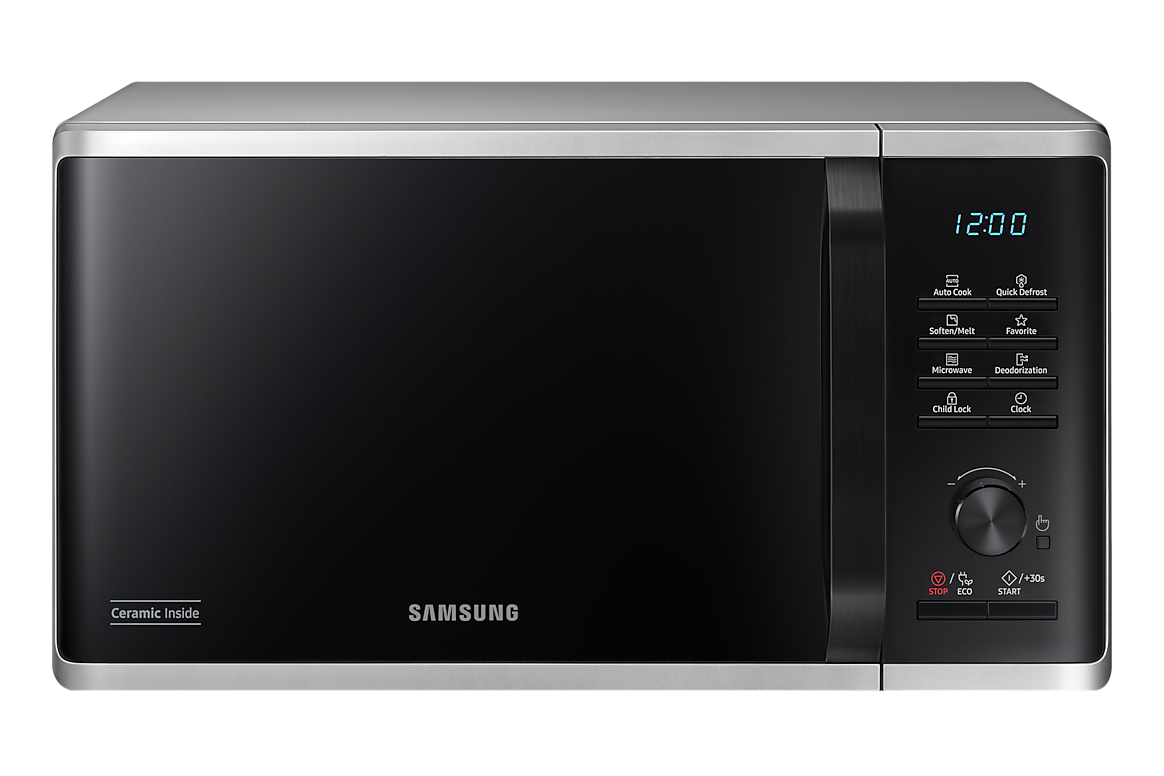
Updated 4 November 2026. A microwave displaying C-d0, C-20, E-21 or another code should not be treated like a phone that can always be reset. Some Samsung microwave codes indicate a sensor, communication or overheating fault that calls for professional service. Use the model manual and safe owner checks only.

Related Samsung appliances on Infinite Tech
| Model | Current listed price | Product |
|---|---|---|
| MS23DG4504AT | KSh 21,500 | Check stock and price |
| MG32DG4524AG | KSh 28,500 | Check stock and price |
| MC32DG7646CK | KSh 41,000 | Check stock and price |
First record the exact code and full model
Samsung microwaves vary in control panel, sensor design and available heating modes. Write down the exact letters, punctuation and numbers before switching anything off. Locate the model label and the regional suffix. Samsung Africa publishes an error-code reference, but not every code on that list is relevant to all models. Never open the microwave case to investigate a fault: high-voltage components can remain dangerous even after the appliance is unplugged.
What Samsung says about sensor-related codes
Samsung Africa’s guide associates codes such as C-20, E-21 and E-22 with temperature sensor faults and advises disconnecting power and contacting service. A fault with the heating or temperature sensor is not a safe home repair. If a unit has been overheating, is smoking, has a burning smell or shows damaged wiring, stop operation and consult the authorised service network.
Stuck touch controls and panel moisture
Samsung identifies C-d0, -SE- or SE on some models as a condition in which a touch key appears to have been pressed too long. The guidance may involve disconnecting power, cleaning external controls and arranging service if the message returns. Use a soft lightly damp cloth on the outside only and prevent liquid from entering controls. This is not permission to remove the control panel or bypass a safety switch.
Why a microwave fails to heat
A microwave that runs but leaves food cold may have a settings issue or a component fault. Check the user manual for demo mode, power level and appropriate cooking time where applicable. If normal approved checks do not solve the problem, do not attempt to replace magnetrons, capacitors or door safety switches yourself. Appliance internals can pose serious electrical hazards.
What if the turntable stops?
With power disconnected, check that the glass tray and guide ring are seated as the manual illustrates and that no spilled food obstructs rotation. Do not force the motor or use the appliance with a damaged internal drive. Also remember that certain model modes can intentionally stop rotation; do not confuse a supported setting with an actual motor failure.
Preventive cleaning and safe cooking
Samsung recommends wiping spills with a damp cloth and mild soap, using non-abrasive cleaning methods and avoiding liquids sprayed directly onto controls. Never heat sealed containers, operate an empty microwave or use inappropriate metal vessels in microwave-only mode. Inspect the door and seals. A damaged closing mechanism is a reason to stop use and request service.
Before booking repairs in Nairobi
Have the model and serial number, exact code, purchase invoice and a concise account of when the fault appears. Ask about applicable written warranty conditions and authorised service options. If the appliance is still within warranty, unauthorised repair may create additional complications.
Safe decision path for Samsung microwave faults
Record the error exactly
Write down the full displayed code, full model suffix and when the fault occurs. Codes vary by Samsung model family, so do not copy a reset sequence from a different model. Check whether the exact regional manual provides an owner-safe remedy.
Stop for heating or electrical defects
Do not open the casing, attempt to discharge capacitors, bypass door switches or continue using a microwave with damaged seals or a burning smell. High-voltage components can remain dangerous after unplugging. Seek authorised professional service.
Check supported basic operations only
If safe and permitted, confirm the outlet works, the door is properly closed and the control panel is clean and dry. A model-specific manual may provide simple owner checks. For basic appliance selection rather than repairs, use the 23L Samsung microwave comparison.
Frequently asked questions
Can I reset any Samsung microwave error?
No. Some codes indicate faults requiring a technician.
What does C-d0 mean?
Samsung associates it with a touch key being pressed too long on certain models.
What does C-20 mean?
Samsung’s code guide links it to a temperature sensor fault on applicable units.
Can I repair the magnetron myself?
No; high-voltage microwave repairs require trained personnel.
Does this guide cover every Samsung microwave?
No, the manual for the exact regional model takes precedence.
Primary sources
Explore more buying guides
See Samsung appliance reviews, Samsung dishwasher comparisons, microwave buying advice and Samsung 9kg dryer buying guide. Verify the full manufacturer model before performing maintenance.
Editorial note: General care information based on Samsung’s published support guidance, not a repair service or hands-on laboratory test. If your manual differs, follow the manual.