

MacBook Pro 2012 macOS Catalina Limitations in 2026: Kenya Buyer Guide

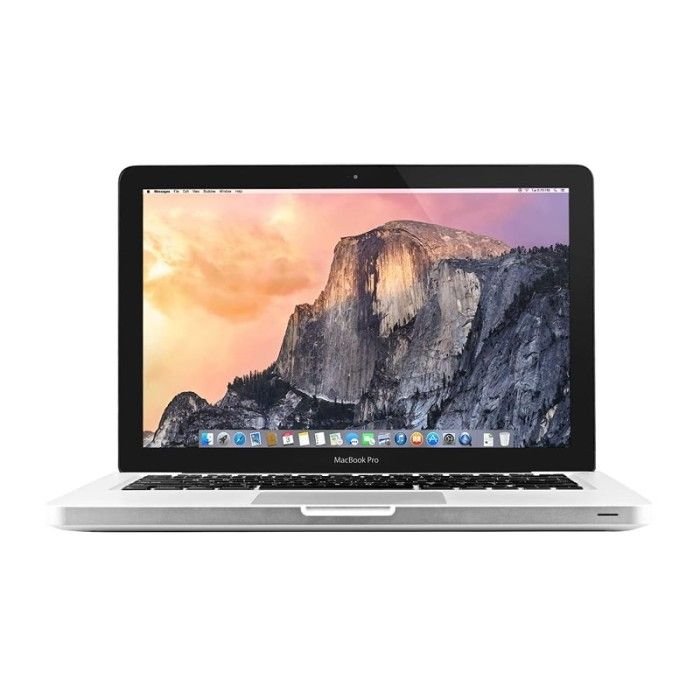
MacBook Pro 2012 macOS compatibility: This Kenya-specific guide explains practical buying decisions with manufacturer-supported information, highlighting what still must be checked on a real used or refurbished unit. Infinite Tech’s priority is accurate specifications, transparent condition and current WooCommerce prices—not unverified claims or imaginary benchmarks.
Technical facts and purchase decisions
Apple identifies the correct model
MacBook Pro 13-inch Mid 2012 has model identifier MacBookPro9,2 for the non-Retina configuration. Apple lists macOS Catalina as its newest officially compatible OS. Do not confuse it with a newer Retina MacBook Pro that uses different model identifiers.
Why this matters for buyers
macOS Catalina no longer receives normal current macOS security support, and many modern browsers or software releases may not install. It is unsuitable as a recommended modern business-security laptop for banking, confidential client files or employer-managed work.
Hardware upgrades cannot make an unsupported OS supported
An SSD and extra RAM can improve responsiveness for compatible legacy tasks. They do not change Apple’s supported OS version, modern app requirements or CPU security features. Unofficial patches are not equivalent to manufacturer support.
Safer shopping criteria
If a student merely needs offline documents for a limited existing workflow, confirm software compatibility and battery before purchase. Otherwise select a more recent supported Mac or Windows laptop; compare total security and ownership cost, not just low price.
Quick buying matrix
| Buyer concern | How to evaluate |
|---|---|
| Software and security | Confirm supported OS, current application versions and required licences. An unsupported older device can have substantial security limitations. |
| Performance | Use exact CPU suffix, installed memory, SSD and GPU model, not the name of the laptop alone. |
| Mobility | Test battery report, charger, screen usability, keyboard and ports on the physical unit. |
| After-sale confidence | Get written warranty, clear cosmetic grade, receipt and return terms before payment. |
Six checks to perform before paying
- Identify the full machine model and CPU model using BIOS or system information.
- Match the manufacturer documentation to the model, not just the seller’s marketing phrase.
- Confirm the currently installed RAM, SSD and GPU memory category.
- Examine battery health, screen, touch, keyboard, camera, ports and charger.
- Verify OS and software security compatibility and previous-owner account status.
- Check the live price, exact stock configuration and written warranty.
Related Infinite Tech buying guides and products
For updated pricing and stock confirmation, call 0720450148 or visit Infinite Tech at Rehema House, Standard Street, Nairobi CBD, first floor Shop 2. The actual configuration and condition should be checked before payment or delivery.
Frequently asked questions
Can I trust the CPU label on a reseller listing?
Use the exact CPU model read from the device and compare it with manufacturer support records; vague labels can be misleading.
Does a manufacturer specification prove the hardware inside my used laptop?
No. It establishes what was officially offered, not every component currently installed after refurbishing.
Should I buy a used laptop only because it is inexpensive?
Consider software compatibility, security updates, battery health, physical condition and the cost of replacement parts.
Does Infinite Tech guarantee the availability shown in this guide?
No. This guide links to available product information but does not establish current physical stock. Call to confirm before visiting or paying.
Official manufacturer reference
Manufacturer hardware or compatibility documentation. Updated 31 October 2026. This article is a source-based buying guide, not a hands-on test of individual stock.
