

How to Use Safaricom eSIM on iPhone Duo in Kenya: Preparation Guide


Updated: 27 October 2026. Unlike some older iPhones, iPhone Duo has no physical SIM-card tray. Apple’s worldwide specification identifies the phone as eSIM-only. Before buying in Kenya, confirm that your preferred operator will provision your exact handset and account.
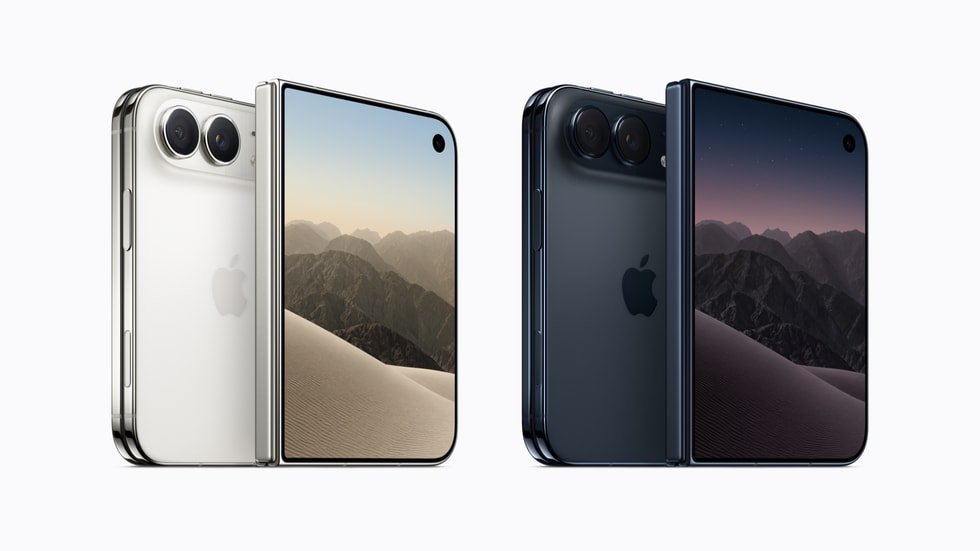
Shopping for this phone? View iPhone Duo 256GB and 512GB prices, Night Sky and Star White at Infinite Tech Kenya.
What eSIM means
An eSIM is a digital mobile subscription stored securely in compatible device hardware rather than on a removable plastic SIM. For the iPhone Duo this is not optional: you cannot simply insert an existing Safaricom physical SIM. You must request compatible eSIM provisioning for your number from the operator.
Before visiting your operator
Phone activation should be planned alongside delivery. Read the Kenya launch, import and local-availability guidance to distinguish a confirmed device in hand from an order awaiting fulfilment.
Back up your existing iPhone, keep your identification and registered account details ready, check that your line is active, and make sure the new device is unlocked and powered. You can find device identifiers in iPhone Settings. Do not post EIDs, QR codes or activation credentials publicly.
Typical activation route
Contact Safaricom using official support channels or visit an authorised customer-service location to ask for a physical-SIM-to-eSIM conversion or activation. The operator will give the up-to-date process, required identification, charges and supported-plan information. Activate while on reliable Wi-Fi, and test calling, data and SMS before discarding the old SIM.
After activation
Check voice, SMS, mobile data, iMessage and the services linked to your number. Some services require re-verification after a SIM change; keep another trusted way to access your accounts. If activation fails, contact the network directly rather than repeatedly scanning the same QR code.
Questions Kenyan buyers ask
Can I insert my old Safaricom SIM into Duo?
No. Apple says iPhone Duo has no physical SIM slot.
Can Infinite Tech issue a Safaricom eSIM QR code?
The mobile network or its authorised channels issue and activate eSIM profiles.
Are all Safaricom plans automatically compatible?
Do not assume so. Confirm your number, plan and the device variant directly with Safaricom.
Where to buy or ask a question
Infinite Tech is located at Rehema House, Standard Street (off Kimathi Street), behind Sarova Stanley Hotel, first floor, Shop 2, Nairobi CBD. Call or WhatsApp 0720 450 148 for information about the exact variant, current pricing, physical availability, delivery arrangements and warranty. Confirm stock before visiting.
Check the latest iPhone Duo selling prices at Infinite Tech · Browse Apple iPhones.
More iPhone Duo guides for Kenyan buyers
- iPhone Duo M-PESA & Airtel Kenya | eSIM Guide
- Transfer Data to iPhone Duo | Kenya Setup Guide
- iPhone Duo Price in Kenya 2026 | 256GB & 512GB
- Original iPhone Duo in Kenya | Authenticity Guide
Pre-activation checklist for your Safaricom number
- Confirm that your iPhone Duo is unlocked and that Settings shows the required device identifiers. Never share an EID, IMEI or QR activation code on social media.
- Back up the old iPhone using iCloud or a trusted computer. Verify that you can access your Apple Account and recovery methods independently of the mobile number.
- Contact Safaricom using an official channel to confirm that your account and the exact iPhone model can be provisioned with eSIM, and ask which identification, conversion fee and in-person steps currently apply.
- Keep the original handset and account access available until the new eSIM is active. Use trusted Wi-Fi and follow only the operator-issued instructions.
- Test calls, SMS, mobile data, iMessage, bank login and the mobile-money services you actually use. Keep the QR details confidential.
- If any essential service fails after migration, contact the carrier or relevant financial-service provider rather than repeating transfers blindly.
Common activation problems to investigate
| Symptom | Safe next check |
|---|---|
| No cellular service | Confirm coverage, activation completion and carrier settings with Safaricom. |
| QR code rejected | Check whether it has expired or been used; request an authorised replacement. |
| Calls work but verification messages fail | Check SMS registration and account-security holds with the operator. |
| Mobile data unavailable | Review the plan’s data status and carrier settings before changing anything else. |
For device purchasing details read the Kenya M-PESA and Airtel compatibility guide. This article is preparation guidance, not an operator-issued activation instruction or a guarantee of compatibility on every plan.
Featured illustration: an AI-generated editorial graphic showing the eSIM concept, not a photograph of the actual device or an operator activation screen.
Next steps for Kenyan iPhone Duo buyers
Choose the next question that matters to your purchase rather than relying on specifications alone:
- Read the iPhone Duo launch and Nairobi availability to distinguish Apple’s release from actual stock at a Nairobi retailer.
- Read the iPhone Duo problems and limitations for drawbacks that deserve attention before checkout.
See the complete iPhone Duo Kenya buying-guide collection for other independent comparisons and ownership information.
Sources and editorial method
This guide is based on published manufacturer or carrier documentation and Infinite Tech’s listed product configurations. It does not claim hands-on testing, specific carrier certification, actual local-stock inspection or price guarantees unless explicitly stated.


4 thoughts on “How to Use Safaricom eSIM on iPhone Duo in Kenya: Preparation Guide”
Comments are closed.