
How to Pair Samsung Galaxy Watch8 or Watch9 With an Android Phone in Kenya

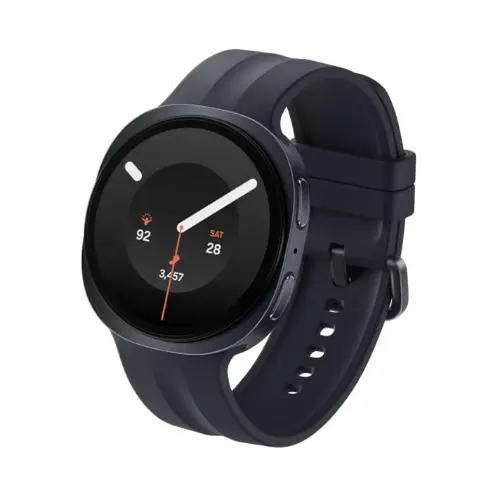
Pairing a Galaxy Watch to an Android phone should be straightforward, but device-brand restrictions, outdated apps and missing Google services can create confusing errors. This step-by-step guide is intended for buyers using Samsung Galaxy, Redmi, Xiaomi, Oppo, Tecno and Infinix phones in Kenya, with a focus on safe checks before you reset anything.
What a successful first pairing should look like
A correct first setup ends with more than a Bluetooth icon. The Galaxy Wearable app should identify the watch, the watch should display normal time and settings, and your phone should be able to send a supported test notification. If one of these steps fails, record where it failed before retrying. Repeated resets without understanding the cause can waste time and complicate ownership transfers.
A buyer moving from an older Galaxy Watch should also check whether their watch faces, health history and installed applications can be restored. Backup and transfer options vary by generation and software, and not every third-party app migrates identically. Before removing the old watch from a phone, review Samsung’s official device-transfer instructions and retain any information you cannot afford to lose.
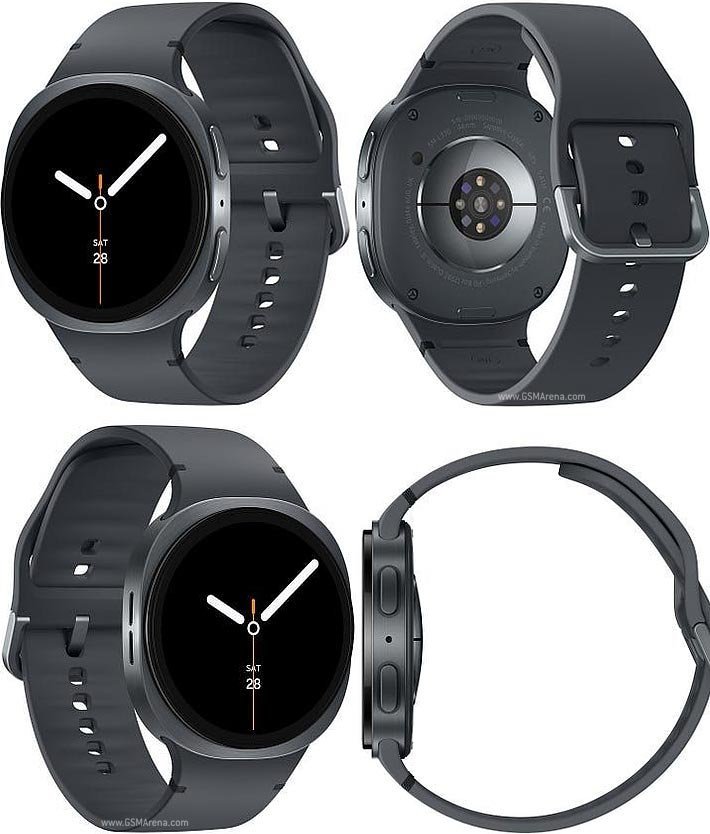
After pairing, check notifications from an actual messaging app, a short workout record, charging and the physical strap fit. If you are purchasing an LTE version, distinguish this basic Bluetooth functionality from independent cellular activation. Ask the carrier to confirm that its current wearable plan supports the regional model. A paired watch is not proof that eSIM calling will work.
Practical checklist
- Check Android version, Google services and the exact watch model.
- Use official Galaxy Wearable rather than an unofficial modified app.
- Confirm matching Bluetooth pairing codes on phone and watch.
- Test notifications, charging and activity tracking before checkout.
- Treat standalone LTE and medical feature availability as separate checks.
1. Verify model compatibility before opening the box
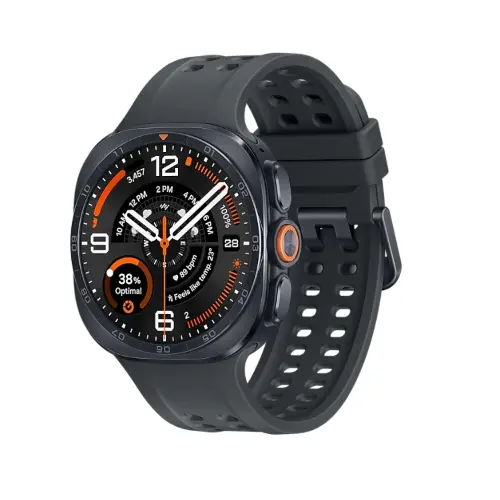
The newer Galaxy Watch8 and Watch9 series require compatible Android smartphones. Samsung specifies Android 13.0 or later and more than 1.5GB RAM for Watch9, with Google Mobile Services support for activation. These modern Wear OS watches are not compatible with iPhones. Watch8’s Android requirements may differ from Watch9’s, so use the exact watch support page rather than one general claim.
2. Install Samsung Galaxy Wearable on your phone
Use the official app store supported by your handset. Download or update Galaxy Wearable, enable Bluetooth and ensure normal network connectivity for account setup and updates. Some watches need additional compatible plug-in components, which the official setup workflow may request. Avoid downloading modified wearable apps or firmware from unofficial sites simply to bypass a compatibility warning.
3. Select and pair the watch
Turn on the Galaxy Watch and place it close to the phone. Open Galaxy Wearable, add a new device, select the correct watch and compare the pairing code shown on the phone and watch. Follow the guided setup, permissions and account prompts. A successful Bluetooth connection does not mean you have activated LTE or that every premium health feature is available.
4. Choose notification, health and permission settings
After pairing, configure which phone applications can send wrist notifications. Install Samsung Health if you want supported wellness information, and choose location permissions for relevant GPS or map functions. Settings menus can differ by phone vendor and software release. A non-Samsung Android phone may support core notifications while some Samsung Health Monitor functions remain unavailable.
5. Troubleshoot a failed first pairing
If the watch is missing in device search, restart Bluetooth and check whether the watch is already bound to another phone. Check Play services, location and Nearby Devices permissions. Avoid factory resetting immediately; a prior owner’s account, a software mismatch or a model incompatibility could be the underlying issue. If buying secondhand, request documented ownership and correct removal of prior accounts.
6. Test the features that matter before leaving the shop
Send yourself a notification, try an ordinary connected call, start a short activity and confirm the strap and charging accessories. For buyers interested in eSIM, contact the operator to establish actual wearable provisioning compatibility. Test the features you intend to use, rather than assuming they work merely because the watch has paired.
Galaxy Watch models and Kenya list prices
| Samsung watch | Website price |
|---|---|
| Watch8 40mm | KSh 28,000 |
| Watch9 40mm | KSh 38,500 |
These prices are catalogue snapshots as of 22 October 2026. Open each listing to confirm the live price, stock and warranty.
Frequently asked questions
Can I use Galaxy Watch8 or Watch9 with an iPhone?
No. Modern Galaxy Watches using Wear OS are for compatible Android phones, not iOS.
Can Redmi, Infinix and Tecno pair with Samsung Galaxy Watch?
Some compatible Android handsets can pair through Galaxy Wearable. Confirm Google services, software version and whether you require Samsung-exclusive features.
Does an LTE smartwatch automatically work with Kenyan mobile networks?
No. Check the exact regional LTE model and the operator’s current companion-watch plan eligibility before buying for phone-free calls.
Should I rely on ECG and blood pressure functions in Kenya?
Regulated Samsung Health Monitor features may not be available in Kenya and often require a supported Samsung Galaxy phone. Consult a qualified healthcare professional for medical concerns.
Where can I buy the watch with support?
Use Infinite Tech’s linked product listings or contact the team at Rehema House Nairobi on 0720450148 to confirm model, stock and delivery.
More Samsung Galaxy Watch guides
Compare all Galaxy Watch prices in Kenya, WhatsApp notifications, health feature availability and Samsung smartwatch buying advice. Technical reference: Samsung official documentation. Feature support varies by device, country and carrier.

One thought on “How to Pair Samsung Galaxy Watch8 or Watch9 With an Android Phone in Kenya”
Comments are closed.