
Xbox Games Buying Guide Kenya: Discs, Digital Copies and Console Compatibility

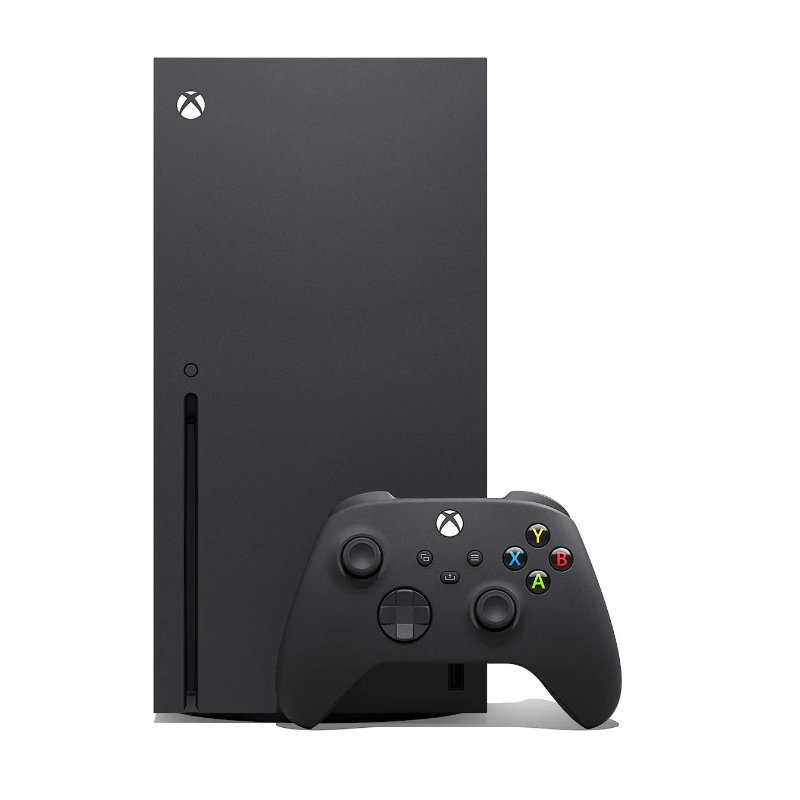
Before you buy an Xbox game in Kenya, confirm your exact console, the game version and the supplied format. Those three checks decide whether the purchase will work. After that, compare the edition, the type of multiplayer you want and the total cost of playing.
This guide helps buyers use the Xbox games in Kenya catalogue without confusing Xbox One, Xbox Series X and Xbox Series S. It also explains what to send the shop when a listing needs a compatibility check.
1. Identify your console model
Read the model name on your console or its settings. “Xbox” is the family name, not enough information to choose a copy. Xbox One S and Xbox Series S are different models. Xbox One X and Xbox Series X are different models too. Include the full name when asking for advice.
| Your console | Useful buying check |
|---|---|
| Xbox One family | Choose a supported Xbox One release. Check whether your specific console has a disc drive. |
| Xbox Series X with disc drive | Check the game version and backward compatibility before buying an older disc. |
| All-digital Xbox Series X | Choose a compatible digital entitlement; there is no drive for a physical disc. |
| Xbox Series S | Choose a compatible digital entitlement. Series S is all-digital. |
2. Ask whether you are buying a disc or a digital copy
A game cover image does not prove the supplied format. Ask the seller to identify the actual product. A disc is physical media and needs a compatible drive for disc use. A digital purchase needs the correct account, supported platform and any relevant redemption conditions. Confirm these before making payment.
If you already own a disc and are considering a digital console, check Microsoft’s current official options for that exact title and ownership situation. Do not treat a disc as an unused download code. This guide does not promise that buying a physical copy automatically provides a digital licence.
3. Separate compatibility from a newer console version
An older Xbox game running through backward compatibility is not necessarily the native Xbox Series X|S edition. Some games have generation-specific releases or upgrade arrangements. Read the exact listing rather than assuming the console will supply every edition or bonus.
Microsoft’s backward compatibility guidance is the reference for older titles. For a common example, use our GTA V Xbox One vs Xbox Series X|S guide. Football buyers should check the FC 27 vs FC 26 Xbox comparison, including the version their friends play.

4. Look for extra hardware requirements
Fighter Within requires Kinect for Xbox One. A regular controller does not replace motion tracking during gameplay, and the title is not suitable for Xbox Series X|S. Read the Fighter Within hardware guide before buying a copy or sourcing older accessories.
For other games, check the number of controllers you need, storage for installation and updates, and any accessories you expect to use. Treat accessories as separate unless the listing explicitly includes them. A low game price can be poor value if you still need hardware that is difficult to find.
5. Decide how you want to play with other people
Local multiplayer means players are using the same console. Online multiplayer means connecting over the internet. Online co-op does not automatically mean a game supports two people on one television. Confirm the mode you actually want, the number of players and whether each person needs their own copy.
Paid online console games may require an eligible Xbox multiplayer subscription, sold separately. Check the official store listing and current subscription terms. Our Monster Hunter World vs Payday 2 guide helps a group compare two co-op choices without treating them as interchangeable.
6. Check edition contents, condition and the complete cost
Ask whether the package is new or pre-owned and what is physically included. Confirm the base game, expansion requirements, languages, age rating and any advertised codes. A code printed inside an opened case may have been used. A publisher’s deluxe-edition promotion does not establish that the shop’s supplied copy includes those extras.
Compare the game price together with any delivery charge, required subscription and missing accessories. For a smaller game budget, see seven Xbox games under KSh 5,000. Always open the live product page before ordering because catalogue prices and stock can change.
A useful message to send before ordering
“I own an [exact Xbox model]. I want [game title and edition] in [disc or digital format]. Please confirm compatibility, current stock, condition, included extras and the full cost for my delivery location.” This gives the shop enough information to check the copy rather than guessing from the title.
Questions and answers
Can an Xbox disc go into Xbox Series S?
No. Series S has no disc drive. Check a compatible digital purchase or an officially supported ownership option for your situation.
Is Xbox One S the same as Series S?
No. They are different console generations. Use the full model name when choosing a game.
Does Series X always have a disc drive?
No. Check the exact model: all-digital Series X variants also exist.
Can a Series X|S-only release run on Xbox One?
Do not assume it can. Choose the release officially supported by your Xbox One.
Are all Xbox 360 games backward compatible?
No. Check the specific game against Microsoft’s supported catalogue.
Does backward compatibility include every DLC pack?
No. Confirm the supplied edition and ownership of any additional content separately.
Does online co-op mean split-screen?
No. Look for the exact local multiplayer or split-screen capability you need.
Do these Xbox listings work on PS5?
They are Xbox products. A PS5 needs the appropriate PlayStation version.
Should I buy Kinect for Fighter Within on Series X?
No. Fighter Within requires a compatible Xbox One setup; Kinect does not make it a Series X|S game.
Where can I get help checking a copy?
Contact Infinite Tech with your full console model, preferred game and format before buying.
Choose a game after checking compatibility
Browse Xbox games in Kenya, compare budget Xbox options and use Gamers Courtyard to find the relevant comparison. For the console shown above, see Xbox Series X 1TB.
For help choosing a copy, contact Infinite Tech at Rehema House, Nairobi: 0720450148 or WhatsApp Infinite Tech. Send your exact console model and the game you want so the format can be checked before purchase.
3 thoughts on “Xbox Games Buying Guide Kenya: Discs, Digital Copies and Console Compatibility”
Comments are closed.