
Hisense Soundbar Placement in Kenya: Subwoofer Position and Living-Room Setup

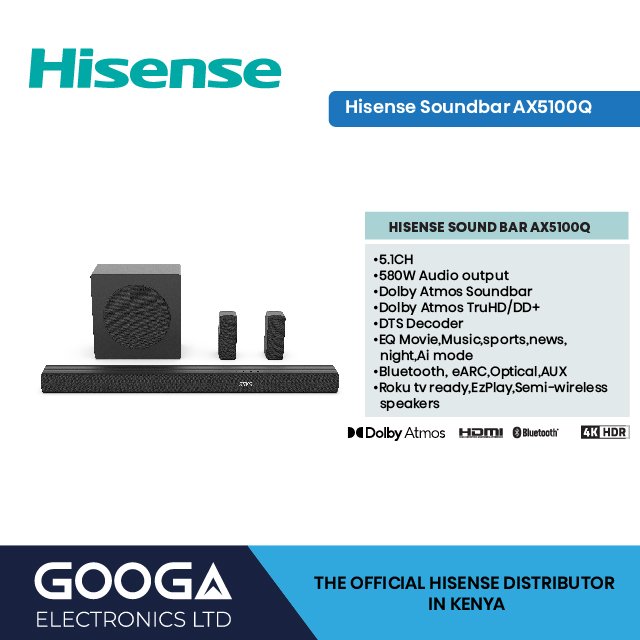
A Hisense soundbar can improve television audio, but the result depends on where the soundbar and subwoofer sit in the room. A bar hidden inside a closed TV cabinet, a subwoofer trapped behind furniture or a speaker positioned off-centre can make dialogue and bass less clear. This guide explains a practical setup process for Kenyan homes, apartments and entertainment rooms without assuming every Hisense model has the same speaker layout.
1. Position the soundbar centrally below or above the TV
Start by aligning the soundbar with the centre of the television. Most living-room setups place it on the TV console immediately below the screen. If the TV is wall-mounted, the bar can sit on a stable shelf or be wall-mounted only where the exact model’s instructions and supplied bracket permit it.
Keep the front grille unobstructed. Do not push the soundbar behind the TV, cover it with décor or place it deep inside a cabinet with a closed front. Check that the bar does not block the TV’s infrared receiver, status light or the lower edge of the picture. Leave enough space for cables to bend naturally without being pinched against the wall.
2. Give the subwoofer a clear, stable position
For models supplied with a wireless subwoofer, the subwoofer still needs mains power and a clear acoustic position. Start on the floor near the front of the room, on the same general side as the television. Keep it upright and away from loose objects that can rattle. Do not enclose it in a cabinet or stack items on its ventilation openings.
Room shape, floor type and nearby walls affect bass. If the sound is boomy, move the subwoofer away from a corner or cabinet and test another position. If bass feels weak, try a different position along the front wall. Make one change at a time and listen to the same short film or music passage so you can compare fairly. Wireless does not mean the subwoofer can be placed anywhere: it still needs a suitable power socket and a reliable connection to the soundbar.
3. Understand the channel layout before planning the room
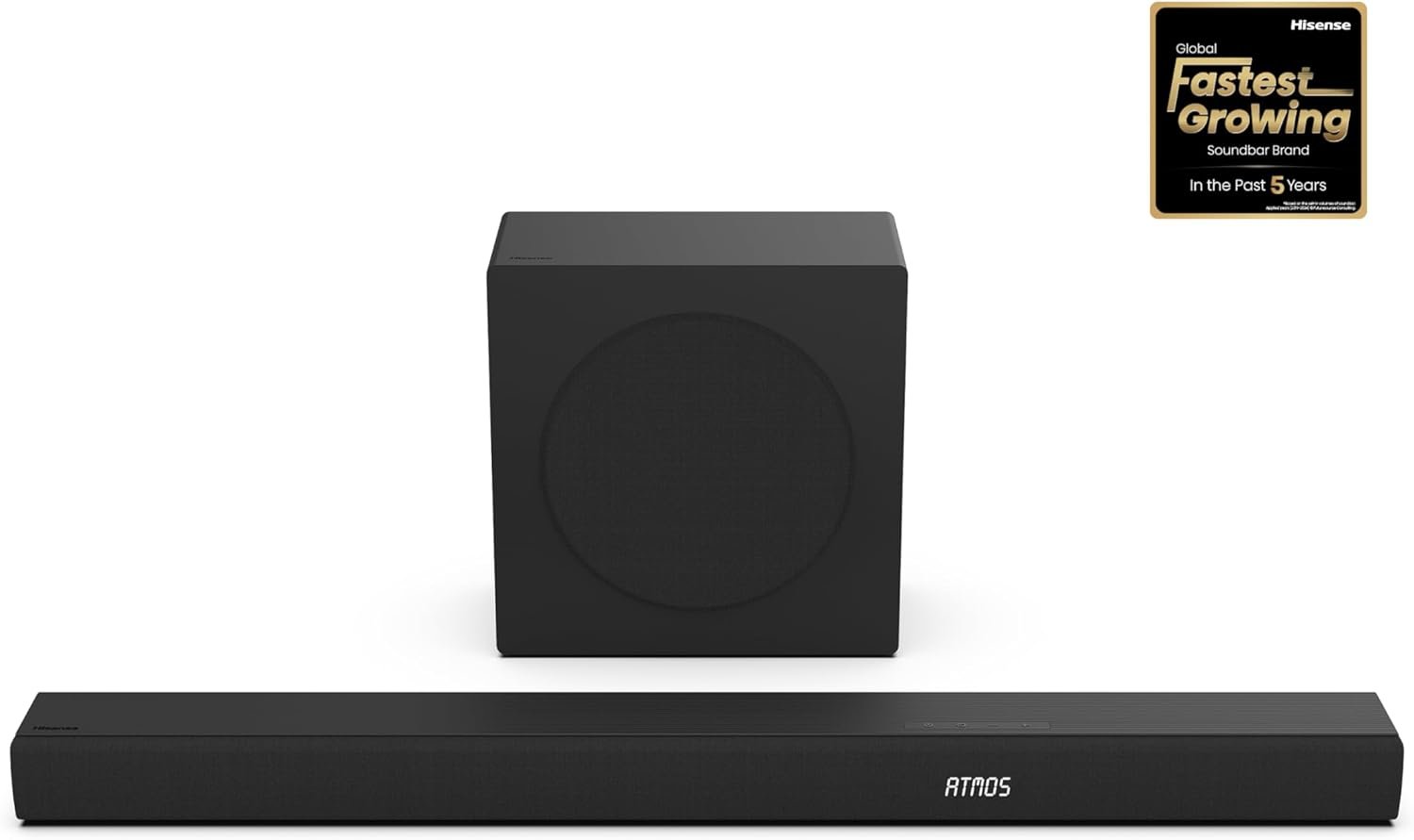
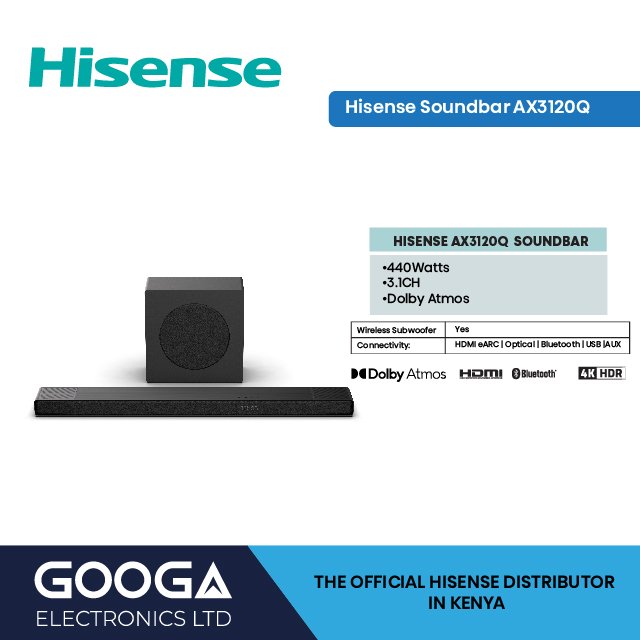
Channel numbers describe the speaker arrangement, not a guarantee that every room will sound identical. Hisense’s regional product listings describe the AX3100Q as a 3.1-channel system, the AX3120Q as a 3.1.2-channel system and the AX5100Q as a 5.1-channel system. The published total output ratings are 500W, 440W and 580W respectively on those regional listings. Regional specifications and package contents can differ, so confirm the exact Kenya-market model and included components before purchase.
- Hisense AX3100Q 500W 3.1 soundbar — catalogue listing with product images and current availability.
- Hisense AX3120Q 440W 3.1.2 soundbar — check the exact model suffix and package.
- Hisense AX5100Q 580W 5.1 soundbar — confirm the regional configuration and included accessories.
Official manufacturer references: Hisense AX3100Q specifications, Hisense AX3120Q specifications and Hisense AX5100Q specifications. These are regional manufacturer pages, not a substitute for the documentation supplied with the unit sold in Kenya.
4. Plan around furniture, walls and neighbours
Measure the TV console before buying. Check the soundbar’s width, height and depth against the shelf, the TV stand feet and any cabinet doors. A bar that overhangs an unstable shelf is not a safe fit. For a wall installation, use a suitable mounting surface and the model’s approved bracket; do not improvise with adhesive strips or a shelf that is not rated for the load.
In apartments or shared homes, keep the subwoofer away from thin shared walls where practical. At night, reduce bass and overall volume rather than assuming a soundbar’s dialogue mode will prevent sound transmission. A rug and soft furnishings can reduce room reflections, but they do not soundproof a wall or floor.
5. Connect and test the system
Use the connection method supported by both the television and soundbar. HDMI eARC/ARC can carry TV audio and may allow control through compatible HDMI-CEC settings; optical is an alternative when compatible ports are available. Check the television’s audio-output menu and the soundbar input selection. For a detailed connection comparison, read Hisense optical audio vs HDMI ARC and the Hisense HDMI-CEC setup guide.
Test a familiar dialogue scene, a music track and a film with bass. If voices seem delayed, use the TV or soundbar audio-delay controls only as described in the manuals; see our Hisense TV and soundbar lip-sync guide. Do not change several sound settings at once.
Frequently asked questions
Where should I put a Hisense soundbar?
Usually centred directly below the TV with its front grille unobstructed. Follow the exact model’s mounting instructions if you plan to place it above the screen.
Where should the wireless subwoofer go?
Start on the floor near the front of the room, then test nearby positions. Keep it ventilated, upright and connected to a suitable power socket.
Can I hide a soundbar inside a TV cabinet?
A closed or deep cabinet can obstruct sound and remote/control signals. Use an open shelf with adequate clearance and follow the manufacturer’s placement guidance.
Does a wireless subwoofer need a power cable?
Yes. Wireless describes its audio link to the bar; it still requires power unless the exact model documentation says otherwise.
Is 5.1 always better than 3.1.2?
Not automatically. Speaker layout, room shape, included components, content and placement all matter. Compare the exact systems and confirm what is included.
Can I wall-mount every Hisense soundbar?
Only if the exact model supports wall mounting and the wall, bracket and fixings are suitable. Check the supplied instructions before drilling.
Why does the bass sound too strong in one corner?
Room boundaries and furniture can reinforce low frequencies. Move the subwoofer and compare positions rather than placing it inside a cabinet.
Where can I buy Hisense soundbars in Nairobi?
Browse the model links above at Infinite Tech and confirm current stock, exact model, warranty and delivery arrangements before ordering.
Buying note: Product listings and regional specifications can change. Confirm the exact model code, included accessories, stock and warranty with Infinite Tech before purchase.
