
DJI Osmo Mobile 8P Creator Combo Audio Sync: Avoiding Clipping and Missing Sound

Test wireless audio accessories and phone recording settings before a paid creator shoot.
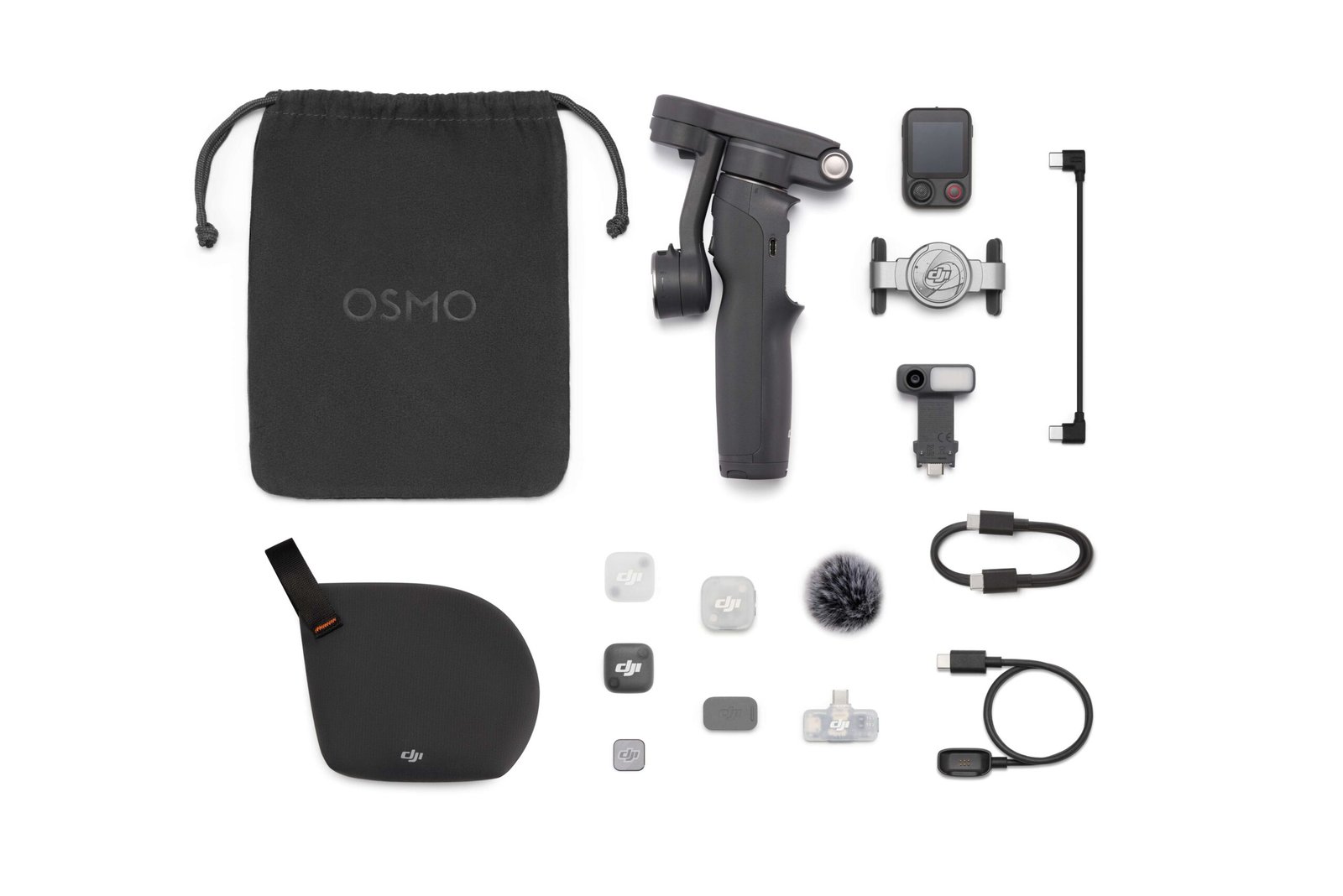
Identify the supplied kit
Confirm the transmitter, receiver and any adapter supplied in the exact Creator Combo. Use the manufacturer’s compatibility guidance and confirm the recording application receives external audio.
Record a controlled test
Speak at normal and louder levels while checking available meters. Listen back through headphones for clipping, clothing noise or dropouts. A hand clap at the beginning can help align separately recorded sound.
Protect the recording
Charge audio devices, maintain a clear connection and make a backup recording where permitted. Review both picture and sound before dismantling the setup.
Frequently asked question
Does wireless audio guarantee synchronization in every app?
No. Test the exact phone, app and accessory configuration.
Compare DJI Osmo Mobile 8P Creator Combo, DJI Osmo Mobile 8P Standard Combo, DJI Osmo Mobile 7P. See manufacturer support and contact Infinite Tech in Nairobi for current price, exact configuration and warranty.
