

Hisense HS1800 Soundbar Setup: HDMI ARC, Bluetooth and Bass

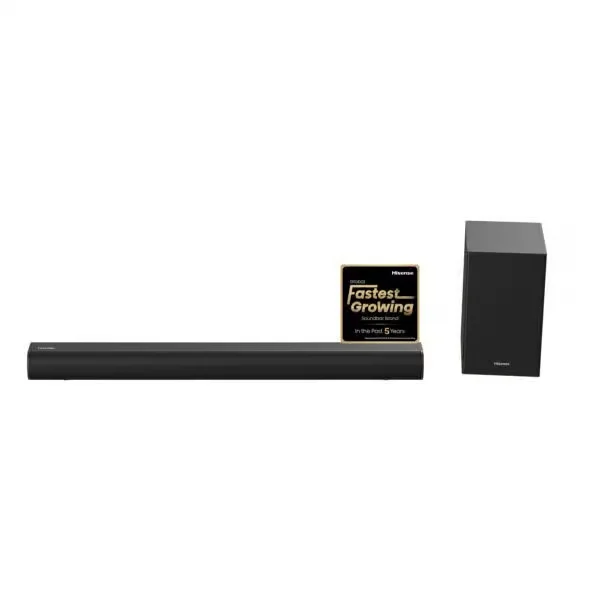
Updated 3 November 2026. The HS1800 combines a 140W maximum 2.1 soundbar with a wireless subwoofer. Its straightforward TV connection and music streaming options suit buyers who want better audio without a large home-theatre installation. The advice below is based on available manufacturer documentation, not on a claimed hands-on laboratory test.
Hisense HS1800: core specifications
140W maximum, 2.1 channels, wireless subwoofer, HDMI ARC, Bluetooth and USB. The HS1800 is an economical 2.1 channel system intended to improve ordinary television sound and add a separate bass unit. Hisense South Africa lists HDMI ARC, Bluetooth streaming, USB and a wireless subwoofer. There is no reason to advertise it as Dolby Atmos or as having rear speakers. Its main value lies in simple daily TV and music use, not a five-channel surround experience. Audio features and box contents should be checked against the delivered regional model.
Connect by HDMI ARC where possible
Locate the ARC marking on the television’s HDMI socket and match it with the soundbar’s ARC connection. Turn on HDMI CEC in the TV menus if the devices do not respond to the TV remote. Do not confuse ordinary HDMI input ports with the return-audio connection.
For a purchase decision, consult the Hisense HS1800 product page for the live price, rather than relying on old screenshots or copied retailer lists.
Pair Bluetooth for music
Switch the soundbar to Bluetooth mode, find it in your phone’s Bluetooth device list, and start playback. If a TV’s Bluetooth audio lags behind the picture, try HDMI ARC instead; wireless music convenience does not guarantee video lip-sync.
For a purchase decision, consult the Hisense HS1800 product page for the live price, rather than relying on old screenshots or copied retailer lists.
Where to put the wireless subwoofer
Place it near a safe power point, avoid enclosing the driver in a tight cabinet and leave the device within wireless range of the main bar. Adjust bass for normal room listening; it should support dialogue rather than overpower it.
For a purchase decision, consult the Hisense HS1800 product page for the live price, rather than relying on old screenshots or copied retailer lists.
Setup checklist for Kenyan TVs
- Record the full TV model number and identify the socket actually labelled ARC or eARC.
- Check the manufacturer instructions for supported audio formats before choosing a movie or console output mode.
- Test volume control and audio/video synchronisation at normal listening level before wall-mounting equipment.
- Allow ventilation around the electronics and keep all power leads safely routed.
- Confirm warranty, included accessories, current price and Nairobi or Kenya-wide fulfilment directly with Infinite Tech.
Frequently asked questions
Is the published output a guaranteed continuous power rating?
No. HS1800 is described by Hisense using maximum output. Room loudness and perceived sound quality depend on far more than this number.
Does HS1800 connect to a non-Hisense TV?
Usually yes through a supported shared audio connection such as HDMI ARC, optical or Bluetooth if available. Proprietary Hisense TV integrations only work with specifically compatible television models.
What if I am not sure the model suits my room?
Compare with the Hisense HS2100, review the complete Hisense soundbar price list, and take your TV model number and room dimensions to Infinite Tech before ordering.
Specifications and sources
Read Hisense’s manufacturer information for HS1800 and the soundbar buying guide. Physical stock and box contents can differ from online indicators. For buying and delivery queries, call Infinite Tech on 0720450148.
