

Hisense AX5100Q Dolby Atmos Setup: HDMI eARC and Rear Speakers

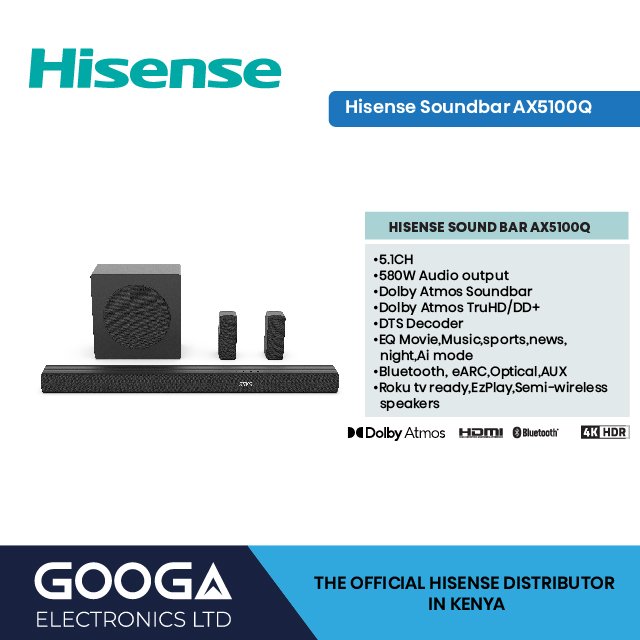
Updated 3 November 2026. Getting the best from an AX5100Q requires more than buying an Atmos-labelled bar. The TV, streaming application, soundtrack and output settings must also support the relevant audio format. The advice below is based on available manufacturer documentation, not on a claimed hands-on laboratory test.
Hisense AX5100Q: core specifications
580W maximum, 5.1 channel, Dolby Atmos/DTS:X, wireless subwoofer, semi-wireless rear speakers and HDMI eARC. The AX5100Q combines object-audio format compatibility and a physical five-channel-plus-subwoofer speaker layout. Its rear surround units create a different listening environment from the front-only AX3100Q. Dolby Atmos requires encoded source material and a compatible output path through the television or streaming player. Hi-Concerto and EzPlay can be useful with supported Hisense televisions, but these functions should not be promised for every brand or TV model.
Connect the correct HDMI ports
Use the soundbar’s HDMI eARC/ARC socket and the television’s ARC/eARC-labelled port, then enable HDMI CEC and any eARC setting where supported. Select passthrough or automatic digital audio output if the television supports those options. Use the manual when menus differ by TV brand.
For a purchase decision, consult the Hisense AX5100Q product page for the live price, rather than relying on old screenshots or copied retailer lists.
Check real Dolby Atmos content
A music or video service may offer stereo, Dolby Digital or Atmos depending on the account, app, device and programme. Select an Atmos-tagged title and ensure the player is not converting it to PCM stereo. Atmos soundstage quality still varies with room acoustics and speaker arrangement.
For a purchase decision, consult the Hisense AX5100Q product page for the live price, rather than relying on old screenshots or copied retailer lists.
Set up rear surround placement
AX5100Q includes semi-wireless rear units; ‘semi-wireless’ is not a guarantee of no cables or power connection. Check the rear-speaker module and manual, then plan rear positioning, socket access and safer cable management before mounting.
For a purchase decision, consult the Hisense AX5100Q product page for the live price, rather than relying on old screenshots or copied retailer lists.
Setup checklist for Kenyan TVs
- Record the full TV model number and identify the socket actually labelled ARC or eARC.
- Check the manufacturer instructions for supported audio formats before choosing a movie or console output mode.
- Test volume control and audio/video synchronisation at normal listening level before wall-mounting equipment.
- Allow ventilation around the electronics and keep all power leads safely routed.
- Confirm warranty, included accessories, current price and Nairobi or Kenya-wide fulfilment directly with Infinite Tech.
Frequently asked questions
Is the published output a guaranteed continuous power rating?
No. AX5100Q is described by Hisense using maximum output. Room loudness and perceived sound quality depend on far more than this number.
Does AX5100Q connect to a non-Hisense TV?
Usually yes through a supported shared audio connection such as HDMI ARC, optical or Bluetooth if available. Proprietary Hisense TV integrations only work with specifically compatible television models.
What if I am not sure the model suits my room?
Compare with the Hisense HS5100, review the complete Hisense soundbar price list, and take your TV model number and room dimensions to Infinite Tech before ordering.
Specifications and sources
Read Hisense’s manufacturer information for AX5100Q and the soundbar buying guide. Physical stock and box contents can differ from online indicators. For buying and delivery queries, call Infinite Tech on 0720450148.
