
Best HP Printers for Schools and Cybercafés in Kenya 2026

Infinite Tech Kenya | Buying guide updated 22 October 2026. Prices are a dated store snapshot, not guaranteed quotations.
A teacher printing a few worksheets, a school office scanning forms and a cybercafé producing many single-page documents have radically different requirements. This guide helps Kenyan buyers size HP printing equipment to their workflow rather than buying whichever printer has the lowest advertised price.
Relevant HP printer models and prices
| Model and live listing | Store price | Relevant capabilities |
|---|---|---|
| HP DeskJet 2320 | KSh 11,500 | Colour inkjet, USB print, copy and scan |
| HP DeskJet 2875 | KSh 13,000 | Colour inkjet, Wi-Fi print, copy and scan |
| HP LaserJet M141a | KSh 27,000 | USB monochrome print, copy and scan |
| HP LaserJet M141w | KSh 27,500 | Wi-Fi monochrome print, copy and scan |
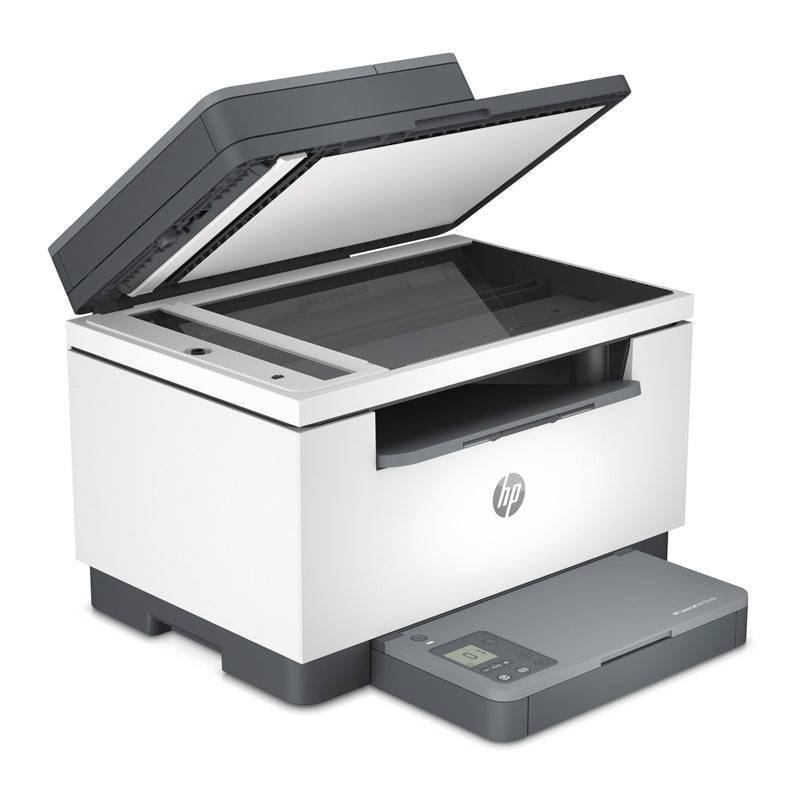
| HP LaserJet M236sdn | KSh 36,000 | Monochrome MFP with automatic duplex printing |
| HP LaserJet 4003dw | KSh 60,500 | Monochrome office print only, duplex and Wi-Fi |
| HP LaserJet 4103fdw | KSh 72,500 | Monochrome office MFP, ADF, fax and duplex |
Open each model link to review its current price and product number before payment. All stock is subject to confirmation because these audited listings do not record verified on-hand quantities. The relative merits of each model depend on the actual work being done.
School desk, staffroom and administration
A small desk can use a DeskJet for occasional colour worksheets, notices and copies. Staffrooms that produce black-and-white work daily should investigate mono LaserJet models, while an administrative office scanning forms may need a multifunction variant. Staff sharing and Wi-Fi rules should be confirmed before ordering.
What matters at a cybercafé
Quick monochrome printing, dependable toner supply, paper capacity and a practical replacement plan often matter more than the manufacturer’s maximum monthly duty-cycle headline. If the business offers photocopying or ID scanning, print-only machines are insufficient. Consider a separate high-volume mono printer and a scanner-capable device for resilience.
How to budget consumables and downtime
Estimate average daily prints, busy seasonal peaks, colour coverage, spare cartridges and reliable delivery of genuine supplies. Record the cost and rated yield of each cartridge in a comparison sheet. Ask the store about repair turnaround, warranties, and whether a proposed price is inclusive of VAT. Request written quotations for institutional procurement.
A procurement checklist you can use
Write down the requirement before viewing offers. Calculate the average pages per day, how many are colour, whether original paper must be scanned or photocopied, how many users share the device and what level of downtime is acceptable. Separate non-negotiable functions from conveniences. Where a network is required, specify USB, Ethernet or Wi-Fi and verify the exact suffix for each model.
Ask for the exact HP product number, supported genuine cartridges or toner, current cartridge cost and page yield, warranty details, and what comes in the box. If comparing suppliers, check whether figures are before or after VAT and whether delivery is included. Schools and corporate buyers may need an official quotation for approval rather than a screenshot of a product page.
Buyer mistakes that cost money
- Buying a print-only printer when staff also need scanning and copying.
- Assuming every printer with Wi-Fi can scan from a phone or perform automatic duplex tasks.
- Choosing an expensive model without measuring the monthly workload or considering unused features.
- Accepting a compatible-toner promise without verifying the product number and regional cartridge specification.
- Ignoring maintenance, downtime, paper use and replacement consumable prices.
- Treating an online in-stock flag as confirmation of physical warehouse stock.
Frequently asked questions
How can I tell if a printer is suitable for my monthly workload?
Estimate actual pages per month and daily peak printing. Compare the manufacturer’s recommended volume and paper capacity rather than buying purely from the maximum duty-cycle number.
Is laser always cheaper than inkjet?
No. Running cost depends on the exact consumable, price, yield and document coverage. Low-volume households and high-volume offices should calculate their own cost per page.
What should I check before buying a multifunction printer?
Check whether it physically prints, copies and scans, whether an ADF is included, supported duplex functions and the required network connectivity.
Why do two suppliers offer different prices?
Quoted figures may differ because of VAT, promotion dates, regional warranty, supplied cartridges, device condition and transport. Compare like-for-like terms.
Can I assume Infinite Tech has a unit ready for immediate collection?
No. Catalogue records show these products as in stock but do not track physical quantities. Contact the shop to confirm availability before travelling or paying.
Where can I compare more HP models?
Use the Infinite Tech HP printer price index and the linked WooCommerce product pages to compare exact model specifications and current selling prices.
Further research and ordering
Browse the complete HP printer price index for Kenya, the home and office printer buying guide and the Epson versus HP ownership-cost comparison. Contact Infinite Tech at Rehema House, Nairobi, telephone 0720450148, for stock and warranty confirmation.