
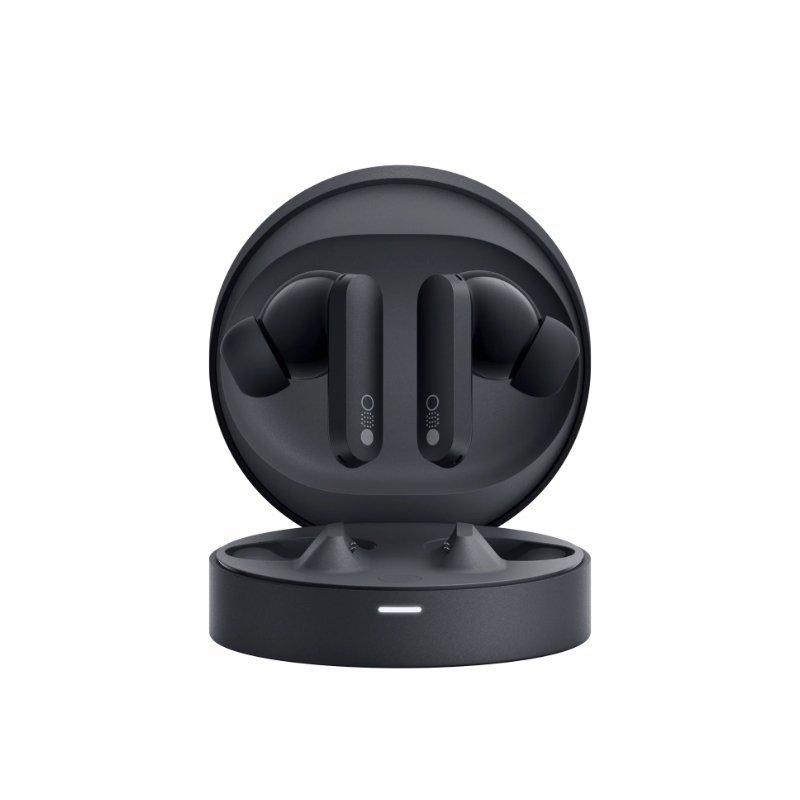
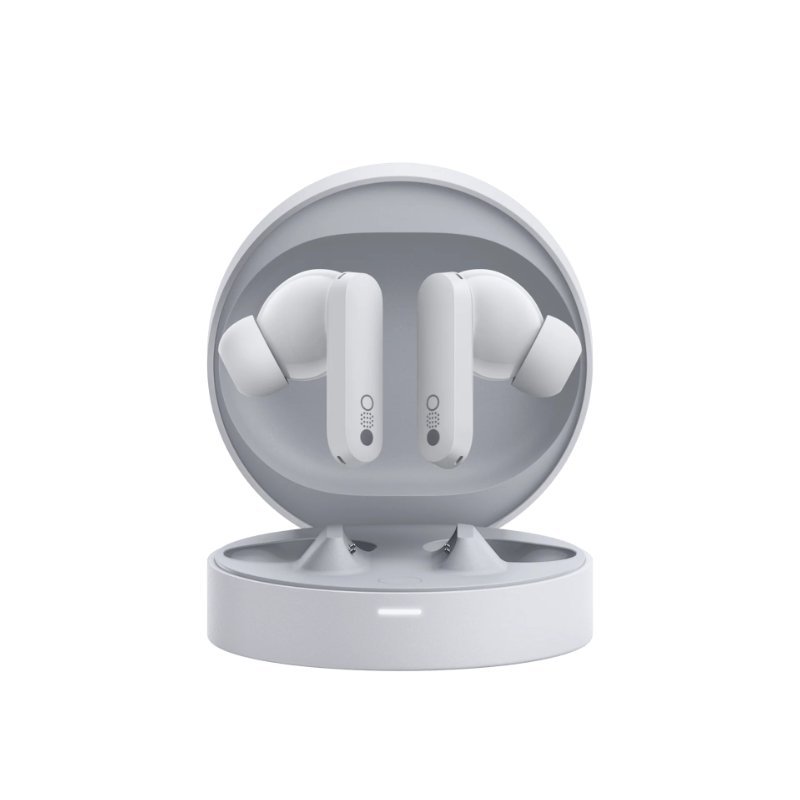
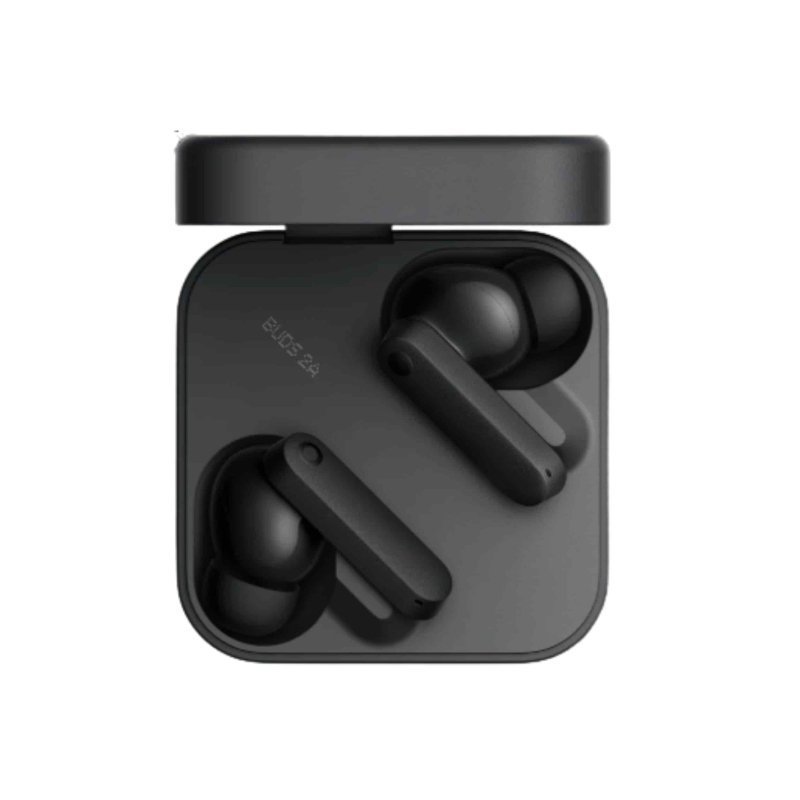
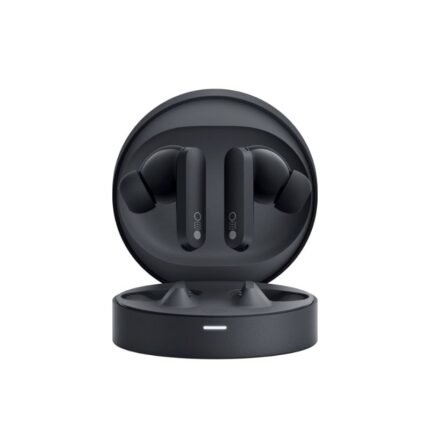
Nothing CMF Buds Pro
Original price was: KSh 9,000.00.KSh 7,500.00Current price is: KSh 7,500.00.
Quick answer
Nothing CMF Buds Pro is listed at KSh 7,500.00 at Infinite Tech Kenya and is in stock. Review the specifications on this page, then use the delivery and warranty information below before ordering.
Nothing CMF Buds Pro Key features
- App: Nothing X App
- Mics: 6
- ANC: Supported
- Connectivity: Bluetooth 5.3 and fast pairing.
- Waterproof: IP54 Rating
- Colors: Dark Grey, Light Grey, Orange
- Battery: 55mAh, 39 Hours playtime
Quick answer
Nothing CMF Buds Pro is currently listed at KSh 7,500.00 at Infinite Tech Kenya and is in stock. Use the live price and stock status on this page as the current commercial reference.
Nothing CMF Buds Pro
Nothing CMF Buds Pro price in Kenya is KSh 7,500. The earbuds come in Dark Grey, Light Grey, and Orange. They are equipped with a 45 dB hybrid Active Noise Cancellation + Transparency Mode. 6 HD Mics with clear voice technology are vital for sound clarity and noise cancellation, thanks to Clear Voice Technology. Customize the sound with the adjustable equalizer, or better still, with the Nothing X App, and access 3 sound modes: Treble, Bass, and Mids. Nothing has developed the Buds Pro to transform the bass experience by ensuring the hardware and software combine and complement each other to enhance the sound of the bass in real time.
The earbuds (not charging case) are dust and waterproof, with an IP54 Rating. Enjoy an industry-leading 55mAh battery in each bud and 460mAh in the charging case, delivering 11 hours of nonstop music on a single charge and 39 hours of playback with the case. Besides, it supports speedy power-ups with Fast Charge (10 mins for 5 hours with case with ANC off, and 10 mins for 2.8 hours with ANC on / Transparency Mode with case). Buy Nothing CMF Buds Pro today at .
Nothing CMF Buds Pro Unique Selling Features
- An elegant, minimalist design
- ANC Support
- Convenience for use
- Balanced audio quality
- Punchy bass and clear sound
- Effective active noise cancellation
- Exceptional battery life
- The buds offer solid audio quality with punchy bass and clear sound
Explore related Infinite Tech resources
Find related products and helpful customer information:
Product questions and answers
How much is Nothing CMF Buds Pro in Kenya?
The current listed price of Nothing CMF Buds Pro at Infinite Tech Kenya is KSh 7,500.00. Prices can change with stock, promotions and supplier updates, so use the live price shown on this page as the current reference.
Is Nothing CMF Buds Pro available at Infinite Tech?
Nothing CMF Buds Pro is currently listed as in stock at Infinite Tech.
What are the key specifications of Nothing CMF Buds Pro?
Nothing CMF Buds Pro Key features App: Nothing X App Mics: 6 ANC: Supported Connectivity: Bluetooth 5.3 and fast pairing. Waterproof: IP54 Rating Colors: Dark Grey, Light Grey, Orange Battery: 55mAh, 39 Hours playtime
Does Infinite Tech deliver Nothing CMF Buds Pro in Kenya?
Infinite Tech provides delivery options in Kenya. Delivery timing and cost depend on destination and order details; check the Delivery Information page or contact Infinite Tech to confirm your location.
What warranty applies to Nothing CMF Buds Pro?
Warranty terms depend on the product, brand and supplier. Check Infinite Tech’s Warranty Information page or contact the store for the warranty that applies to this exact item before purchase.
Delivery information · Warranty information · Contact Infinite Tech
100 FAQs for Nothing Accessories, Nothing Buds & Nothing Watch
Nothing Accessories FAQs
1. What Nothing accessories are available?
Nothing offers a range of accessories including wireless earbuds, charging cases, cables, power adapters, smartphone accessories and wearable products such as Nothing Watch models sold in different markets.
2. Are Nothing accessories original?
Original Nothing accessories are manufactured or licensed by Nothing. When buying, choose a reputable retailer and check the packaging, model number and warranty details.
3. Where can I buy Nothing accessories in Kenya?
Nothing accessories can be purchased from reputable smartphone and electronics retailers in Kenya. Always confirm that the product is genuine and compatible with your device.
4. What are the most popular Nothing accessories?
Popular Nothing accessories include Nothing Ear earbuds, Nothing Ear (a), Nothing Buds, charging accessories, USB-C cables, cases and Nothing wearable products.
5. Are Nothing accessories compatible with Android phones?
Yes. Most Nothing audio accessories work with Android smartphones through Bluetooth.
6. Are Nothing accessories compatible with iPhones?
Yes. Nothing wireless earbuds can generally connect to compatible iPhones through Bluetooth, although some features may require the Nothing X app.
7. Do Nothing earbuds work with Samsung phones?
Yes. Nothing earbuds can be paired with Samsung Galaxy and other compatible Android smartphones.
8. Do Nothing earbuds work with iPhone?
Yes. Nothing earbuds can be connected to an iPhone using Bluetooth.
9. Do Nothing accessories support USB-C?
Many current Nothing products use USB-C for charging and connectivity.
10. Are Nothing accessories good quality?
Nothing products are designed with a strong emphasis on modern design, functionality and everyday usability. Quality can vary between individual product categories and models.
11. Are Nothing accessories expensive?
Prices vary depending on the product and model. Nothing offers products ranging from relatively affordable earbuds to more premium audio accessories.
12. What should I check before buying a Nothing accessory?
Check the exact model, compatibility, charging connection, included accessories, warranty and whether the product is intended for your region.
13. Can Nothing accessories be used with other brands?
Many Nothing accessories, particularly Bluetooth earbuds, can be used with other compatible brands such as Samsung, Apple, Xiaomi, OPPO and Google.
14. Do Nothing accessories have warranties?
Warranty availability depends on the product, seller and market. Check the retailer's warranty terms before purchasing.
15. Are Nothing accessories suitable for everyday use?
Yes. Products such as wireless earbuds, charging accessories and cables are designed for regular everyday use.
Nothing Buds & Earbuds FAQs
16. What are Nothing Buds?
Nothing Buds refers to Nothing's range of wireless earbuds designed for music, calls, podcasts and everyday listening.
17. What is the difference between Nothing Buds and Nothing Ear?
Nothing has released multiple generations and product lines. "Nothing Ear" and "Nothing Buds" can refer to different products, so buyers should check the exact model before comparing specifications.
18. What are Nothing Ear earbuds?
Nothing Ear earbuds are true wireless stereo earbuds designed to provide wireless audio, active noise cancellation on supported models and smartphone connectivity.
19. What is Nothing Ear (a)?
Nothing Ear (a) is a wireless earbud model positioned as a more affordable alternative within Nothing's audio lineup.
20. What is Nothing Ear?
Nothing Ear is a premium true wireless earbud product designed for users who want advanced audio features and customization.
21. Are Nothing Buds wireless?
Yes. Nothing Buds products are designed as wireless earbuds using Bluetooth connectivity.
22. Do Nothing Buds have Bluetooth?
Yes. Nothing wireless earbuds use Bluetooth to connect to compatible smartphones, tablets, computers and other devices.
23. Are Nothing Buds true wireless earbuds?
Yes. Nothing Buds and Nothing Ear products use a true wireless earbud design, with separate left and right earbuds.
24. Do Nothing Buds have a charging case?
Yes. Nothing true wireless earbuds come with a charging case that stores and recharges the earbuds.
25. How do Nothing Buds charge?
The earbuds charge by placing them inside their charging case. The case itself can be recharged using its supported charging connection.
26. Do Nothing Buds use USB-C?
Many current Nothing earbud charging cases use USB-C charging.
27. Do Nothing Buds support fast charging?
Supported Nothing earbud models offer quick-charge functionality. Exact charging performance depends on the specific model.
28. How long does Nothing Buds battery last?
Battery life varies by model and settings. Factors such as ANC, volume, Bluetooth use and microphone activity affect battery life.
29. Do Nothing Buds have active noise cancellation?
Selected Nothing Ear and Buds models support Active Noise Cancellation. Buyers should check the specifications of the exact model.
30. What is ANC on Nothing Buds?
ANC stands for Active Noise Cancellation. It uses microphones and electronic processing to reduce certain external sounds while you listen.
31. Is Nothing Buds ANC good?
ANC performance depends on the model, fit and surrounding environment. Nothing's supported ANC earbuds are designed to reduce unwanted background noise.
32. Can I turn ANC off on Nothing Buds?
On supported models, users can switch between noise cancellation, transparency and normal listening modes.
33. What is Transparency Mode on Nothing Buds?
Transparency Mode allows external sounds to pass through the earbuds so you can remain aware of your surroundings while listening.
34. Do Nothing Buds have transparency mode?
Selected Nothing earbuds support transparency or similar ambient listening modes.
35. Are Nothing Buds good for music?
Yes. Nothing earbuds are designed for music streaming and everyday audio, with different models offering different levels of sound customization.
36. Are Nothing Buds good for bass?
Many Nothing earbuds provide a customizable sound profile, allowing users to adjust bass depending on the model and app-supported settings.
37. Can I customize Nothing Buds sound?
Yes. Supported Nothing earbuds can be customized through the Nothing X application.
38. What is the Nothing X app?
Nothing X is Nothing's companion application for compatible audio products. It can provide settings for controls, sound customization, firmware updates and other supported features.
39. Can I use Nothing Buds without the Nothing X app?
Yes. Basic Bluetooth audio functionality generally works without the app. However, installing Nothing X provides access to additional supported features and customization.
40. Is Nothing X available for Android?
Yes. Nothing X is available for compatible Android devices.
41. Is Nothing X available for iPhone?
Yes. Nothing provides Nothing X support for compatible Apple devices.
42. Can Nothing Buds connect to two devices?
Some Nothing earbud models support dual-device or multipoint connectivity. Check the specifications of the exact model.
43. Can Nothing Buds connect to a laptop?
Yes. Compatible Nothing earbuds can connect to laptops through Bluetooth.
44. Can Nothing Buds connect to a smart TV?
Yes, if the television supports compatible Bluetooth audio connections.
45. Can Nothing Buds be used for gaming?
Yes. Nothing earbuds can be used for compatible mobile, PC and other Bluetooth gaming setups. Gaming latency depends on the specific model, device and connection.
46. Do Nothing Buds have low latency mode?
Selected Nothing earbuds support low-lag or low-latency gaming modes through supported software.
47. Are Nothing Buds good for calls?
Yes. Nothing earbuds include microphones designed for phone calls and voice communication.
48. Are Nothing Buds good for WhatsApp calls?
Yes. Compatible Nothing earbuds can be used for WhatsApp voice and video calls.
49. Are Nothing Buds good for Zoom meetings?
Yes. They can be used with compatible phones, tablets and computers for Zoom and other video-conferencing applications.
50. Do Nothing Buds have microphones?
Yes. Nothing wireless earbuds include microphones for calls, voice input and supported noise-control functions.
51. Are Nothing Buds comfortable?
Comfort depends on ear shape and individual preference. Nothing offers different earbud designs and sizes depending on the model.
52. Do Nothing Buds come with different ear tips?
Many in-ear Nothing earbud models include multiple ear-tip sizes to help users find a suitable fit.
53. Are Nothing Buds waterproof?
Water and sweat resistance varies by model. Check the specific IP rating before using Nothing earbuds during workouts or around water.
54. Can I use Nothing Buds at the gym?
Models with suitable water or sweat resistance can be used during workouts. However, they should not be submerged unless specifically rated for that use.
55. Can Nothing Buds be used while running?
Yes. Suitable Nothing earbuds can be used while running, provided they fit securely and have the appropriate protection rating.
56. Do Nothing Buds have touch controls?
Many Nothing earbuds use touch or stem controls for functions such as play/pause, skipping tracks, calls and noise-control modes.
57. Can I customize Nothing Buds controls?
Supported Nothing earbuds allow control customization through the Nothing X app.
58. Can Nothing Buds answer calls?
Yes. Supported controls allow users to answer and end calls.
59. Can Nothing Buds reject calls?
Supported models provide controls for managing incoming calls, including rejecting calls.
60. Can Nothing Buds control music?
Yes. Compatible touch or press controls can be used to manage playback.
61. Do Nothing Buds support Google Assistant?
Compatibility with voice assistants depends on the earbud model, connected phone and software.
62. Can Nothing Buds work with Siri?
Yes. When connected to compatible Apple devices, supported voice-assistant functions can be accessed.
63. Do Nothing Buds support spatial audio?
Spatial or immersive audio capabilities depend on the specific Nothing earbud model and connected device.
64. Do Nothing Buds support high-quality audio codecs?
Supported codecs vary between Nothing earbud models. Check the exact model specifications for codec compatibility.
65. Are Nothing Buds good for podcasts?
Yes. Their wireless design and comfortable fit make them suitable for podcasts, audiobooks and spoken-word content.
66. Are Nothing Buds good for watching movies?
Yes. They can provide a private wireless listening experience for movies, TV shows and online videos.
67. Do Nothing Buds have good sound quality?
Sound quality varies by model, but Nothing's audio range is designed to deliver detailed wireless audio with tuning and customization features on supported products.
68. How do I pair Nothing Buds?
Open the charging case, activate Bluetooth on your phone, select the Nothing earbuds from the available Bluetooth devices and complete pairing. The Nothing X app can provide additional setup options.
69. Why are my Nothing Buds not connecting?
Check that Bluetooth is enabled, the earbuds have sufficient battery, the charging contacts are clean and the earbuds are in pairing mode. Resetting the earbuds may also resolve connection problems.
70. How do I reset Nothing Buds?
The reset procedure varies by model. Generally, the earbuds can be reset using the charging case's pairing/reset control. Consult the instructions for the specific model.
Nothing Watch & Smartwatch FAQs
71. Does Nothing make a smartwatch?
Nothing has expanded its ecosystem beyond smartphones and earbuds, but availability of products branded specifically as a "Nothing Watch" can vary by market and retailer. Always verify the exact model and manufacturer before purchasing.
72. What is Nothing Watch?
"Nothing Watch" is commonly used by shoppers when searching for a smartwatch associated with the Nothing ecosystem. Because Nothing's official product lineup can change, verify the exact model name before listing it as an official Nothing product.
73. Is Nothing Watch compatible with Android?
Compatibility depends on the exact smartwatch model. Check the manufacturer's supported operating systems before purchase.
74. Is Nothing Watch compatible with iPhone?
Compatibility depends on the specific smartwatch and companion application.
75. Can Nothing Watch receive notifications?
A compatible smartwatch can display notifications from a connected smartphone, depending on its operating system and companion app.
76. Can Nothing Watch receive WhatsApp notifications?
Supported smartwatches can display WhatsApp notifications when connected to a compatible smartphone and configured correctly.
77. Can Nothing Watch track steps?
Fitness tracking capabilities depend on the exact smartwatch model.
78. Can Nothing Watch track workouts?
A smartwatch designed for fitness can track supported activities such as walking, running and other workouts. Check the exact model for available sports modes.
79. Can Nothing Watch monitor heart rate?
Heart-rate monitoring depends on the specific smartwatch model and its installed sensors.
80. Does Nothing Watch track sleep?
Sleep tracking is dependent on the exact model and companion application.
81. Does Nothing Watch track calories?
Supported fitness smartwatches can estimate calories burned using activity and sensor data.
82. Does Nothing Watch have GPS?
GPS availability depends on the specific watch model. Some smartwatches use connected-phone GPS instead.
83. Is Nothing Watch waterproof?
Water resistance depends on the exact model and IP or ATM rating. Always check the manufacturer's rating before swimming or exposing the watch to water.
84. Can Nothing Watch be used for swimming?
Only use a smartwatch for swimming if its manufacturer specifically rates it for swimming or the relevant water exposure.
85. Does Nothing Watch support Bluetooth?
Bluetooth connectivity is required on most modern smartwatches for pairing with smartphones and accessories.
86. How long does Nothing Watch battery last?
Battery life depends on the specific watch, screen settings, GPS use, health monitoring and notification frequency.
87. Can Nothing Watch make calls?
Calling functionality depends on the exact smartwatch model. Some watches support Bluetooth calling when paired with a smartphone.
88. Can Nothing Watch play music?
Music controls are commonly supported on smartwatches, while standalone music playback depends on the watch's storage, software and connectivity.
89. Does Nothing Watch have an AMOLED display?
Display technology depends on the exact smartwatch model. Check the manufacturer's specifications before purchasing.
90. Can Nothing Watch control phone music?
Compatible smartwatches can control music playback on a connected smartphone.
Nothing Accessories Buying FAQs
91. What Nothing accessory should I buy for a Nothing phone?
Popular choices include Nothing earbuds, charging accessories, USB-C cables, protective cases and compatible power adapters.
92. Are Nothing Buds compatible with Nothing phones?
Yes. Nothing earbuds are designed to integrate particularly well with Nothing smartphones and can provide additional ecosystem features through compatible software.
93. Are Nothing Buds compatible with Nothing Phone devices?
Yes. Nothing Buds and Nothing Ear products can be paired with Nothing smartphones through Bluetooth, with additional features available through supported software.
94. What charger should I use with Nothing devices?
Use a compatible USB-C charger that meets the power requirements of your specific Nothing device. For smartphones, check the phone's supported charging standard and wattage.
95. Can I use a Samsung charger with Nothing devices?
A compatible Samsung USB-C charger can generally be used where the charging standards and power requirements are supported.
96. Can I use an Apple charger with Nothing Buds?
If the charger provides a compatible USB-C connection and suitable power output, it can generally be used with compatible Nothing charging cases.
97. Are Nothing USB-C cables universal?
USB-C cables can have different charging speeds, data-transfer capabilities and power ratings. Check the cable specifications if you need fast charging or high-speed data transfer.
98. How do I choose the right Nothing accessory?
Start with your device model and determine what you need: audio, charging, protection, connectivity or wearable functionality. Then verify compatibility and specifications.
99. What should I check when buying Nothing Buds in Kenya?
Check the exact model, ANC availability, battery life, Bluetooth version, water-resistance rating, included accessories, warranty and whether the product is genuine.
100. Where can I buy original Nothing Buds and accessories in Kenya?
Buy from a reputable electronics or smartphone retailer and verify the product model, packaging, serial information and warranty. Compare the exact specifications rather than relying only on the product name.
Related products
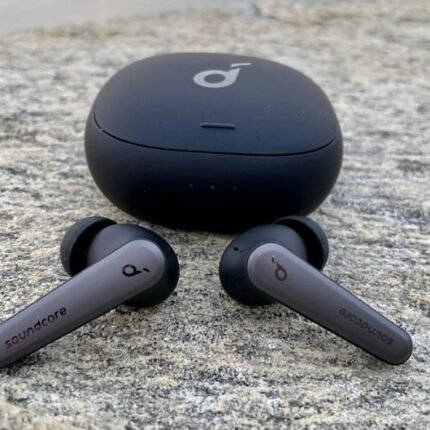
Anker Soundcore Liberty Air 2 Pro True Wireless Earbuds
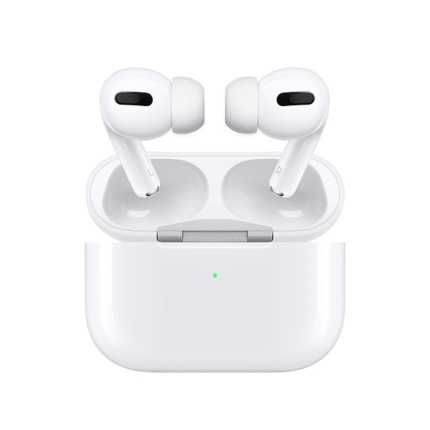
Apple Airpods Pro
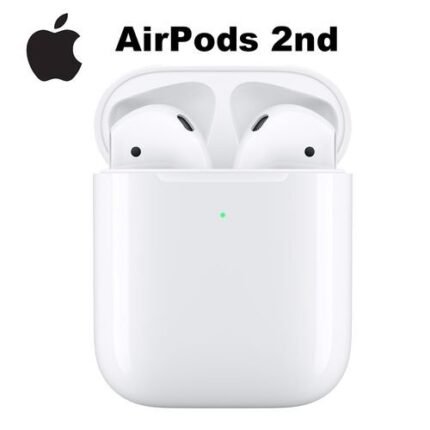
Apple Airpods with Wireless Charging Case (2nd Gen)
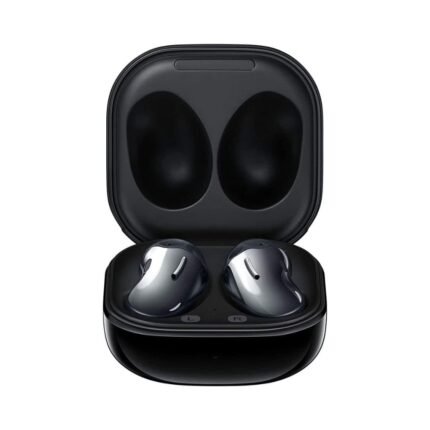
Galaxy Buds Live
- Connection Type: Wireless
- Wireless Connectivity : Bluetooth 5.0
- True Wireless: Yes
- Water Resistant: Yes
- Built-In Microphone: Yes
- Case Battery Capacity: 472 mAH
- Headphone Fit : In-Ear
- Battery : 60 mAh
- Ear Tip Sizes Included: Large, Medium, Small
- Color: Mystic White, Mystic Bronze, Mystic Black
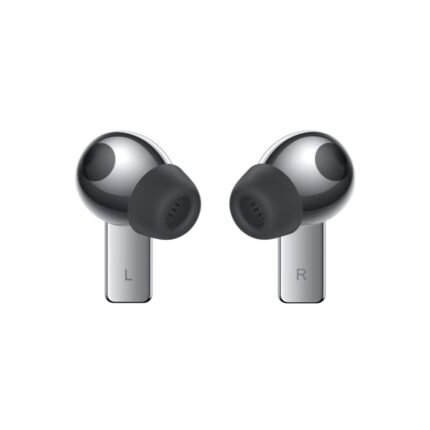
Huawei FreeBuds Pro
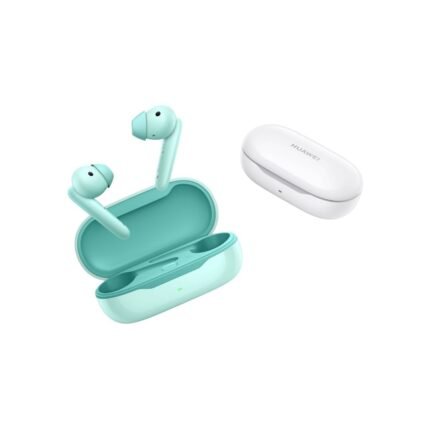
HUAWEI FreeBuds SE
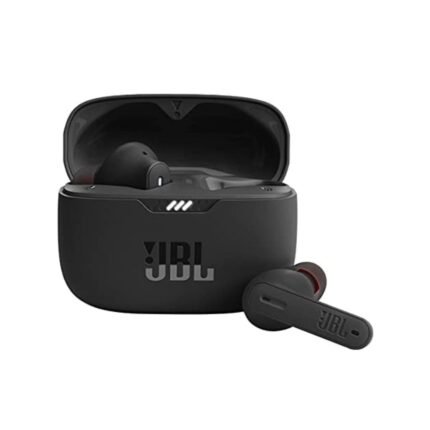
JBL Tune 230NC TWS
JBL Tune 230NC KEY FEATURES:
Compact & Comfortable Stick Design
JBL Pure Bass Sound with 6mm Drivers
Active Noise Cancellation
4 x Mics for Clear Hands-Free Calls
Ambient Aware & TalkThru
Up to 10 Hours of Battery Life
Up to 30 Extra Hours with Charging Case
IPX4-Rated Water & Sweat Resistance
Customize Sound with JBL Headphones App
5-Minute Charge for 1 Hour of Power
Reviews
There are no reviews yet.